EasyManua.ls Logo

Black & Decker CM1836 - User Manual

Black & Decker CM1836
15 pages
Print Icon
To Next Page IconTo Next Page
Loading...
KEY INFORMATION YOU SHOULD KNOW:
Do not operate mower unless handle is locked into position.
For best cutting results, keep blade sharpened and balanced.
Inspect and thoroughly clean your mower after each use (a deck with caked grass will degrade performance).
Make sure mowing area is clear of other persons or pets prior to starting and during operation.
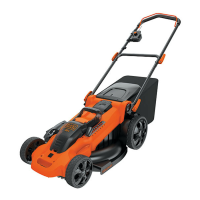
18 Inch (457mm) Cordless Mulching / Rear Bag Mower
INSTRUCTION MANUAL
Date Code:
Catalog Number
CM1836
INSTRUCTIVO DE OPERACIÓN, CENTROS DE SERVICIO Y PÓLIZADE GARANTÍA.
ADVERTENCIA: ASE ESTE INSTRUCTIVO ANTES DE USAR EL PRODUCTO.
VEA EL ESPAÑOL EN LA CONTRAPORTADA.
PPLLEEAASSEE RREEAADD BBEEFFOORREE RREETTUURRNNIINNGG TTHHIISS PPRROODDUUCCTT FFOORR AANNYY RREEAASSOONN::
If you have a question or experience a problem with your Black & Decker purchase, go to HTTP://WWW.BLACKANDDECKER.COM/INSTANTANSWERS
If you can’t find the answer or do not have access to the internet, call 1-800-544-6986 from 8 a.m. to 5 p.m. EST Mon. -- Fri. to speak with an agent.
Please have the catalog number available when you call.
for instant answers 24 hours a day.
SAVE THIS INSTRUCTION MANUAL FOR FUTURE REFERENCE.
Thank you for choosing Black & Decker!
Go to www.BlackandDecker.com/NewOwner to register your new product.

Questions and Answers

  • K
    Kimberly HolmesAug 15, 2025
    Why does my Black & Decker CM1836 Lawn Mower motor stop while mowing?
    • J
      James NortonAug 16, 2025
      If the motor stops while mowing, there could be a few reasons. First, release the bail handle, remove the safety key, and check if the blade can turn freely; if not, take it to an authorized servicer. Also, the battery may not be fully charged, so plug in the charger and wait for the green light. To prevent overloading, slow down your pace or raise the cutting height. You can also try raising the cutting height of the wheels to the highest position and starting the mower.
  • M
    Mr. Andrew Wade IIIAug 18, 2025
    What to do if my Black & Decker CM1836 doesn’t run when the bail handle is activated?
    • C
      charlesguzmanAug 18, 2025
      If your mower isn’t running when you activate the bail handle, make sure the safety key is fully installed and the button on the switch housing is completely depressed. Also, ensure the battery is fully charged by plugging in the charger and waiting for the green light. If it still doesn't work, release the bail handle, remove the safety key, turn the mower over, and check that the blade is free to turn. If it's not, return it to an authorized Black & Decker servicer.
  • L
    Lisa McclureAug 21, 2025
    Why is my Black & Decker CM1836 Lawn Mower battery charger LED not on?
    • J
      Jennifer MyersAug 22, 2025
      If the battery charger LED is not on, check the plug connection. If that doesn't work, you may need to replace the charger.
  • J
    James ReynoldsAug 25, 2025
    Why Black & Decker CM1836 Lawn Mower battery charger LED does not flip to green?
    • C
      csuttonAug 25, 2025
      The battery needs to be diagnosed. Take to authorized service center.
  • E
    Elizabeth AnthonyAug 27, 2025
    Why my Black & Decker Lawn Mower has low or diminished run-time after many uses?
    • K
      Karen MooreAug 27, 2025
      Return to Black & Decker Authorized Service location - may need new battery.
  • H
    howellrickyAug 30, 2025
    What to do if my Black & Decker Lawn Mower is not picking up clippings with the bag?
    • A
      Alison ReynoldsAug 30, 2025
      If your mower isn't picking up clippings, start by removing the mulch plate when bagging. Check if the chute is clogged; if so, release the bail handle, remove the safety key, and clear the chute. If you are cutting too much grass, raise the cutting height of the wheels. Also, make sure that the bag is not full and needs to be emptied.
  • E
    Emily DelacruzSep 2, 2025
    Why is my Black & Decker CM1836 abnormally noisy and vibrates?
    • T
      Timothy GonzalezSep 2, 2025
      If your mower is abnormally noisy and vibrates, release the bail handle, remove the safety key, and inspect the blade for bends or damage. Replace it with a Black & Decker replacement blade if damaged. If the deck's underside is damaged, return the mower to an authorized service center. If there's no visible blade damage and vibration persists, remove the blade, rotate it 180 degrees, and retighten it. If it still vibrates, take it to an authorized service center.
  • C
    cranesamuelSep 6, 2025
    How to improve cutting performance of Black & Decker CM1836 Lawn Mower?
    • A
      Angelica LoveSep 6, 2025
      If the cutting performance is unsatisfactory or the mower doesn't cut the entire lawn, first ensure the battery is fully charged. Next, release the bail handle, remove the safety key, and check the blade for sharpness and the deck/discharge chute for clogs. Also, make sure the wheel height adjustment isn't set too low; raise the cutting height if needed.
  • J
    Jody SimonSep 8, 2025
    What to do if my Black & Decker Lawn Mower is too hard to push?
    • J
      Jason MatthewsSep 9, 2025
      If the mower is too hard to push, raise the cutting height to reduce deck drag on the grass. Also, check each wheel to ensure it rotates freely.
  • C
    Christina RobinsonSep 12, 2025
    Why are there clippings visible when mulching with my Black & Decker CM1836 Lawn Mower?
    • A
      alexandra67Sep 12, 2025
      If clippings are visible when mulching, it might be due to cutting too much grass at once. Raise the cutting height and avoid cutting off more than 1/3 of the total length. Also, ensure the blade is sharp.

Summary

Product Support and Troubleshooting

Product Support and Issue Resolution

Provides contact information and troubleshooting resources for product issues.

Key Information for Safe Mower Use

Highlights critical usage tips to ensure safety and proper mower function.

Safety Guidelines and Definitions

Understanding Safety Symbols and Pictorials

Explains hazard symbols and pictorials used in the manual for safety.

General Operation Safety

Safe Operating Practices for Walk-Behind Mowers

Details essential safety rules for operating the mower to prevent injury.

Slope Operation Safety

Safe Mowing Practices on Slopes

Provides guidance on mowing safely across slopes and avoiding hazards.

Child and General Service Safety

Child Safety Precautions

Instructions to ensure children are kept away from the mower during operation.

Routine Service and Safety Checks

Covers general checks, cleaning, and safety precautions for mower service.

FCC Compliance and Warnings

Radio Frequency Interference Statement

Details FCC compliance rules and potential interference issues with the device.

General Tool Safety Warnings

Comprehensive Safety Precautions for All Tools

Provides overarching safety guidelines applicable to all tools, including this mower.

Functional Description

Mower Components Overview

Identifies and describes the main parts and controls of the mower.

Preparation and Unpacking

Unpacking the Mower

Step-by-step guide on how to safely remove the mower from its packaging.

Assembly Instructions

Handle Assembly

Detailed steps for assembling the mower's handle and adjusting its height.

Grass Catcher Assembly

Instructions for assembling the grass catcher bag and frame.

Mower Adjustments and Battery

Wheel Height and Cutting Height Adjustment

Explains how to adjust wheel height and recommended cutting heights.

Battery and Charger Safety

Covers battery care, charging procedures, and safety warnings for the charger.

Charging and Operation

Charging Procedure

Step-by-step instructions for charging the mower's battery.

Safety Key Operation

Explains the function and importance of the safety key for mower operation and safety.

Mower Operation and Inserts

On-Off Switch and Safety Features

Details the operation of the bail handle switch and safety shields.

Mulch Insert and Grass Catcher

Instructions for removing and installing the mulch insert and grass catcher.

Mowing Tips and Maintenance

General Mowing Tips

Provides advice for optimal mowing, including slope safety and clippings management.

Mulching Mowing Tips

Specific recommendations for effective mulching for lawn health.

Maintenance Guidelines

Outlines procedures for maintenance and the use of qualified service centers.

Blade Service and Sharpening

Removing and Installing the Blade

Detailed procedure for safely removing and reinstalling the mower blade.

Blade Sharpening Techniques

Explains how to sharpen the blade for optimal performance and safety.

Blade Balancing, Cleaning, and Storage

Blade Balancing and Lubrication

Procedures for balancing the blade and notes on lubrication requirements.

Cleaning and Corrosion Prevention

Guidelines for cleaning the mower and preventing corrosion from chemicals.

Transporting and Storage

Instructions for safely transporting and storing the mower, including off-season care.

Accessories and Lawn Care

Recommended Accessories and Usage Warning

Lists available accessories and warns against using unapproved ones.

Lawn Care and Mowing Best Practices

Provides tips for achieving a beautiful lawn and optimizing mower performance.

Service and Warranty

Service Center Information

Details on where to get technical assistance and repairs.

Product Warranty Details

Outlines the terms of the mower's two-year home use warranty and deck warranty.

Troubleshooting Guide

Common Mower Problems and Solutions

Addresses common issues like mower not starting, stopping, or poor performance with solutions.

Black & Decker CM1836 Specifications

General IconGeneral
Power SourceBattery
Voltage36V
Cutting Width18 inches
BatteryLithium-ion
Cutting Height AdjustmentSingle Lever
Deck MaterialPolymer
TypeCordless
Cutting Height1.5 - 3.5 inches

Related product manuals