EasyManua.ls Logo

Black & Decker CM1936 - User Manual

Black & Decker CM1936
47 pages
Print Icon
To Next Page IconTo Next Page
Loading...
key information you should know:




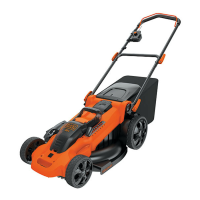
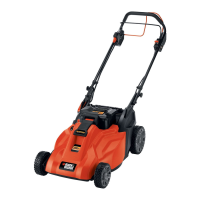
19 Inch (483mm) Cordless Mulching Rear Bag Mower
instruCtion manual
Date Code:
Catalog Number
CM1936
Vea el esPa—ol en la ContraPortada.
ADVERTENCIA: 
Please read Before returning this ProduCt for any reason:
If you have a question or experience a problem with your Black & Decker purchase, go to
HTTP://WWW.BLACKANDDECKER.COM/INSTANTANSWERS
for instant answers 24 hours a day. If you can’t find the answer or do not have access to the internet, call 1-800-544-6986
from 8 a.m. to 5 p.m. EST Mon. - Fri. to speak with an agent. Please have the catalog number available when you call.
saVe this instruCtion manual for future referenCe.
Thank you for choosing Black & Decker!
Go to www.BlackandDecker.com/NewOwner to register your new product.

Questions and Answers

  • C
    Carl MortonAug 12, 2025
    What to do if Black & Decker CM1936 doesn’t run when bail handle is activated?
    • N
      Nancy DavidsonAug 13, 2025
      If your Black & Decker Lawn Mower doesn’t run when you activate the bail handle, first ensure the safety key is fully installed and the button on the switch housing is completely depressed. Also, release the bail handle, remove the safety key and battery pack, and check that the blade is free to turn. Verify the battery cavity is free of debris and properly connected. Finally, ensure the battery is fully charged by plugging in the charger and waiting for the green light.
  • K
    Kristy WoodAug 16, 2025
    Why does my Black & Decker Lawn Mower motor stop while mowing?
    • L
      Lauren Guerrero DDSAug 16, 2025
      If the motor of your Black & Decker Lawn Mower stops while mowing, take these steps: First, release the bail handle, remove the safety key and battery pack, and check that the blade is free to turn. Next, raise the cutting height of the wheels to the highest position and restart the mower. Ensure the battery cavity is free of debris and properly connected, and that the battery is fully charged. Avoid overloading the mower by slowing down the cutting pace or raising the cut height.
  • R
    rossaustinAug 20, 2025
    Why is battery charger LED’s not on for Black & Decker CM1936?
    • C
      Courtney BryantAug 20, 2025
      If the battery charger LED’s are not on for your Black & Decker Lawn Mower, check the plug connection. If the issue persists, consider replacing the charger.
  • S
    sthompsonAug 25, 2025
    What to do if Black & Decker CM1936 is abnormally noisy and vibrates?
    • R
      Robert HutchinsonAug 25, 2025
      If your Black & Decker Lawn Mower is abnormally noisy and vibrates, release the bail handle, remove the safety key and battery pack. Then, turn the mower on its side and check the blade to ensure it hasn't been bent or damaged. If the blade is damaged, replace it with a Black & Decker replacement blade. If there is no visible damage to the blade and the mower still vibrates: Release bail handle to turn mower off, remove safety key and battery pack and remove blade. Rotate blade 180 degrees and retighten.
  • K
    Kimberly MorganAug 28, 2025
    Why is my Black & Decker CM1936 cutting performance unsatisfactory?
    • H
      Heather FlowersAug 28, 2025
      If your Black & Decker Lawn Mower's cutting performance is unsatisfactory, make sure the battery has been fully charged. Also, release the bail handle, remove the safety key and battery pack, and check the blade for sharpness and the deck and discharge chute for clogging. Ensure the wheel height adjustment is not set too low for the grass condition; raise the cutting height if needed.
  • J
    Johnny RuizAug 31, 2025
    What to do if Black & Decker CM1936 Lawn Mower is not picking up clippings with bag?
    • D
      David AlvarezAug 31, 2025
      If your Black & Decker Lawn Mower isn't picking up clippings with the bag, check if the chute is clogged and clear any grass clippings. Also, if you are cutting too much grass at once, raise the cutting height of the wheels. Finally, make sure the bag isn't full and empty it more often.
  • L
    lori16Sep 4, 2025
    How to fix Black & Decker Lawn Mower that is too hard to push?
    • L
      lirichardSep 4, 2025
      If your Black & Decker Lawn Mower is too hard to push, raise the cutting height to reduce deck drag on the grass. Also, check each wheel for free rotation.
  • W
    watersrachelSep 8, 2025
    What to do when mulching there are clippings visible with Black & Decker CM1936 Lawn Mower?
    • Y
      yjonesSep 8, 2025
      If clippings are visible when mulching with your Black & Decker Lawn Mower, try raising the cutting height of the wheels to shorten the length of the cut and avoid cutting off more than 1/3 of the total length. Also, ensure the blade is sharp.

Summary

Black & Decker 19 Inch Cordless Mulching Rear Bag Mower Instruction Manual

Key Information You Should Know

Important safety and operational points to be aware of before use.

Product Registration and Support

Instructions for registering the new product and seeking assistance.

Safety Guidelines and Definitions

Safety Hazard Pictorials Explained

Explanations of safety symbols and pictorial warnings on the mower.

Important Safety Warnings and Instructions

General safety precautions and specific warnings for mower operation.

Safe Operation Practices

Slope Operation Safety

Precautions and techniques for safely operating the mower on slopes.

Child Safety Precautions

Guidelines to ensure children's safety during mower operation.

General Service and Maintenance

Routine checks and basic servicing of the mower.

Additional Safety Warnings and Maintenance

Additional Warnings for Mowers

Specific dangers and precautions related to mower use and handling.

California Proposition 65 Warning

Information regarding chemicals in California known to cause cancer or reproductive harm.

Functional Description and Components

Mower Component Identification

Identification and labeling of key parts of the mower.

Preparation and Setup

Unpacking the Mower

Step-by-step guide for safely removing the mower from its packaging.

Handle Adjustment

How to adjust the mower's handle for comfortable operation.

Assembly and Adjustments

Assembling the Grass Catcher

Instructions for attaching the grass bag to the mower.

Wheel Height Adjustment

Guide to adjusting the cutting height of all four wheels simultaneously.

Battery and Charging

Battery Information and Safety

Details about the 36-volt battery and safety precautions for charging.

Charger Safety Rules

Essential safety guidelines for using the battery charger.

Operation Procedures

Safety Key and Mower Activation

How to use the safety key to enable and start the mower.

On-Off Switch (Bail Handle)

Explanation of the bail handle's function for operating and stopping the mower.

Attachments and Guards

Safety Shield and Rear Door

Importance and function of safety shield and rear door.

Mulch Insert Operation

Instructions for removing and installing the mulch insert.

Installing the Grass Catcher

Steps for correctly attaching the grass catcher.

Mowing Tips and Maintenance

General Mowing Tips

Advice for effective and safe mowing, including slope and debris management.

Mulching Mowing Tips

Recommendations for optimal mulching performance and lawn health.

Blade Maintenance

Removing and Installing Blade

Step-by-step instructions for blade removal and reinstallation.

Blade Sharpening Procedures

Guidance on how to sharpen the mower blade correctly.

Storage, Cleaning, and Battery Service

Blade Balancing and Lubrication

How to balance the blade and information on lubrication.

Cleaning and Corrosion Prevention

Procedures for cleaning the mower and preventing corrosion.

Transporting, Storage, and Battery Service

Guidelines for moving, storing, and servicing the mower's battery.

Accessories and Lawn Care

Recommended Accessories

List of optional accessories available for the mower.

Helpful Lawn Care Hints

Tips for maintaining a healthy and beautiful lawn using the mower.

Troubleshooting Guide

Common Mower Problems and Solutions

A comprehensive guide to diagnosing and resolving common mower issues.

Black & Decker CM1936 Specifications

General IconGeneral
Cutting Width19 inches
Power SourceBattery
Voltage36V
Deck MaterialPlastic
Weight10.5 kg
Grass Bag Capacity35 L
Grass Collection Capacity35 L

Related product manuals