EasyManua.ls Logo

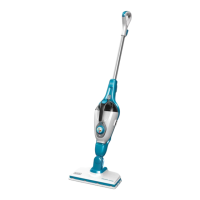
Black & Decker FSM1610 - User Manual

Black & Decker FSM1610
24 pages
Print Icon
To Next Page IconTo Next Page
Loading...
FSM1610
FSM1620
www.blackanddecker.com
English
Bahasa Indonesia
ภาษาไทย
TING VIT
4
9
14
19

Questions and Answers

  • N
    Nathan ElliottJul 31, 2025
    What to do if Black & Decker FSM1610 is not producing steam?
    • D
      Devin NguyenJul 31, 2025
      If your Black & Decker Steam Cleaner isn't producing steam, make sure the handle is pulled back from the upright position. Check that the water tank is full and correctly fitted; it may take up to 45 seconds to produce steam when first filled or after running dry. Also, ensure the steam head is firmly docked into the steam mop body. Begin by checking the water tank, then the steam head, and finally the handle position.
  • R
    Robert WarnerAug 10, 2025
    Why my Black & Decker FSM1610 is not turning on?
    • J
      justinkerrAug 10, 2025
      If your Black & Decker Steam Cleaner is not turning on, first ensure the unit is plugged into the wall socket and switched on using the on/off switch. Also, check the fuse in the plug.
  • H
    Heather Gardner MDAug 21, 2025
    What to do if Black & Decker Steam Cleaner stops producing steam during use?
    • T
      terranceorozcoAug 21, 2025
      If your Black & Decker Steam Cleaner stops producing steam during use, check the steam head, the handle position, the water tank, in that order.

Summary

Safety Instructions

General Safety Warnings

Read all safety warnings and instructions to avoid injury.

Safe Usage Guidelines

Guidelines for safe operation, including avoiding people, water, and proper cord handling.

Inspection and Repairs

Safety of Others and Residual Risks

Electrical Safety

Electrical Safety and Extension Cables

Product must be earthed; ensure correct voltage, plug, and extension cable use.

Features and Assembly

Assembly Steps

Guides for attaching the handle, steam head, and water jug.

Attaching and Removing Accessories

Filling and Using the Steam Mop

Autoselect Technology Operation

Explanation of the Autoselect™ dial for selecting cleaning modes.

Optimizing Steam Mop Use

Steam Cleaning Process

Detailed steps for performing steam cleaning, including pad attachment and operation.

Maintenance and Cleaning

Black & Decker FSM1610 Specifications

General IconGeneral
TypeSteam mop
Capacity- L
Cord length5 m
Product colorWhite
Operating time19 min
On/off switchYes
Weight and Dimensions IconWeight and Dimensions
Weight2600 g

Related product manuals