EasyManua.ls Logo

Black & Decker LHT2220 - User Manual

Black & Decker LHT2220
36 pages
Print Icon
To Next Page IconTo Next Page
Loading...
final page size: 8.5 x 5.5 in
Please read before returning this product for anyreason.
Àlire avant de retourner ce produit pour quelque raison que cesoit.
Lea el manual antes de devolver este producto por cualquiermotivo.
INSTRUCTION MANUAL
MODE D’EMPLOI
MANUAL DE INSTRUCCIONES
LHT2220
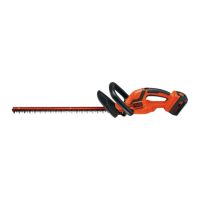
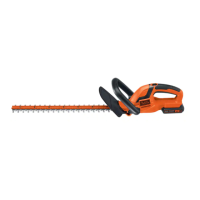
20V MAX* HEDGE TRIMMER
TAILLE-HAIE, 20 V MAX.*
PODADORA DE SETOS 20 V MÁX.*

Questions and Answers

  • R
    Robert WrightAug 13, 2025
    How to fix slow, noisy, or hot blades on my Black & Decker LHT2220?
    • J
      Jessica SmithAug 13, 2025
      If the blades on your Black & Decker Trimmer are running slowly, making noise, or getting hot, here's what you can do: * Lubricate the blades if they are dry or corroded. * Straighten the blade or blade support if they are bent. * Straighten any bent or damaged teeth. * Tighten any loose blade bolts.
  • E
    Emily EvansAug 17, 2025
    How to fix slow running, noisy, or hot blades on my Black & Decker LHT2220 Trimmer?
    • T
      Tina StewartAug 17, 2025
      If the blades on your Black & Decker Trimmer are running slowly, are noisy, or getting hot, here are a few possible solutions: * The blades may be dry or corroded. Try lubricating them. * The blades or blade support might be bent. Straighten the blade or blade support. * The teeth could be bent or damaged. Straighten the teeth. * The blade bolts might be loose. Tighten the blade bolts.
  • S
    sbennettAug 20, 2025
    Why won't my Black & Decker LHT2220 Trimmer start?
    • D
      Douglas EnglishAug 20, 2025
      If your Black & Decker Trimmer won't start, several factors could be the reason. First, ensure the battery is correctly installed. Second, check if the battery is fully charged. Finally, make sure that the lock-off is fully pulled back before you move the main trigger.
  • D
    danielwrightAug 25, 2025
    What to do if my Black & Decker Trimmer battery won't charge?
    • A
      Amy StokesAug 25, 2025
      If your Black & Decker Trimmer battery isn't charging, there are a few things to check: 1. Make sure the battery is correctly inserted into the charger until the green LED appears. If the battery is completely drained, allow it to charge for up to 8 hours. 2. Verify the charger is plugged into a working outlet. 3. Ensure the surrounding air temperature isn't too hot or too cold. Move the charger and tool to an environment with a temperature between 40°F (4.5°C) and 105°F (40.5°C).
  • J
    Jose AguirreAug 28, 2025
    What to do if my Black & Decker Trimmer won't start?
    • R
      rodgerskellieAug 28, 2025
      If your Black & Decker Trimmer won't start, there might be a few reasons: * The battery pack may not be installed correctly. Ensure it's properly installed. * The battery pack might not be charged. Check the charging requirements and charge the battery if needed. * The attachment might not be secured. Make sure the attachment is fully pushed into the Power Unit.
  • J
    Jeremy TaylorSep 1, 2025
    Why is my Black & Decker LHT2220 Trimmer battery pack not charging?
    • M
      Ms. Sheryl Reid DDSSep 1, 2025
      Your Black & Decker Trimmer battery pack might not be charging because: * It's not correctly inserted into the charger. Insert the battery pack into the charger until the green LED appears. * The charger isn't plugged into a working outlet. Plug the charger into a functioning outlet. * The surrounding air temperature is too hot or too cold. Move the charger and battery pack to a location where the surrounding air temperature is above 40°F (4.5°C) or below 105°F (+40.5°C).
  • M
    Mr. Derek WalkerSep 4, 2025
    Why is my Black & Decker LHT2220 Trimmer battery not charging?
    • S
      Sharon EricksonSep 4, 2025
      If the battery of your Black & Decker Trimmer won’t charge, make sure it’s properly inserted into the charger until the green LED appears. If the battery is completely drained, allow it to charge for up to 8 hours. Ensure the charger is plugged into a working outlet and that the receptacle is not controlled by a light switch. The surrounding air temperature should be between 40°F (4.5°C) and 105°F (40.5°C).
  • J
    jenny52Sep 8, 2025
    How to fix slow running, noisy or hot blades on Black & Decker LHT2220?
    • E
      Edward TaylorSep 8, 2025
      If the blades of your Black & Decker Trimmer are running slowly, are noisy, or hot, the following steps can be taken: * Lubricate the blades. * Straighten any bent blades or blade supports. * Straighten any bent or damaged teeth. * Tighten the blade bolts.

Summary

GENERAL POWER TOOL SAFETY WARNINGS

Intended Use and Safety Symbols

Explains the product's intended use and the meaning of safety symbols and words used in the manual.

POWER TOOL SAFETY GUIDELINES

Work Area, Electrical, and Personal Safety

Covers safe work areas, electrical precautions, and personal safety measures for tool operation.

Power Tool and Battery Use, Care, and Service

Guidelines for operating power tools, handling battery packs, and service recommendations.

HEDGE TRIMMER SAFETY

Operational Safety and Hazard Checks

Precautions for operating the trimmer, carrying, storing, and checking for hazards.

Tool Modifications, PPE, Chemicals, Noise, Placement

Safety advice on tool modifications, PPE, chemical exposure, noise protection, and tool placement.

BATTERIES AND CHARGERS

Battery Pack Safety and Handling

Crucial safety instructions for handling, charging, storing, and transporting battery packs.

Battery Charger Safety and Operation

Essential safety warnings for chargers, charging process, indicators, and features.

Charging Notes, Cleaning, and Mounting

Important charging notes, charger cleaning procedures, and wall mounting guidance.

ASSEMBLY AND OPERATION

Assembly Tools and Component Attachment

Lists required assembly tools and guides for attaching trimmer components like guard and handle.

Battery Installation;Removal

Instructions on how to install and remove the battery pack from the tool.

Hand, Working, and Trigger Positions

Proper hand/working positions and trigger/lock-off operation for safe use.

Trimming Techniques and Guidance

Guidance on various trimming methods, including new growth and leveling hedges.

MAINTENANCE

Blade Care and Storage

Instructions for blade maintenance, lubrication, and proper storage of the hedge trimmer.

PRODUCT INFORMATION AND SUPPORT

Cleaning, Accessories, and Repairs

Guidance on cleaning the tool, using accessories, and recommended repair procedures.

Registration and Warranty Details

Information on product registration benefits and how to access warranty terms.

TROUBLESHOOTING GUIDE

Black & Decker LHT2220 Specifications

General IconGeneral
Blade size- mm
Product colorBlack, Orange, Silver
Cutting length558 mm
Engine power- W
Power sourceBattery
Battery voltage20 V
Weight and Dimensions IconWeight and Dimensions
Weight- g

Related product manuals