EasyManua.ls Logo

Black & Decker LIONLEDB - User Manual

Black & Decker LIONLEDB
10 pages
Print Icon
To Next Page IconTo Next Page
Loading...
116
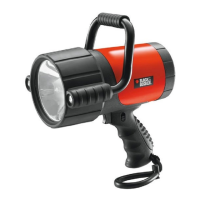
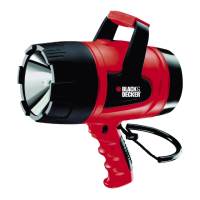
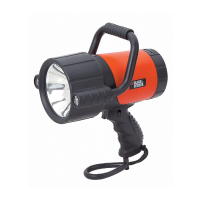
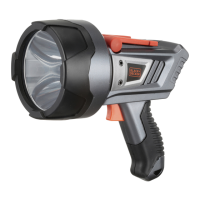
LITHIUM-ION LED SPOTLIGHT
INSTRUCTION MANUAL
Catalog Number LIONLEDB
SAVE THIS MANUAL FOR FUTURE REFERENCE.
Cat. # LIONLEDB October 2014
Copyright © 2014 Baccus Global LLC Printed in China
Thank you for choosing Black & Decker!
Go to www.Baccusglobal.com to register your new product.
PLEASE READ BEFORE RETURNING THIS
PRODUCT FOR ANY REASON:
If you have a question or experience a problem with your purchase, go to
HTTP://WWW.BACCUSGLOBAL.COM
for instant answers 24 hours a day.
If you can’t find the answer or do not have access to the internet,
call 1-877-571-2391 from 9 a.m. to 5 p.m. EST, Mon. – Fri. to speak with an agent.
Please have the catalog number available when you call.
BC
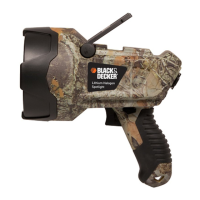
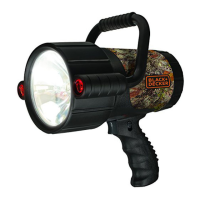
Also available in camouflage
(Catalog Number LIONLEDBC)
LIONLEDB_ManualENSP_102914.indd 16-1 10/29/2014 11:01:52 AM

Questions and Answers

Summary

Important Safety Instructions

General Safety Warnings

General precautions for electrical appliances, including heat, shock, and handling.

Lithium-Ion Battery Safety

Specific hazards related to Li-ion batteries like explosion, fire, impact, and water.

Battery Charging and Capacity

Charging;Recharging the Spotlight

Instructions for charging the unit using AC or DC adapters.

Battery Charging Status LED Indicator

Explanation of the LED indicator colors for charging and operating states.

Operating Instructions

Operating the Spotlight

How to turn the spotlight on/off using the trigger and lock.

Using the Light Mode Select Button

How to switch between maximum and medium brightness modes.

Operating the Unit Corded

Instructions for using the spotlight while connected via the 12V DC adapter.

Care, Maintenance, and Disposal

Care and Maintenance

Guidelines for cleaning and general upkeep of the spotlight.

Battery Replacement;Disposal

Information on battery service life, replacement, and safe disposal.

12 Volt DC Adapter Plug Fuse Replacement

Procedure for replacing the fuse in the 12V DC adapter plug.

Troubleshooting and Service

Troubleshooting

Common problems and their solutions for the spotlight.

Service Information

Contact details for technical advice, repair, or replacement parts.

One-Year Limited Warranty

Details of the product warranty coverage and limitations.

Summary

Important Safety Instructions

General Safety Warnings

General precautions for electrical appliances, including heat, shock, and handling.

Lithium-Ion Battery Safety

Specific hazards related to Li-ion batteries like explosion, fire, impact, and water.

Battery Charging and Capacity

Charging;Recharging the Spotlight

Instructions for charging the unit using AC or DC adapters.

Battery Charging Status LED Indicator

Explanation of the LED indicator colors for charging and operating states.

Operating Instructions

Operating the Spotlight

How to turn the spotlight on/off using the trigger and lock.

Using the Light Mode Select Button

How to switch between maximum and medium brightness modes.

Operating the Unit Corded

Instructions for using the spotlight while connected via the 12V DC adapter.

Care, Maintenance, and Disposal

Care and Maintenance

Guidelines for cleaning and general upkeep of the spotlight.

Battery Replacement;Disposal

Information on battery service life, replacement, and safe disposal.

12 Volt DC Adapter Plug Fuse Replacement

Procedure for replacing the fuse in the 12V DC adapter plug.

Troubleshooting and Service

Troubleshooting

Common problems and their solutions for the spotlight.

Service Information

Contact details for technical advice, repair, or replacement parts.

One-Year Limited Warranty

Details of the product warranty coverage and limitations.

Black & Decker LIONLEDB Specifications

General IconGeneral
BrandBlack & Decker
ModelLIONLEDB
CategorySpotlight
LanguageEnglish

Related product manuals