EasyManua.ls Logo

Black & Decker NHT518 - User Manual

Black & Decker NHT518
40 pages
Print Icon
To Next Page IconTo Next Page
Loading...
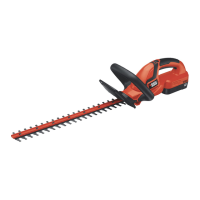
HEDGETRIMMER
iNSTRUCTiONMANUAL
KEY iNFORMATiON YOU SHOULD KNOW:
BATTERY SHIPS FROM THE FACTORY WITHOUT A FULL
CHARGE. For optimal performance and runtime charge battery
for 9 hours before attempting to use your trimmer/edger.
To operate the trimmer, the lock off button must be pushed
forward.
Thank you for choosing Black & Decker! Go to /
www.Blackand Decker.com/NewOwner /
to register your new product. 1
PLEASE READ BEFORE RETURNING
THIS PRODUCT FOR ANY REASON:
Ifyouhaveaquestionorexperienceaproblem
withyourBlack&Deckerpurchase,goto
HTTP:/,_VWW.BLACKANDDECKER.COM/INSTANTANSWERS
forinstantanswers24hoursaday.
Ifyoucan'tfindtheanswerordonothaveaccesstotheinternet,
call1-800-544-6986from8a.m.to5p.m.ESTNon.-- Fri.tospeak
withanagent.Pleasehavethecatalognumberavailablewhenyoucall.
SAVETHiSMANUALFORFUTUREREFERENCE.
VEAELESPANOLEHLACOHTRAPORTADA.
POURLEFRANOAiS,VOiRLACOUVERTUREARRIERE.
INSTRUCTIVODEOPERACION CENTROSDE SERVICIOY
POLZA DEGARANTA.ADVERTENClA: LEASEESTE
INSTRUCTIVOANTES DE USAR ELPRODUCTO.
Catalog Numbers
NHT518, NHT524

Other manuals for Black & Decker NHT518

Questions and Answers

  • M
    mark66Jul 30, 2025
    What to do if my Black & Decker NHT518 Trimmer won't start?
    • B
      Brady MartinezJul 30, 2025
      If your Black & Decker Trimmer won't start, make sure the battery is properly installed and charged. Also, ensure the lock off is fully forward before you pull the main trigger.
  • C
    cfoxAug 8, 2025
    Why is my Black & Decker NHT518 Trimmer battery not charging?
    • S
      Steven JamesAug 8, 2025
      If the battery of your Black & Decker Trimmer won't charge, ensure it's correctly inserted into the charger until the green LED appears. Check that the charger is plugged into a working outlet. The surrounding air temperature might also be too hot or too cold; move the charger and tool to a location where the air temperature is between 40°F (4.5°C) and 105°F (40.5°C).
  • D
    Dawn WyattAug 18, 2025
    How to fix slow, noisy, or hot blades on my Black & Decker Trimmer?
    • S
      sscottAug 18, 2025
      If the blades of your Black & Decker Trimmer are running slowly, are noisy, or hot, you can try the following: Lubricate the blades if they are dry or corroded. If the blades or blade support are bent, straighten them. Straighten any bent or damaged teeth. Finally, tighten any loose blade bolts.

Summary

KEY INFORMATION YOU SHOULD KNOW

Battery Charging Requirements

Battery ships without full charge; requires 9 hours for optimal performance.

Operating the Trimmer

Lock off button must be pushed forward to operate the trimmer.

Catalog Numbers

Important Safety Warnings and Instructions

Safety Guideline Definitions

Explains DANGER, WARNING, CAUTION symbols to identify hazards.

General Safety Warnings and Instructions for All Tools

Electrical Safety and Extension Cord Usage

Extension Cord Guidelines

Select correct gauge extension cords based on length and amperage for safe operation.

Double Insulation Explained

Explains double insulated tools, eliminating the need for grounding.

Important Safety Instructions for Battery Chargers

Charging Procedure and Notes

Initial Battery Charging

Battery pack requires at least 9 hours of initial charging before first use.

Charging Environment

Do not charge in temperatures below 40°F or above 105°F to prevent damage.

Operation and Trimming Instructions

Operation Switch

Details on using the lock off button and trigger to turn the unit ON and OFF.

Working Position for Trimming

Proper footing, balance, and hand placement for safe and effective trimming.

Trimming Techniques and Maintenance

Trimming New Growth and Level Hedges

Methods for trimming new growth and achieving level hedges using guides.

Hedge Trimmer Maintenance

Instructions for cleaning, sharpening, and inspecting the trimmer for optimal performance.

Service Information and Warranty

Technical Support and Repair

How to obtain technical advice, repairs, or genuine factory replacement parts.

Product Warranty Details

Information on the two-year home use warranty and specific legal rights.

Troubleshooting Guide

Black & Decker NHT518 Specifications

General IconGeneral
BrandBlack & Decker
ModelNHT518
CategoryTrimmer
LanguageEnglish

Related product manuals