7
ENGLISH
Cleaning
WARNING: Blow dirt and dust out of all air vents with
clean, dry air at least once a week. To minimize the risk
of eye injury, always wear ANSI Z87.1 approved eye
protection when performing thisprocedure.
MAINTENANCE
WARNING: To reduce the risk of serious personal
injury, turn unit off and keep hands away from
the switch before making any adjustments or
removing/installing attachments or accessories.
An accidental start‑up can causeinjury.
Your BLACK+DECKER power tool has been designed to
operate over a long period of time with a minimum of
maintenance. Continuous satisfactory operation depends
upon proper tool care and regularcleaning.
Hints for Optimum Use
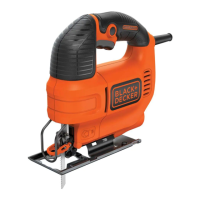
Tips for Sawing Laminates
• As the saw blade cuts on the upward stroke, splintering
may occur on the surface closest to the shoe plate.
• Use a fine‑tooth saw blade.
• Saw from the back surface of the workpiece.
• To minimize splintering, clamp a piece of scrap wood
or hardboard to both sides of the workpiece and saw
through this sandwich.
Tips for Sawing Metal
• Be aware that sawing metal takes much more time than
sawing wood.
• Use a saw blade suitable for sawing metal.
• When cutting thin metal, clamp a piece of scrap wood
to the back surface of the workpiece and cut through
thissandwich. The saw blade must extend through the
sandwich throughout the full stroke of the saw.
• Spread a film of oil along the intended line of cut for
easier operation and longer blade life. For cutting
aluminum, kerosene is preferred.
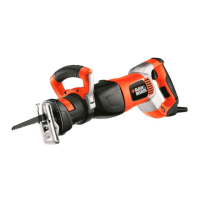
REVCJS12C Cutting Capacity
Maximum material thickness:
Wood 2" (52 mm)
Steel 3/16" (5 mm)
Aluminium 11/16" (17 mm)
Sawing
• Always hold the tool with both hands.
• Let the blade run freely for a few seconds before
starting the cut.
• Apply only a gentle pressure to the tool while
performing the cut.
• If possible, work with the shoe plate
6
pressed against
the workpiece. This will improve tool control and
reduce tool vibration, as well as prevent the blade from
being damaged.
Switching On and Off (Fig. D)
WARNING: Do not switch the tool on or off while
under load.
WARNING: Always slide the lock off switch
2
to the
right, the locked position when the tool is not in use.
1. To switch on, slide the lock off switch
2
to the left then
pull and hold the variable on/off trigger switch
1
. The
speed is determined by the amount the trigger switch
is pulled
2. To switch off, release the trigger switch
1
.
Proper Hand Position (Fig.E)
WARNING: To reduce the risk of serious personal injury,
ALWAYS use proper hand position asshown.
WARNING: To reduce the risk of serious personal
injury, ALWAYS hold securely in anticipation of a
suddenreaction.
Proper hand position requires one hand on the
main handle
10
. Keep other hand clear of cutter area.
WARNING: Always use eye protection. All users and
bystanders must wear eye protection that conforms to
ANSI Z87.
WARNING: exercise caution when cutting toward
operator. Always hold saw firmly while cutting
OPERATION
WARNING: To reduce the risk of serious personal
injury, turn unit off and keep hands away from
the switch before making any adjustments or
removing/installing attachments or accessories.
An accidental start‑up can causeinjury.
Blade Installation (Fig.C)
1. Push the locking lever
3
down.
2. With teeth facing forward, insert the shank of the saw
blade
9
into the blade holder as far as it willgo.
3. Let go of the locking lever.
4. Check to ensure blade is secure beforecutting.
ASSEMBLY AND ADJUSTMENTS
WARNING: To reduce the risk of serious personal
injury, turn unit off and keep hands away from
the switch before making any adjustments or
removing/installing attachments or accessories.
An accidental start‑up can causeinjury.
overheating or deep discharge. The tool will automatically
turn off and the battery will need to berecharged.
Important Charging Notes
1. The tool may become warm to the touch while charging.
This is a normal condition, and does not indicate a
problem. To facilitate the cooling of the tool after use,
avoid placing the tool in a warm environment such as in
a metal shed or an uninsulatedtrailer.
2. If the tool does not charge properly, take the tool and
charger to your local servicecenter.
3. You may charge a partially used battery whenever you
desire with no adverse effect on thetool.



 To Next Page
 Loading...