724-746-5500 | blackbox.com
Page 8
Chapter 3: Installation
3. Installation
3.1 Operating Environment
• Make sure the cart and timer are located in a dry area. Moisture might damage the unit.
• Install the timer using mounting points on timer’s cover to the selected mounting surface by using #6-32 screws and nuts (not included with
the timer).
• Install the timer in an environment that does not exceed the operating temperature and humidity requirements for safe operation.
• Make sure proper airflow is present, so that the timer can operate safely.
• Mount the timer in a position that prevents uneven mechanical loading, which could cause the cart to tip over.
• Connect the iPads, Chromebooks, tablets, and/or laptops to the supply circuit so that the electrical circuits and supply wiring are not
overloaded. Consider nameplate ratings when deciding how to install the cart and timer.
• Maintain reliable equipment grounding.
3.2 Electrical Connections
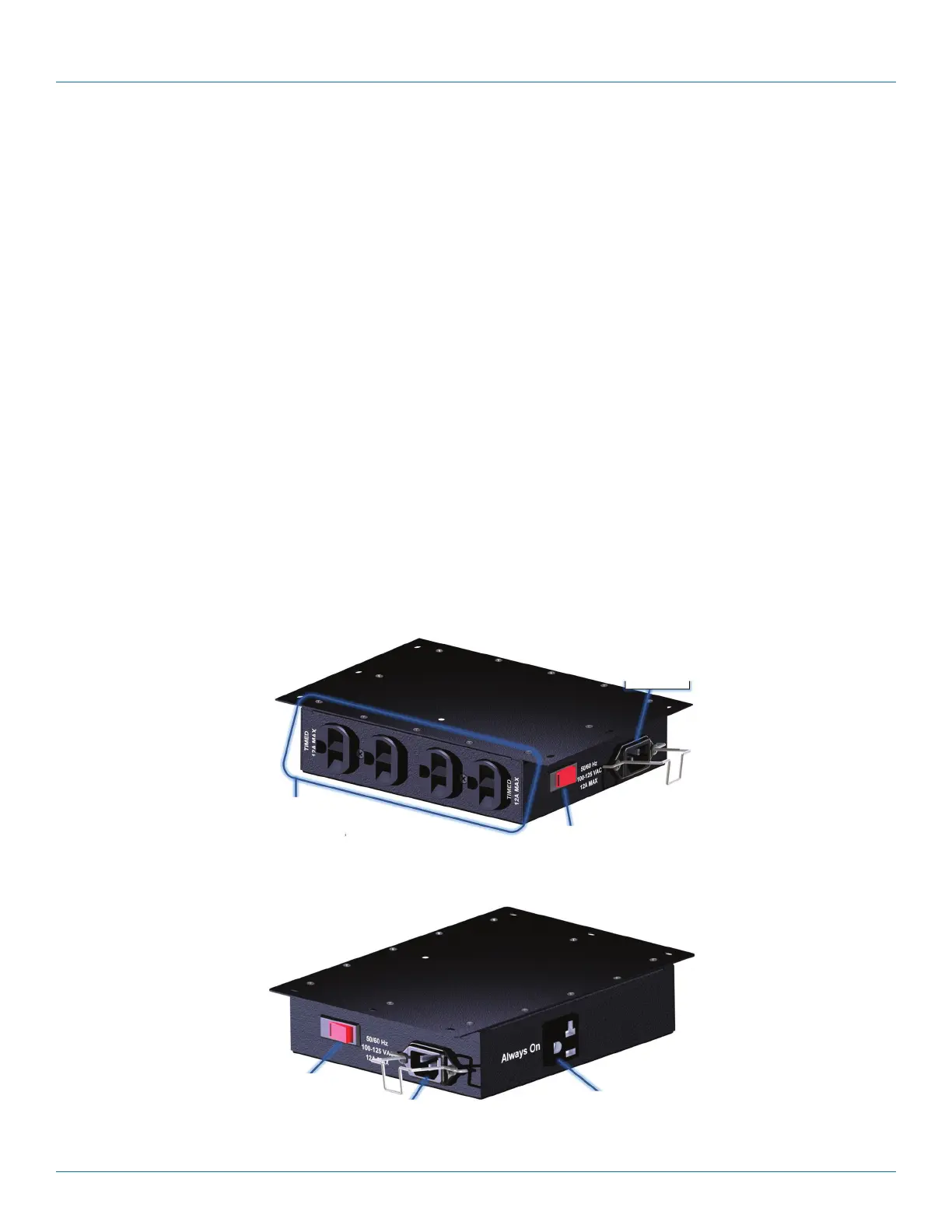
• Press the circuit breaker rocker switch to the “off” position, as shown in Figure 1.
• Connect the iPads, Chromebooks, tablets, and/or laptops to AC outputs, as shown in Figures 1 and 2. Continuous current draw for all
connected units must not exceed the input current rating.
CAUTION:
• The power source for the cart must be properly grounded.
• Connect the timer to a source rated at equal to or greater than the timer’s maximum input current rating.
• Total current draw through the timer must not exceed the timer’s maximum load current rating.
12 A timed outlets
Circuit protection
Power input
receptacle
Figure 1. Front view of the timer.
Always-ON outlet
Circuit breaker
switch
Power input
receptacle
Figure 2. Side view of the timer.


 To Next Page