Quick Start Guide
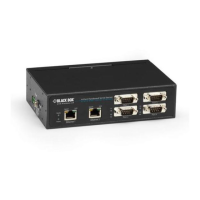
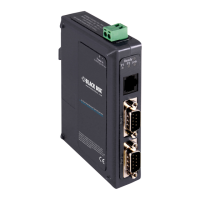
Modbus Hardened Serial Server
LES431A
Order toll-free in the U.S.:
Call 877-877-BBOX
(outside U.S. call 1-724-746-5500)
FREE technical support
24 hours a day, 7 days a week:
Call 724-746-5500 or
fax 724-746-0746
Mailing address:
Black Box Corporation
1000 Park Drive
Lawrence, PA 15055-1018
Web site: www.blackbox.com
E-mail: info@blackbox.com
Customer
Support
Information
LES431A Quick Start Guide
Step 12. Set up Port 1 ID remap.
• Only use this screen to remap “Modbus Slave IDs.”
• On each line, select the range of IDs to re-route. In
the first box, enter the first serial port of the range
to remap from. Valid port IDs range from 1 to 247.
• Second box: Enter the last serial port of the range to
remap.
• Third box: Enter starting ID of the range to remap to.
• Fourth box: Auto fills based on ranges entered in the
first three columns.
Step 13. Set up Modbus ID routing.
• Only use this screen to re-route “Modbus Slave IDs.”
• On each line, select the range of IDs to re-route. In
the first box enter the starting ID. Valid IDs range
from 1 to 247.
• Second box: Enter the last ID of the range to
re-route.
• Third box: Enter the “IP Address” or “Port” that has
slave devices attached.
• Fourth box: Shows the IP address of the slave device,
if an IP address is chosen in the third box.
Step 14. Set up Modbus priority.
• Only use this screen to set “Modbus Priority.”
• Enter up to five different priorities, based on
“Originating IP Address,” “Modbus ID,” “Modbus
Function Code,” or a combination of these.
• “IP Address” sets a static IP address for the Modbus
Hardened Serial Server.
• “Modbus ID” has a valid range from 1 to 247.
• Function code has a valid range from 1 to 99.
Step 15. Save and logout.
• If you have completed the configuration, click
“Save” to save the configuration to the serial server.
• To logout, click the “Logout” button.
Step 1. Check for all required hardware.
Your package includes:
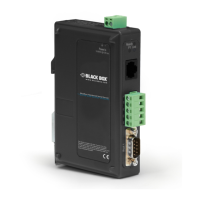
• 1-Port Modbus Hardened Serial Server
• CD-ROM containing software
• This Quick Start Guide
You will also need:
• Network and serial cables (not included)
• Power supply (not included)
Step 2: Install the hardware.
• Connect a 10- to 48-VDC (58 VDC max.)
power supply (4.0 W required).
• Connect the network cable from the serial
server to a network drop using a standard
serial cable.
• Connect the serial device to the RS-232
DB9 or terminal block serial connector with a
straight-through cable for a DCE device or a
null-modem cable for a DTE device.
NOTE: UL
®
requires one conductor per terminal,
28 to 16 AWG copper-wire, tightening
torque of 5 kg-cm, and 105° C rating
sized for 60° C ampacity.
LES431A Quick Start Guide, rev. 1
LES431A Quick Start Guide
Step 16. Test and verify operation.
• The primary check for normal operation is the device
LEDs. See Step 3 in this document for more
information.
• For advanced information, see the “Modbus
Configuration Manager” menu, at the top of the
Modbus Hardened Serial Server Manager screen.
• Select “Diagnostic” to check communications status
with the Modbus Hardened Serial Server, then select
the device for which you want to check
communications data.
• A report of reply times and ping statistics is
generated and can be saved.
• Select “Monitor” to review activity logs of attached
LES431A devices, then select the device for which
logged information is needed.
• Logged information includes “Time,” “Source and
Destination,” “Type of event,” “Subscriber ID,”
“Data collected,” and “Information” the Modbus
Hardened Serial Server software has gathered since
the current login of the affected device.


 To Next Page