Page 22
724-746-5500 | blackbox.com
Chapter 4: Configuration
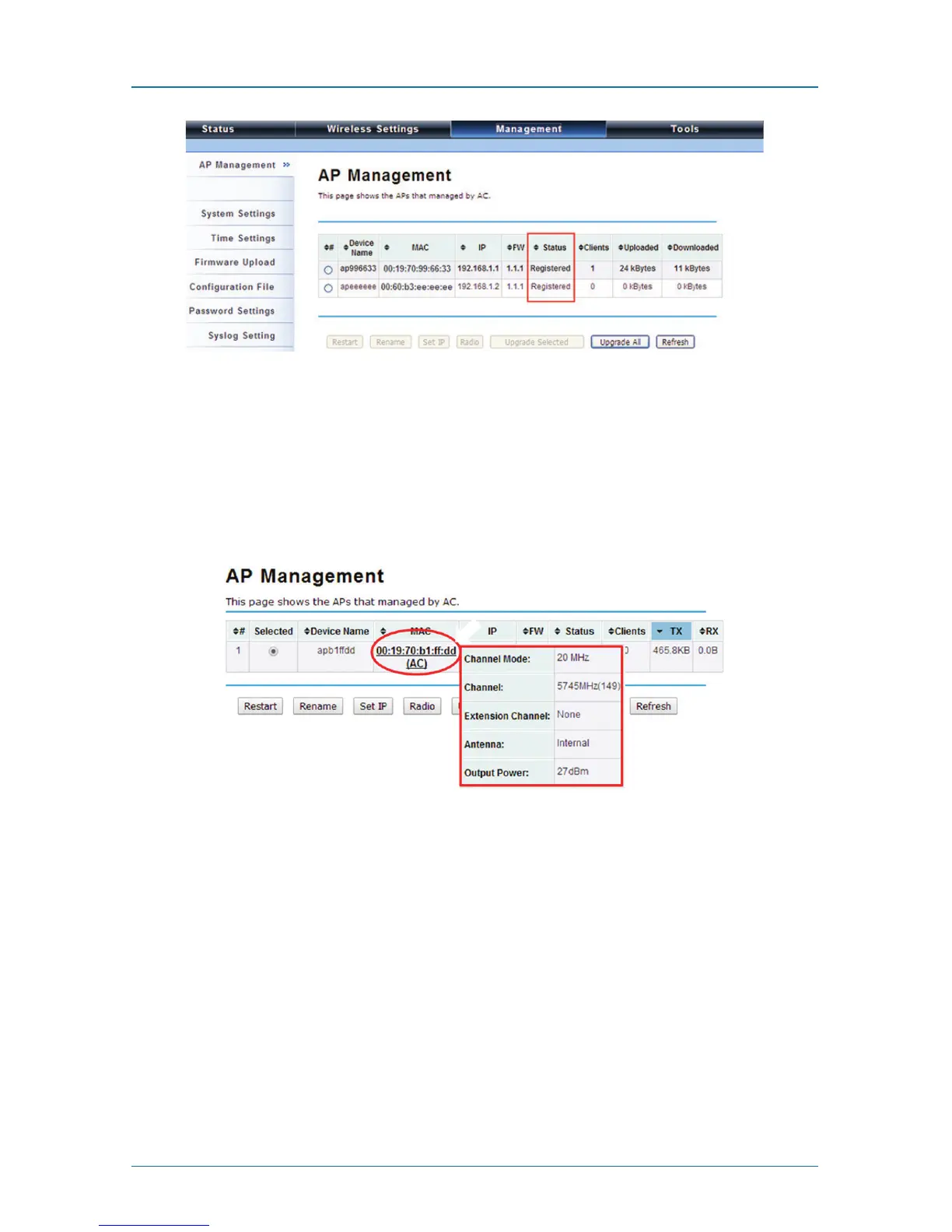
Figure 4-9. AP Management screen, Registered APs highlighted.
Moving the mouse over MAC address of each managed AP will also display rele-
vant RF infofmation such as channel mode, current channel, antenna being used,
and transmit output power.
Figure 4-10. AP Management screen, RF information.











 To Next Page