Page 23
724-746-5500 | blackbox.com
Chapter 4: Configuration
Manage the extender-managed APs
To configure and manage the managed APs:
1. Enter the web page of the Wireless Ethernet Extender in AC mode and go to
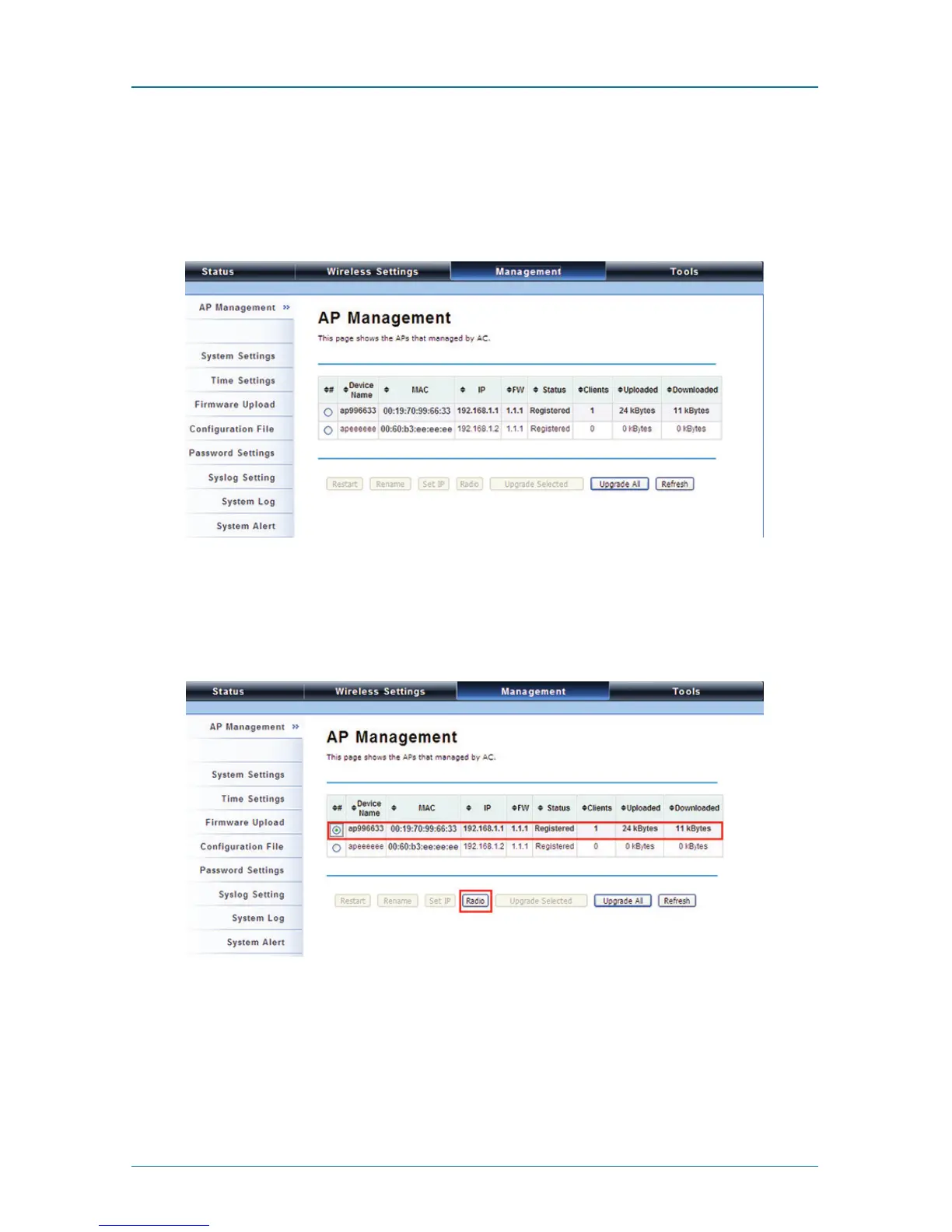
Management —> AP Management. The following screen appears.
Figure 4-11. AP Management screen.
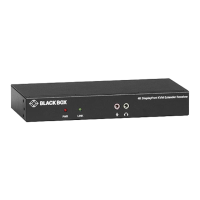
The Wireless Ethernet Extender AP in Virtual AC+Thin AP mode on the list is
highlighted in bold font. Select it and press “Radio” to configure its radio setting,
including channel bandwidth, channel, antenna, and output power.
Figure 4-12. AP Management, device highlighted.











 To Next Page