Page 24
724-746-5500 | blackbox.com
Chapter 4: Configuration
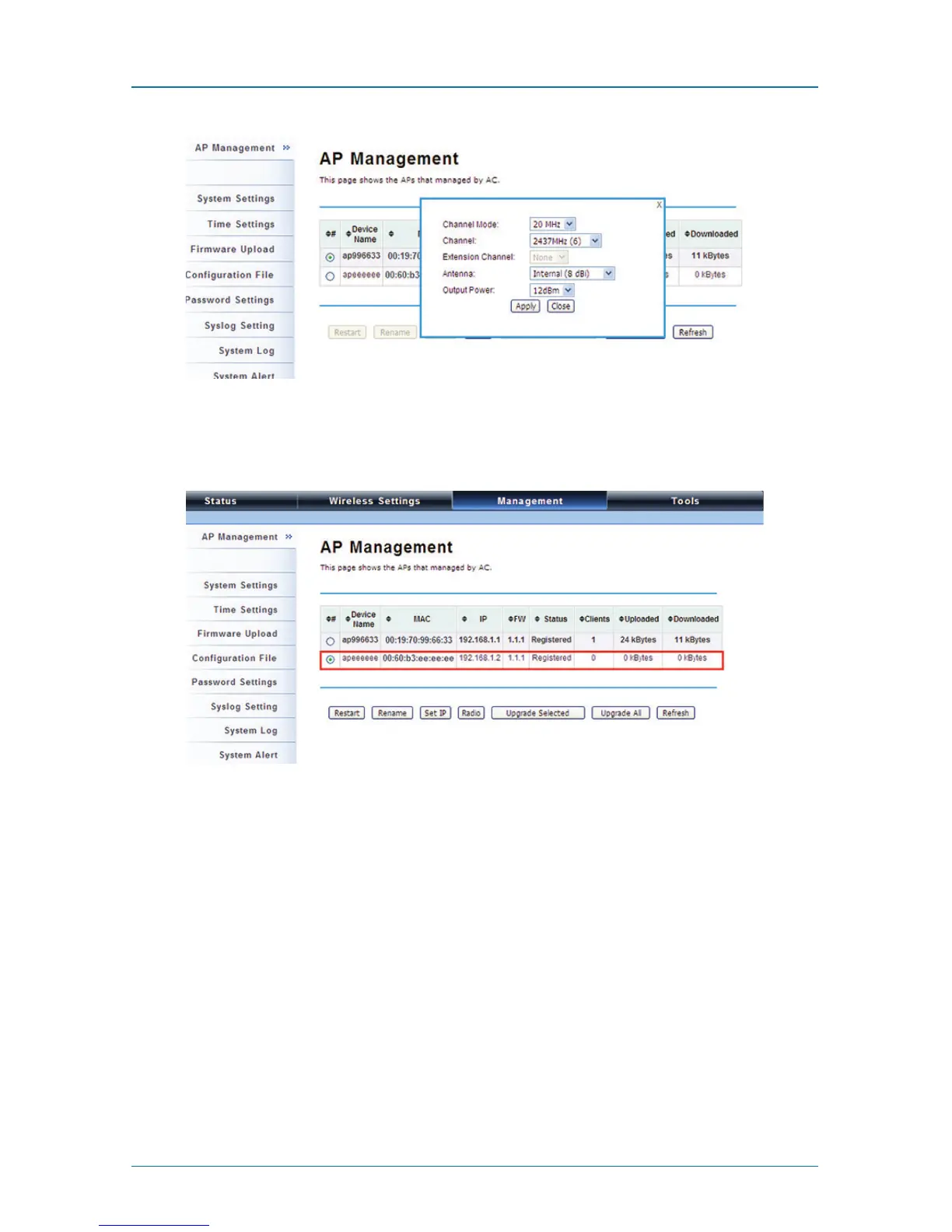
Figure 4-13. AP Management screen, Radio button highlighted.
To configure managed APs individually, select the one you want to manage and
press the “Radio” button.
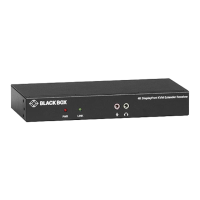
Figure 4-14. AP Management screen, APs managed by AC hightlighted.
Besides radio setting, you may also reboot the managed AP, change its IP address,
and upgrade the firmware for a managed AP.











 To Next Page