Page 26
724-746-5500 | blackbox.com
Chapter 4: Configuration
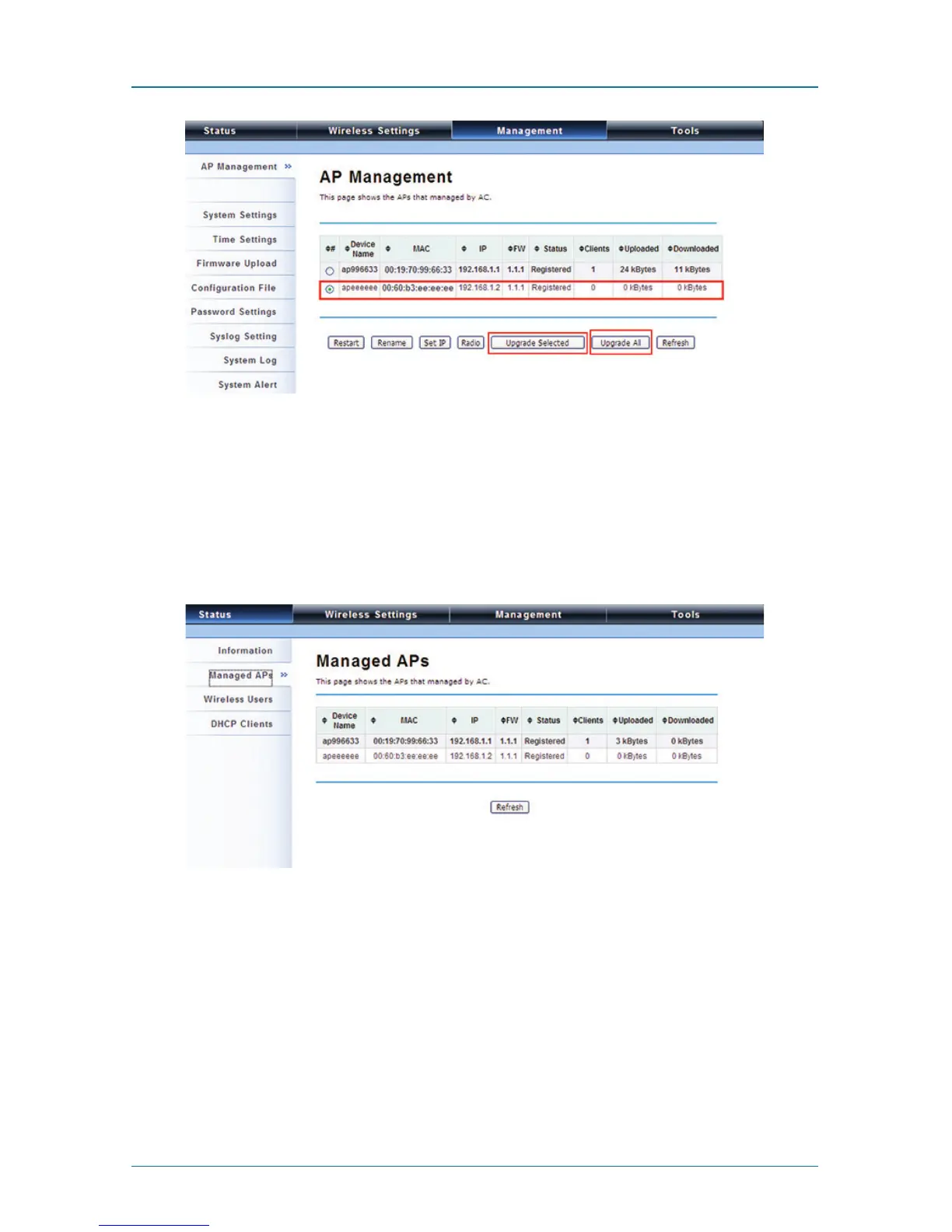
Figure 4-17. AP Management screen, Upgrade.
Monitor the Ethernet Extender-Managed AP
To view each managed AP’s status, go to Status —> Managed APs. Besides view-
ing device information such as device name, MAC address, IP address, and FW
version, you may also monitor the wireless clients that are currently associated
with the managed APs as well as packets statistics.
Figure 4-18. Managed APs screen.
Configure the Fat AP mode
Fat AP mode operates as standalone AP that cannot be managed by the Wireless
Ethernet Extender.
To switch from Virtual AC mode to Fat AP mode, go to Management —> System
Settings. From the Device Mode drop-down list, select “Fat AP” and press “YES”
to make the change take effect.











 To Next Page