Page 27
724-746-5500 | blackbox.com
Chapter 4: Configuration
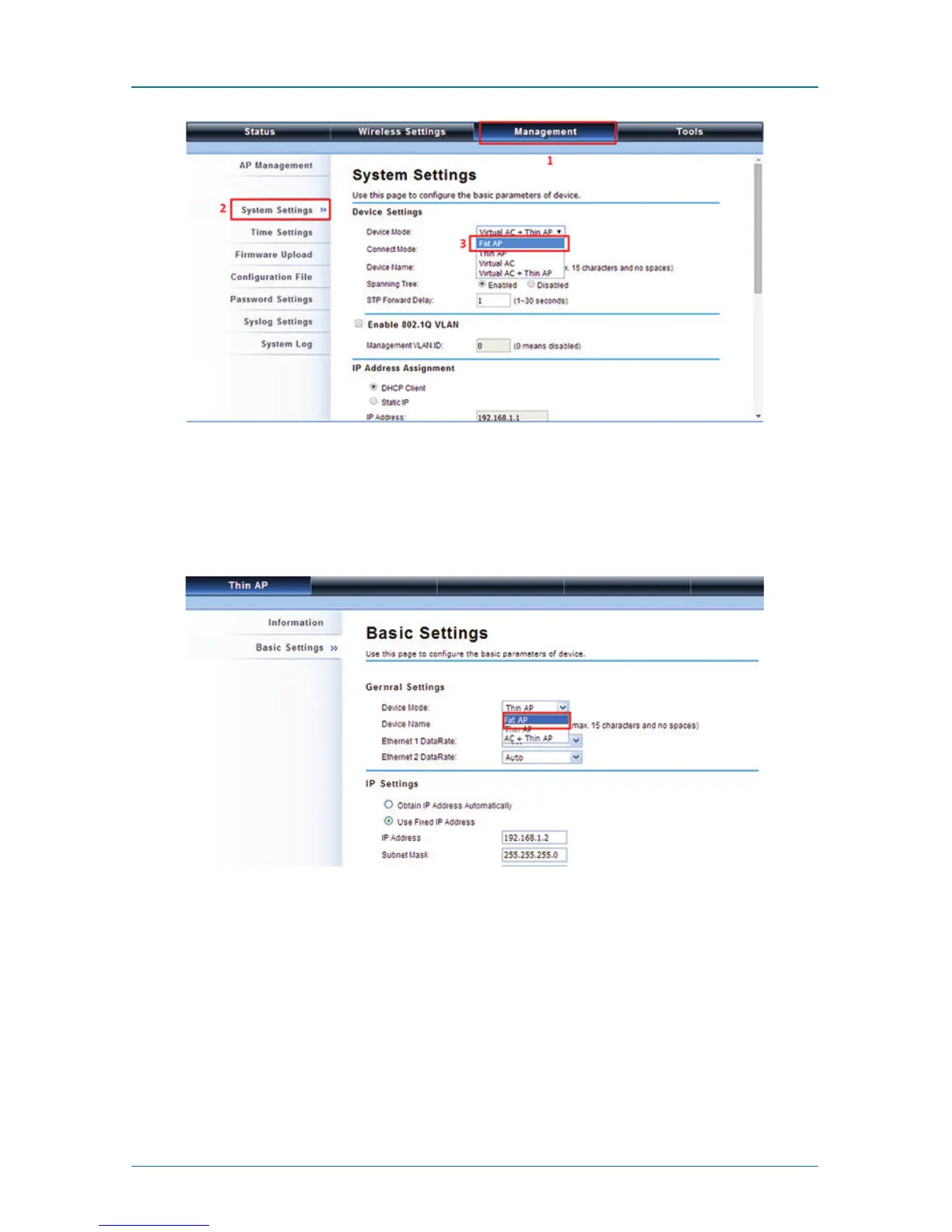
Figure 4-19. System settings.
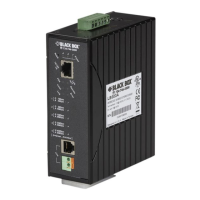
To switch from default mode Thin AP to Fat AP mode for the first time configura-
tion, go to Basic Settings. From the Device Mode drop-down list, select “Fat AP”
and press “YES” to make the change take effect.
Figure 4-20. Basic Settings screen.
The Fat AP covers “AP mode,” “Wireless Client mode,” “Bridge mode,” and “AP
Repeater mode.”



 To Next Page