Page 7
724-746-5500 | blackbox.com
Chapter 3: System Installation
3. System Installation
Connect up
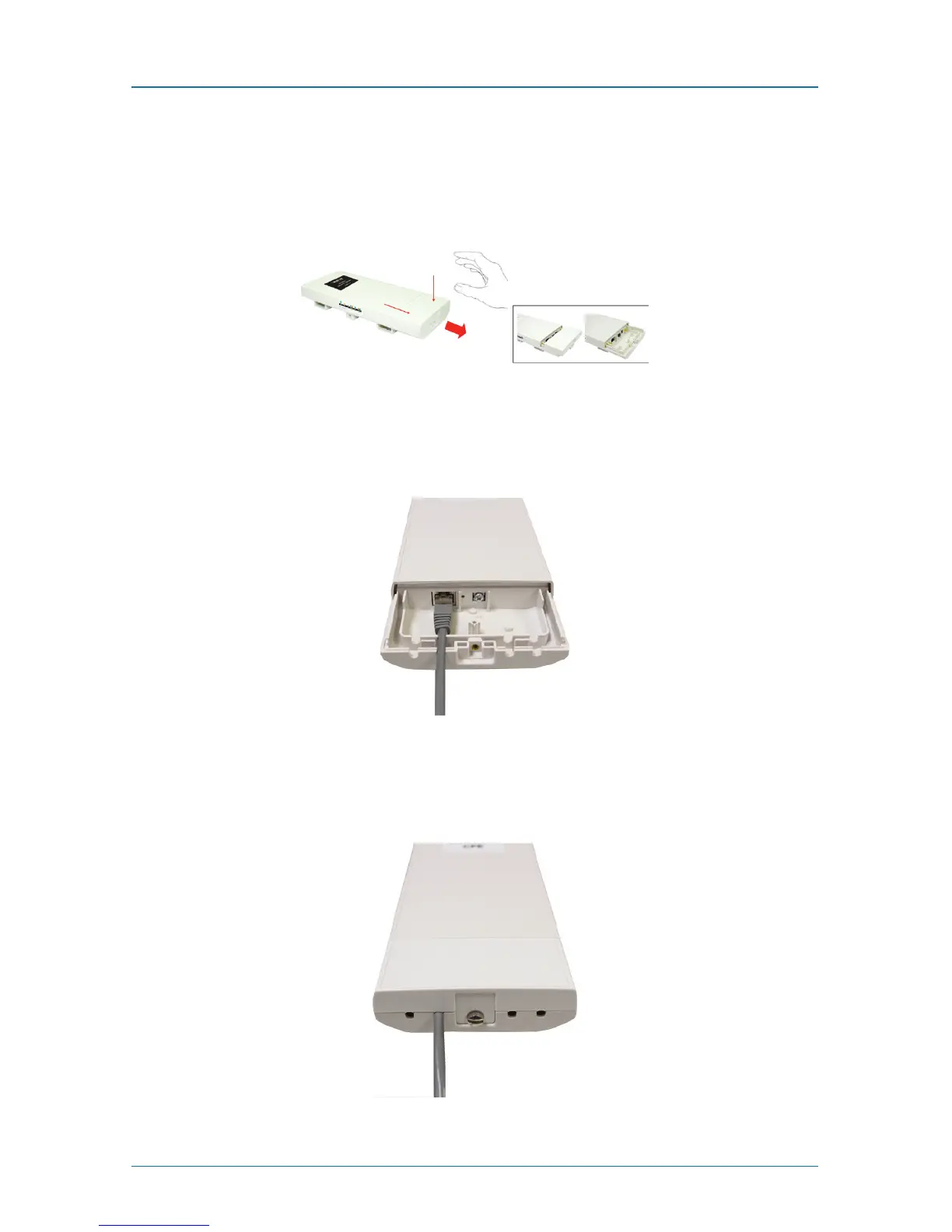
1. The bottom of the Wireless Ethernet Extender is a movable cover. Grab the
cover and pull it back harder to take it out as the figure shown below.
Figure 3-1. Removing the bottom cover from the extender.
2. Plug a standard Ethernet cable into the RJ-45 port.
Figure 3-2. Plugging a standard Ethernet cable into the RJ-45 port.
3. Slide the cover back and press down the lock button to seal the bottom of the
Wireless Ethernet Extender.
Figure 3-3. Replacing the bottom cover.











 To Next Page