Page 8
724-746-5500 | blackbox.com
Chapter 3: System Installation
Using the Grounding Wire
The extender has a grounding wire. Be sure to connect the extender, cables, and
PoE injector to earth ground properly during normal use to protect against surges
or ESD.
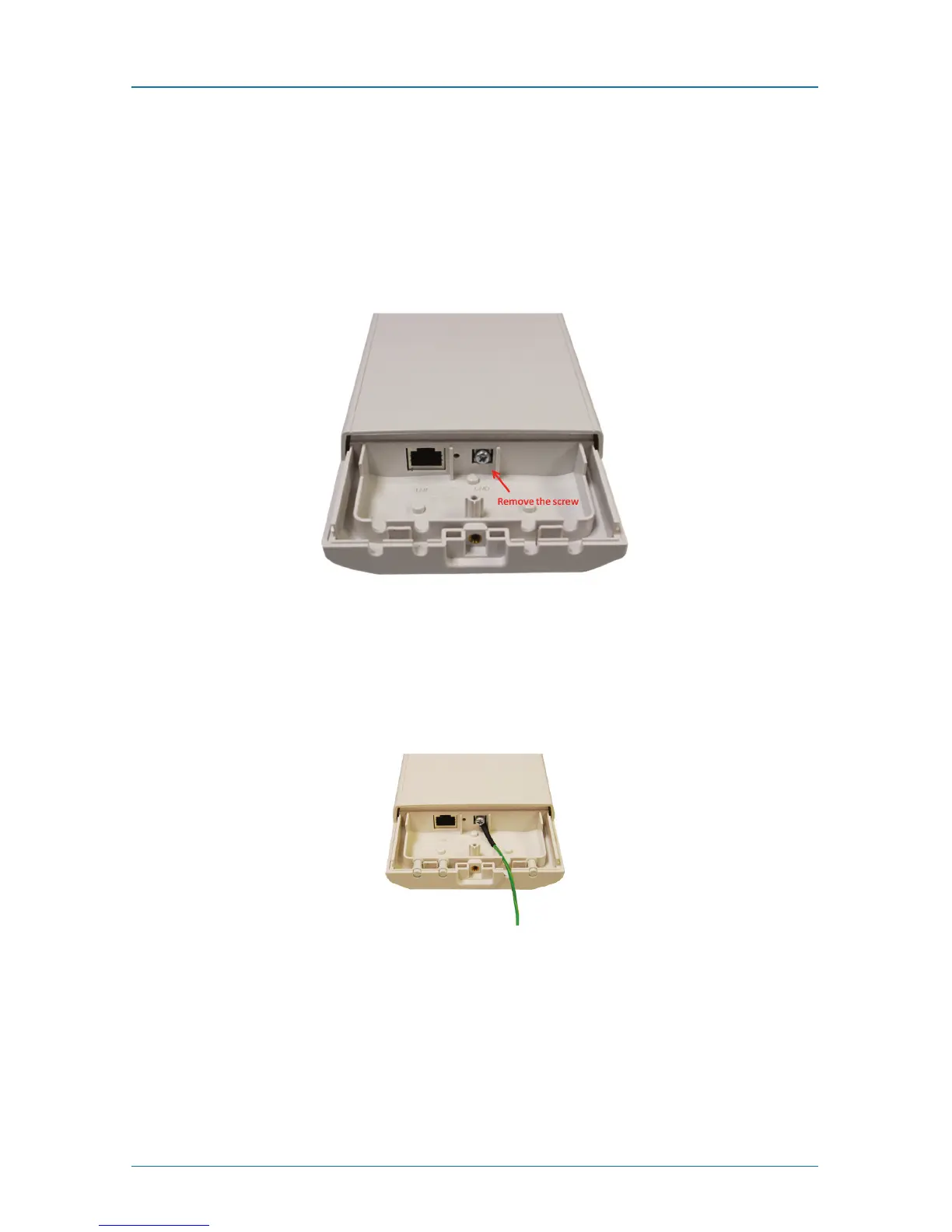
1. Remove the screw on the grounding point at the bottom of the Wireless
Ethernet Extender.
Figure 3-4. Grounding point on the extender.
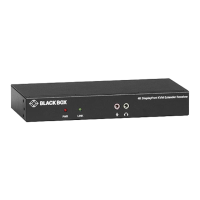
2. Put the grounding wire on the grounding point at the bottom of the Wireless
Ethernet Extender. Then screw the grounding wire to tighten up.
Figure 3-5. Tighten the grounding wire.
3. Connect the grounding wire to earth ground.











 To Next Page