OPERATION:
Once you have configured each Short Haul Modem properly and connected the twisted pair and RS-232 cables, you are ready to operate the units.
LED Status Monitors:
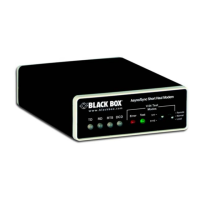
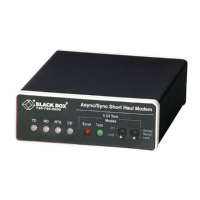
The Short Haul Modem features six front panel status LED's that indicate the condition of the modem and communication link.
The TD and RD Indicators:
The TD and RD indicators are bi-color; they will glow red for a low signal or green for a high signal. RTS lights for an incoming signal on RS-232 pin 4. CD lights for an incoming signal on the line side, and the resulting output signal on RS-232 pin 8.
The RTS and CD Indicators:
The RTS and CD indicators are bi-color and will glow red for a low signal or green for a high signal. RTS lights for an incoming signal n RS-232 pin 4. CD lights for an incoming signal on the line side, and the resulting output signal on the RS-232 pin 8.
The Test Indicator:
The green Test LED indicates that V.52 or V.54 test are running.
The Error Indicators:
The Error indicator LED has three functions:
1. When the modem is in test mode (green Test LED is lit), the error LED glows red when bit errors occur.
2. When not in Test mode (green Test LED is off), the error LED is used to indicate an RTS streaming condition.
3. The Error LED is also used to detect problems with line quality, such as:
A. The improper use of flat (non-twisted-pair) cable to connect the modems.
B. One or more broken wires in the 4-wire twisted-pair cable.
C. The use of low-quality twisted-pair cable to connect the modems.
D. A broken or corroded connector.
NOTE:
In detecting line quality, the Error LED indicator is designed for 4-wire
twisted-pair cable only, and may not function properly with two-wire cable.
Setting Up the Error LED to Test Cable Quality:
If there is any question as to the quality of your line, we recommend the following test:
1. Disconnect both local and remote modems from their RS-232 interface. Make sure TD, RD, and RTS LED's are lit red.
2. Set input impedance of both modems to 200 ohms. (S3-1 ON, S3-2 OFF).
3. Set date rate on both modems to 9.6 Kbps (S1-1 ON, S1-2 OFF, S1-3 OFF, S1-4 ON).
4. On the local modem, set Carrier Constantly ON (S1-8 OFF).
5. Set the remote modem to RTS control (S1-8 ON).
6. Put both front-panel toggle switches in the neutral position (Test LED will not light).
7. Connect both modems to the 4-wire twisted-pair cable to be tested.
Reading the Test:
If line quality is good, the Error LED on both modems will not light and the CD LED will be red. On the remote modem, the Error LED will not light and the CD LED will light green. If flat cable is used or parts of the line are not flat cable, the Error LED on the local
modem will light red and the CD LED will light green. On the remote modem, the Error LED will not light and the CD LED will light green. If one wire from the 4-wire twisted-pair is broken, the Error LED will light red and the CD LED will light green on at least one modem.
NOTE:
We cannot guarantee accurate detection if small pieces of flat cable
are present in the line beyond 1500 ft. (457 m) of the local modem.
Anti-Streaming Error Indicator:
When not in test mode (green Test LED is off), the front-panel Error LED is used to indicate a streaming error. When the Short Haul Modem's anti-streaming circuitry is enabled, the RTS signal from the DTE is timer-controlled. The timer begins to count when the
DTE raises RTS. If the time period that RTS remains high exceeds the present time-out period, the anti-stream circuit will force RTS low. The Error LED will light red, indicating a streaming condition (RTS continually on). This feature prevents a malfunctioning terminal
from tying up a computer port in a multidrop or polling environment. When the DTE drops RTS, the anti-streaming timer is automatically reset, and the front-panel Error LED turns off. The time-out period is DIP-switch-selectable for 12.5 or 80 seconds.


 To Next Page
 Loading...