6
1. 8 7 7. 8 7 7. 2 2 6 9 BLACKBOX.COM
NEED HELP?
LE AVE THE TECH TO US
LIVE 24/7
TECHNICAL
SUPPORT
1.8 7 7. 8 7 7. 2 2 6 9
CHAPTER 2: OVERVIEW
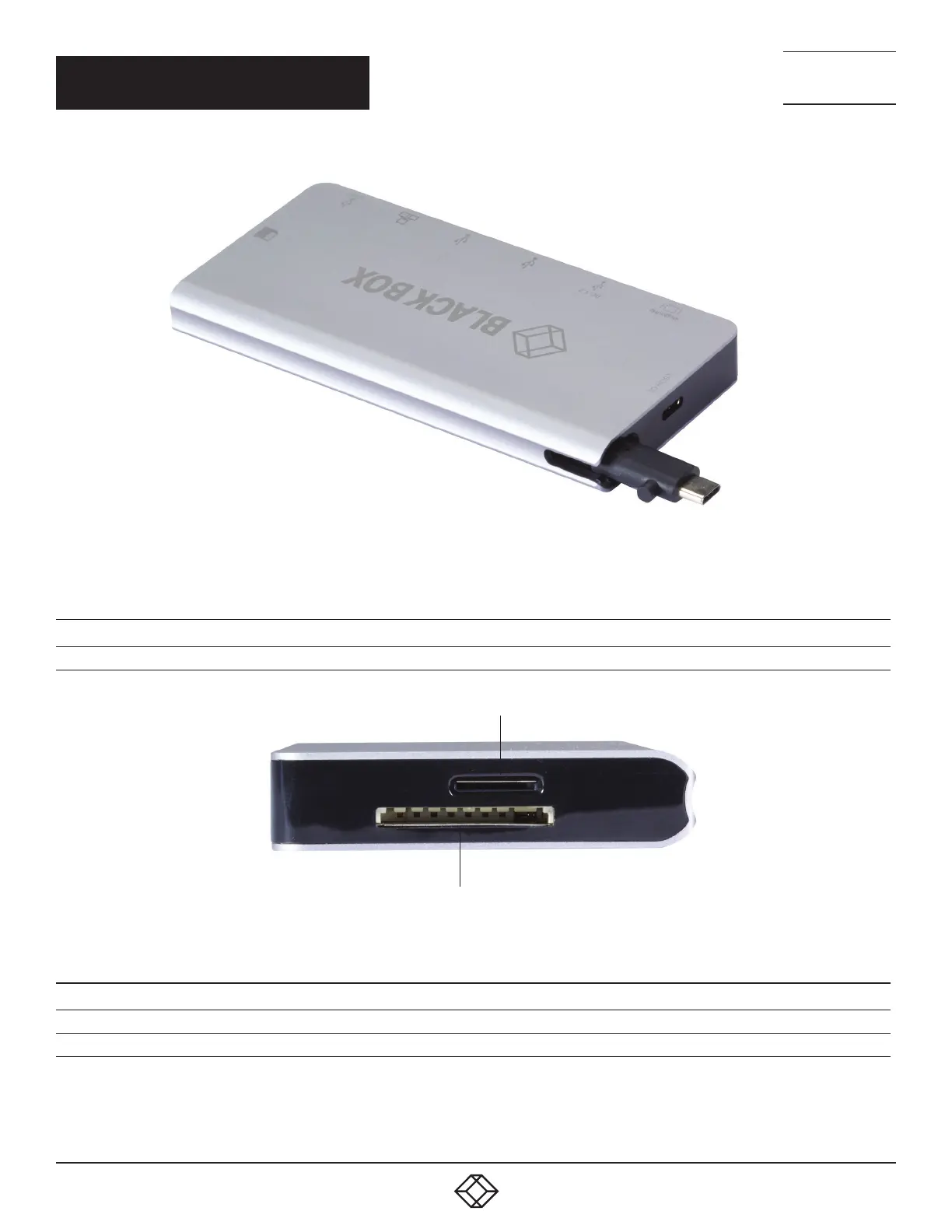
USB Type C M
cable storage
FIGURE 2-2. BACK OF UNIT
TABLE 2-2. BACK PANEL COMPONENTS
COMPONENT DESCRIPTION
USB-C cable storage slot This is where the cable is stored. It would be removed from here and be plugged into the USB -C port labeled Host.
Micro SD card slot
SD card slot
FIGURE 2-3. SIDE 1 OF UNIT
TABLE 2-3. SIDE 1 PANEL COMPONENTS
COMPONENT DESCRIPTION
Micro SD card slot Insert Micro SD card here
SD card slot Insert SD card here



 To Next Page