877-877-2269 | blackbox.com
Page 12
Chapter 2: Overview
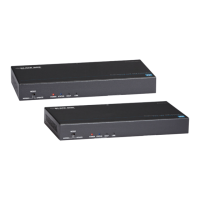
Table 2-2. Receiver front- and back-panel components.
Number Component Description
1 Mode Switches the Mode for the RS-232 port.
Normal: RS-232 CATx passthrough.
Update: RS-232 firmware update.
2 Power LED ON: The receiver is powered on.
OFF: The receiver is powered off.
3 Status LED Blinking: The receiver is working properly.
OFF: The receiver is not working properly.
4 HDCP LED ON: HDCP video is being received.
Flashing quickly: Non-HDCP video is being
received.
OFF: No audio and video signal.
5 Link LED ON: CATx link is normal.
OFF/Blinking: No CATx link.
13 Barrel connector. 12-VDC power input
14 CATx IN Connects to CATx OUT port of CATx
transmitter.
15 3-pin Phoenix
connector
RS-232 passthrough or firmware update
16 DP OUT Connects to a DisplayPort display device
17 Audio IN Connects to an audio source such as a PC
18 Audio OUT Connects to an audio device such as an
earphone.
19 (2) USB Type A
connectors
Connect to USB devices (mouse, keyboard,
USB disk, etc.)


 To Next Page
 Loading...