EasyManua.ls Logo

BLACK DECKER CM2046 - User Manual

BLACK DECKER CM2046
48 pages
Print Icon
To Next Page IconTo Next Page
Loading...
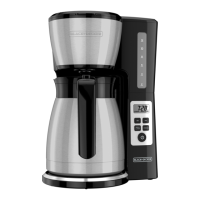
THERMAL PROGRAMMABLE
12-CUP* COFFEE MAKER
CAFETERA TÉRMICA PROGRAMABLE
DE 12 TAZAS*
CAFETIÈRE PROGRAMMABLE AVEC
CARAFE ISOTHERME DE 12 TASSES*
CM2046
*One cup equals approximately 5 oz. (varies by brewing technique)
*Una taza equivale a aproximadamente 5 onzas. (varía de acuerdo al método de preparación utilizado)
*Une tasse équivaut à environ 115 g (5 oz; varie selon la technique de brassage)
We want you to have a 5-star experience!
Should you have any questions or concerns about your new product, please call our Customer Service Line at
1-800-465-6070 (U.S. and Canada). Please do not return to the store.
¡Deseamos que disfrute de una experiencia de 5 estrellas!
Si usted tiene alguna inquietud o pregunta con su producto, por favor llame a nuestra línea de servicio al cliente una
atención inmediata 1-800-465-6070 (EE.UU/Canadá) 01-800-714-2503 (México). No devuela a la tienda.
Nous voulons que vous ayez une expérience 5 étoiles!
Si vous avez des questions ou des préoccupations à propos de votre nouveau produit, veuillez
communiquer avec notre Service à la clientèle au 1 800 465-6070 (États-Unis et Canada).
Veuillez ne pas rapporter le produit au magasin.

Questions and Answers

  • V
    villarrealrickyAug 1, 2025
    Why is my BLACK DECKER CM2046 leaking?
    • D
      Donald EdwardsAug 1, 2025
      A BLACK DECKER Coffee Maker might leak due to several reasons. The water reservoir may be overfilled, so ensure it's not filled beyond the 12-cup MAX line. Also, the cover may not be correctly placed on the carafe, so make sure it is correctly placed and tightened. Finally, the carafe might not be correctly placed on the carafe plate; ensure it is properly positioned.
  • D
    diane34Aug 5, 2025
    What to do if my BLACK DECKER Coffee Maker does not turn on?
    • K
      Kathleen GrantAug 5, 2025
      If your BLACK DECKER Coffee Maker doesn't turn on, the most common reason is that it's not properly plugged in. Make sure the appliance is plugged into a working outlet.
  • N
    Nicole JuarezAug 9, 2025
    Why does my BLACK DECKER Coffee Maker brew slowly?
    • P
      pamela75Aug 9, 2025
      A BLACK DECKER Coffee Maker might brew slowly because it needs cleaning. Follow the instructions in the “Descaling With the Auto Clean™ Function” section.
  • J
    James GarrisonAug 14, 2025
    What to do if my BLACK DECKER CM2046 Coffee Maker does not complete brewing and water is left in the tank?
    • C
      Connor HowardAug 14, 2025
      If your BLACK DECKER Coffee Maker doesn't complete brewing and water remains in the tank, it's likely heavily calcified. Follow the instructions in the “Descaling With the Auto Clean™ Function” section. Note that multiple cleaning cycles may be required.
  • M
    Madison AustinAug 18, 2025
    Why is there coffee sediment in my BLACK DECKER CM2046?
    • N
      Nicole BeardAug 18, 2025
      If you find coffee sediment in your brewed cup from your BLACK DECKER Coffee Maker, the paper filter and/or the brew basket are not properly placed. Insert a basket-shaped paper filter into the brew basket and ensure the basket is correctly inserted into the holder.
  • J
    Juan ClarkAug 22, 2025
    Why is coffee not hot enough in my BLACK DECKER CM2046?
    • G
      Grace BlackAug 22, 2025
      If the coffee from your BLACK DECKER Coffee Maker isn't hot enough, it could be due to low brew volumes (under four cups of coffee) and/or a cold carafe. Pre-heat the carafe before brewing with hot tap water.
  • E
    edwardhansonAug 27, 2025
    What to do if the brew basket overflows in BLACK DECKER CM2046 Coffee Maker?
    • D
      doylecrystalAug 27, 2025
      The brew basket might overflow in your BLACK DECKER Coffee Maker if the carafe has been removed for longer than 20 seconds when using the Sneak-A-Cup™ feature; make sure to replace the carafe within 20 seconds during the brewing cycle. Another reason might be excessive amount of coffee is used, so reduce the amount of coffee used.

Summary

Important Safeguards

Polarized Plug Safety

Explains the polarized plug for electrical safety, ensuring correct outlet insertion.

Electrical Cord Safety Guidelines

Provides guidelines for using extension cords safely with the appliance.

Tamper-Resistant Screw Warning

Warns against removing the outer cover due to internal safety screws.

Getting to Know Your Coffee Maker

Product Benefits

Auto Clean System Notification

Explains the descaling notification and process for maintenance.

Getting to Know Your Control Panel

Programming Your Coffee Maker

Brewing Coffee

Step-by-Step Brewing Process

Provides instructions for brewing coffee, including feature usage.

Care and Cleaning

Routine Cleaning and Maintenance

Offers instructions for daily cleaning of coffee maker parts after use.

Descaling with the Auto Clean Function

Auto Clean Function Descaling Procedure

Explains how to use the Auto Clean function for descaling the coffee maker.

Troubleshooting

Coffee Maker Not Turning On

Addresses issues where the coffee maker fails to power on.

Coffee Maker Leaking Issues

Provides solutions for leaks from the coffee maker.

Brew Basket Overflow Solutions

Explains how to prevent the brew basket from overflowing.

Need Help?

Warranty Coverage and Claim Process

Details what the warranty covers, duration, and how to file a claim.

BLACK DECKER CM2046 Specifications

General IconGeneral
ModelCM2046
Capacity12 cups
Display TypeDigital
Water FiltrationNo
ColorBlack
MaterialPlastic
Power SourceElectric
Voltage120V
Included ComponentsCoffee maker, Carafe, Filter basket
Brew Strength OptionsRegular, Bold
TypeCoffee Maker
FeaturesAuto Shut-Off, Brew Pause

Related product manuals