Need help?
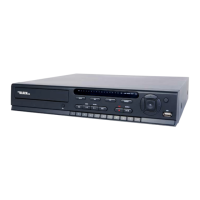
Do you have a question about the Black Line BLK-DH3008D and is the answer not in the manual?
Details the LED indicators and buttons on the DVR's front panel for operation and status.
Describes the various input and output ports on the rear panel of the DVR unit.
Explains the functions of each button on the included remote control for device operation.
Step-by-step guide for installing an internal DVD-R/W drive into the DVR unit.
Instructions for installing a Hard Disk Drive (HDD) into the DVR for data storage.
Guides users through the initial setup process, including language and date/time configuration.
Covers settings for on-screen display options like OSD, sequence, and video output resolution.
Details how to configure recording settings, including resolution, frame rate, and recording modes.
Manages storage settings, including drive formatting and overwrite options for continuous recording.
Configures user authentication, passwords, and playback/network authority for system access.
Sets up network parameters like IP address, subnet, DNS, and streaming settings for remote access.
Provides options for searching recorded video data via timeline, event, or specific time entries.
Explains how to play back recorded video clips and the available playback controls.
Details the process for archiving video clips or still images to external media like USB or CD/DVD.
Describes the functions of buttons used for Pan/Tilt/Zoom control of compatible PTZ cameras.
Instructions for capturing and backing up still images from the live camera view.
Steps to back up recorded video clips from the DVR to USB drives or CDs/DVDs.
Guide for installing the client software on a PC for remote monitoring and management of the DVR.
Configuration options within the Remote Client software, including general, site, event, and record settings.
Procedure for establishing a connection between the Remote Client software and the DVR.
Instructions for installing the Multi Client software for managing multiple DVRs simultaneously.
Describes how to use the Net Finder tool to discover and add DVRs to the Multi Client software.
Explains how to search and back up video clips from the DVR using the Multi Client software.
Steps to access the DVR remotely using web browsers like Firefox, Chrome, or Safari.
Overview of the WebViewer interface for monitoring and administering the DVR via a web browser.
Configuration options available through the WebViewer interface, covering display, record, and system settings.
Guide for installing and launching the BlackHawk application on a Mac computer for DVR management.
Details the live viewing window components and controls within the BlackHawk for Mac application.
Features and installation guide for the BlackHawk app on iPhones for remote DVR monitoring.
Features and installation guide for the BlackHawk app on Android devices for DVR monitoring.
 General
| Channels | 8 |
|---|---|
| Video Input | 8 BNC |
| Hard Drive Capacity | Up to 6TB |
| Compression | H.264 |
| USB | 2 x USB 2.0 |
| Video Output | 1 VGA, 1 HDMI |
| Recording Resolution | 1080p/720p/960H |
| Network | RJ45 |
| Power Supply | DC 12V |


 To Next Page