Need help?
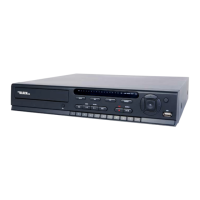
Do you have a question about the Black Line BLK-DH3016D and is the answer not in the manual?
Details front panel controls and indicators for all models.
Describes the rear panel connectors for the DVR.
Explains the functions of the remote control buttons.
Provides step-by-step instructions for installing an optical drive.
Details the procedure for installing a Hard Disk Drive (HDD).
Guides initial system boot-up, language, and date/time setup.
Configures on-screen display options like OSD, brightness, contrast, and resolution.
Sets recording parameters like resolution, frame rate, quality, and recording mode.
Allows setting up weekly recording schedules for each camera.
Configures device-specific settings like alarm out, PTZ, motion zones, and privacy zones.
Manages storage settings, including overwrite behavior and disk formatting.
Configures system-wide settings like DVR ID, language, date/time, and client access.
Manages user authentication, passwords, and playback/network permissions.
Configures network settings, including IP address, ports, and DDNS.
Manages system configuration, including saving/loading settings and software upgrades.
Provides a simplified setup for initial configuration of resolution, frame rate, and recording.
Accesses functions for searching recorded video by timeline, event, or specific time.
Allows searching recorded video using a visual timeline interface.
Enables searching for recorded events based on specific event types.
Allows direct access to the oldest recorded data.
Allows direct access to the most recent recorded data.
Enables searching for video at a precise date and time.
Retrieves data that has been backed up to archive media.
Accesses and exports the system's operational log.
Allows playback of recorded video clips with various control options.
Guides on archiving video clips to USB drives or CD/DVDs.
Describes how to back up still images from live view.
Describes how to back up still images from playback mode.
Details the process of backing up recorded video clips.
Explains copying archived images or video to external media.
Provides instructions on how to play video clips backed up from the DVR.
Lists the minimum system requirements for the Remote Client software.
Guides on the installation process of the Remote Client software.
Describes the initial interface and components of the Remote Client.
Introduces the setup options for the Remote Client.
Configures general settings like security options, save paths, and auto-reconnection.
Details how to add and configure DVR sites within the Remote Client.
Configures how the client displays and logs DVR event information.
Sets up event search criteria to find logged events.
Configures conditions that trigger live video recording within the Remote Client.
Manages storage drive selection and allocation for recordings.
Adjusts image display settings for multi-monitor systems.
Guides on establishing a connection between the Remote Client and the DVR.
Explains how to use bidirectional audio features.
Covers searching and playing back recorded video using the Remote Client.
Details the process of searching and playing recorded DVR video.
Explains how to back up video clips from the DVR to the PC.
Describes capturing still images from the screen using the Remote Client.
Lists the minimum system requirements for the Multi Client software.
Guides on the installation process of the Multi Client software.
Describes the initial interface and components of the Multi Client.
Explains how to use Net Finder to discover and add DVRs to Multi Client.
Displays a list of logged events for the current Multi Client session.
Introduces the setup menus for the Multi Client.
Configures general settings like security options, save paths, and auto-reconnection.
Configures how the client displays and logs DVR event information.
Sets up event search criteria to find logged events.
Configures conditions that trigger live video recording within the Multi Client.
Manages storage drive selection and allocation for recordings.
Adjusts image display settings for multi-monitor systems.
Displays version and copyright information for the Multi Client Software.
Guides on establishing a connection between the Multi Client and the DVR.
Explains how to use bidirectional audio features.
Describes capturing still images from the screen using the Multi Client.
Manually starts/stops video recording of the live screen.
Covers searching and playing back video clips and backing them up.
Details the process of searching and playing recorded DVR video.
Explains how to back up video clips from the DVR to the PC.
Allows playback of video files saved locally by the Multi Client.
Guides on backing up video clips in AVI format during playback.
Details how to connect to the DVR using a web browser.
Explains how to use the WebViewer interface to monitor and administer the DVR.
Provides access to DVR configuration menus via WebViewer.
Configures display settings like sequential viewing and video quality.
Sets recording modes for each camera channel.
Configures device settings like alarm out, PTZ, and motion zones.
Manages recording configuration of the DVR HDD.
Configures system ID, access control, date/time, email, and NTP settings.
Configures system permissions for each user ID.
Configures network IP address, subnet, DDNS, and ports.
Allows remote installation of new firmware to the DVR.
Displays useful DVR information that cannot be changed.
Allows watching recorded video, backing up clips, and capturing images.
Guides on playing recorded video through the WebViewer interface.
Details backing up video clips for playback on other devices.
Describes capturing still images from the screen via WebViewer.
Provides initial steps for using BlackHawk for Mac.
Guides on finding DVR network settings for Mac connectivity.
Guides on finding Mac network settings for DVR connectivity.
Explains how to connect the Mac to the DVR based on network configuration.
Guides on installing and launching the BlackHawk for Mac application.
Details the login process to connect Mac to the DVR.
Describes the live viewing window and its components.
Explains how to preset login settings for easy DVR connection.
Provides methods for closing the BlackHawk for Mac application.
Guides on accessing search and playback features for recorded video.
Details the process of searching and playing recorded video clips on Mac.
Covers features and installation of the BlackHawk app for iPhone.
Guides on downloading and installing the BlackHawk app from the iTunes store.
Explains how to view live camera feeds using the iPhone app.
Details how to control PTZ cameras using the iPhone app.
Guides on searching and playing recorded video using the iPhone app.
Covers features and installation of the BlackHawk app for Android.
Guides on downloading and installing the BlackHawk app from Google Play.
Explains how to view live camera feeds using the Android app.
Details how to control PTZ cameras using the Android app.
Guides on searching and playing recorded video using the Android app.
Describes capturing and viewing screenshots with the Android app.
 General
| Brand | Black Line |
|---|---|
| Model | BLK-DH3016D |
| Category | DVR |
| Language | English |


 To Next Page