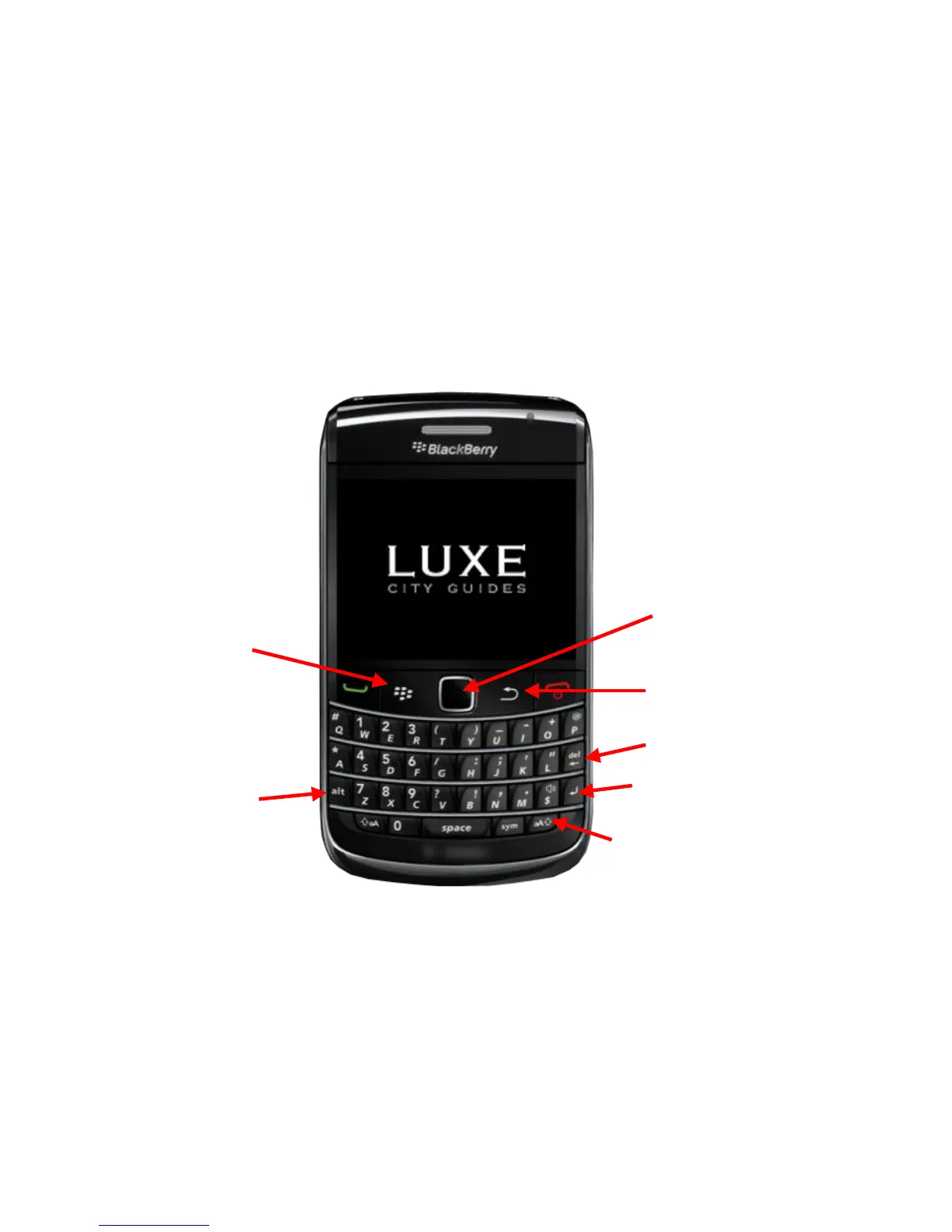
BlackBerry button menu (applicable to 9000 and 9700)
MENU button
REVERSE button
*Also the “OK” button in the
LUXE app
Hold the ‘alt’ button if you
want to type numbers or
symbols:
e.g. if you want to type 2,
you need to press ‘alt’
and ‘2’ at the same time
DELETE/BACK button
ENTER button
Hold this button if you wish to
type in capital letters:
e.g. if you want to type ‘L’, press
this button and L at the same
time, for small letter ‘l’, press ‘L’
only
Scrolling and click to enter













 To Next Page