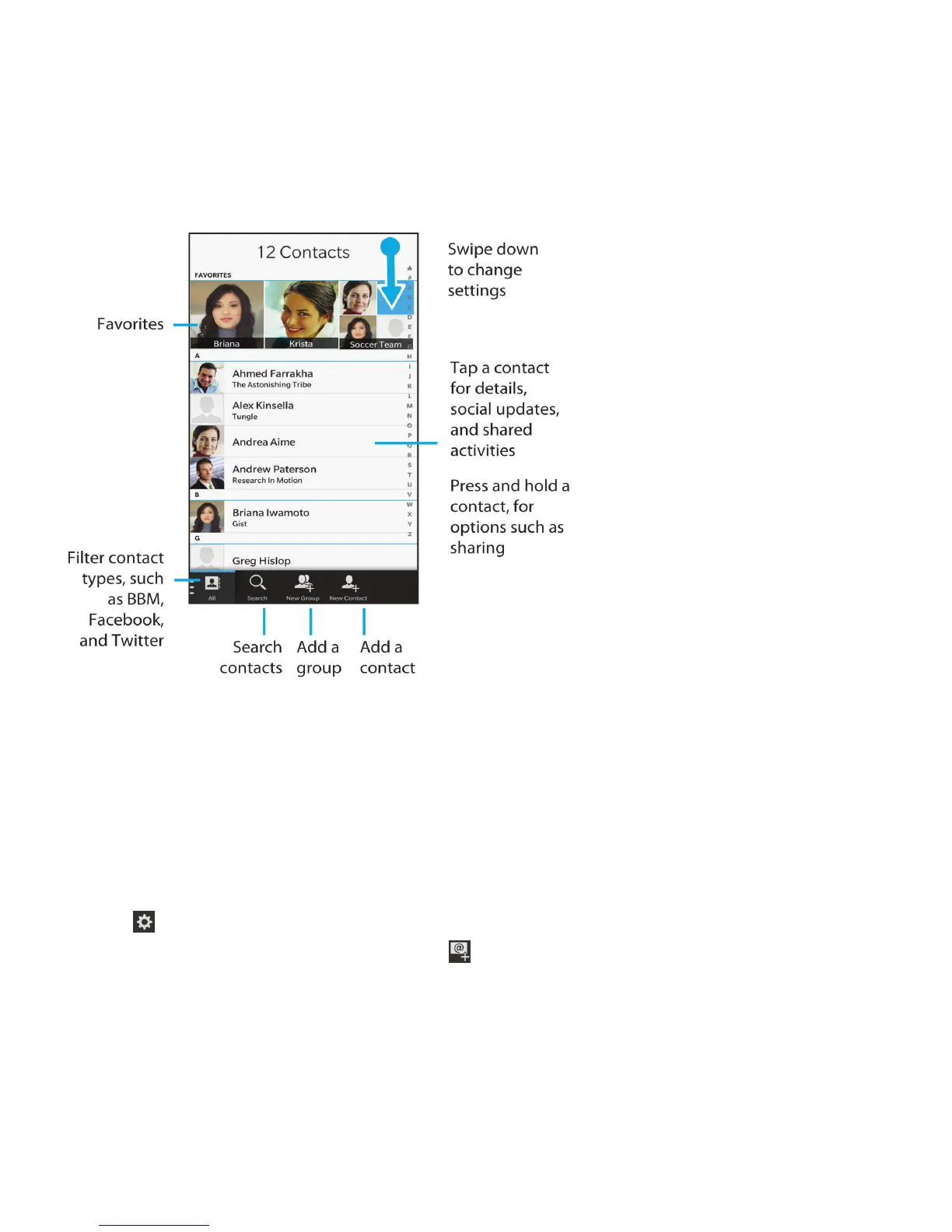
Contacts at a glance
Adding contacts
Set up email or other types of accounts on your device
You can add email accounts, social networking accounts (such as Facebook, Twitter, and LinkedIn), or even an Evernote
account to your device.
1. On the home screen, swipe down from the top of the screen.
2.
Tap Settings > Accounts.
3.
If you already added an account to your device, tap to add another account.
Add a personal email account
1. On the Add Account screen, tap Email, Calendar and Contacts.
2. Enter the email address.
User Guide Applications and features
190












 To Next Page