O VERVIEW
PRINTED DECEMBER 5, 2012
2
BLACKBOARD PS4101 CARD READER INSTALLATION GUIDE
OVERVIEW
The Blackboard PS4101 Reader enables consumers to pay for purchases with a tap or wave of their
Blackboard contactless smart card (Felica or Mifare Classic). The reader integrates with NCR™ POS
devices running the Bb POS Application, and is also designed to integrate with other third-party POS
devices.
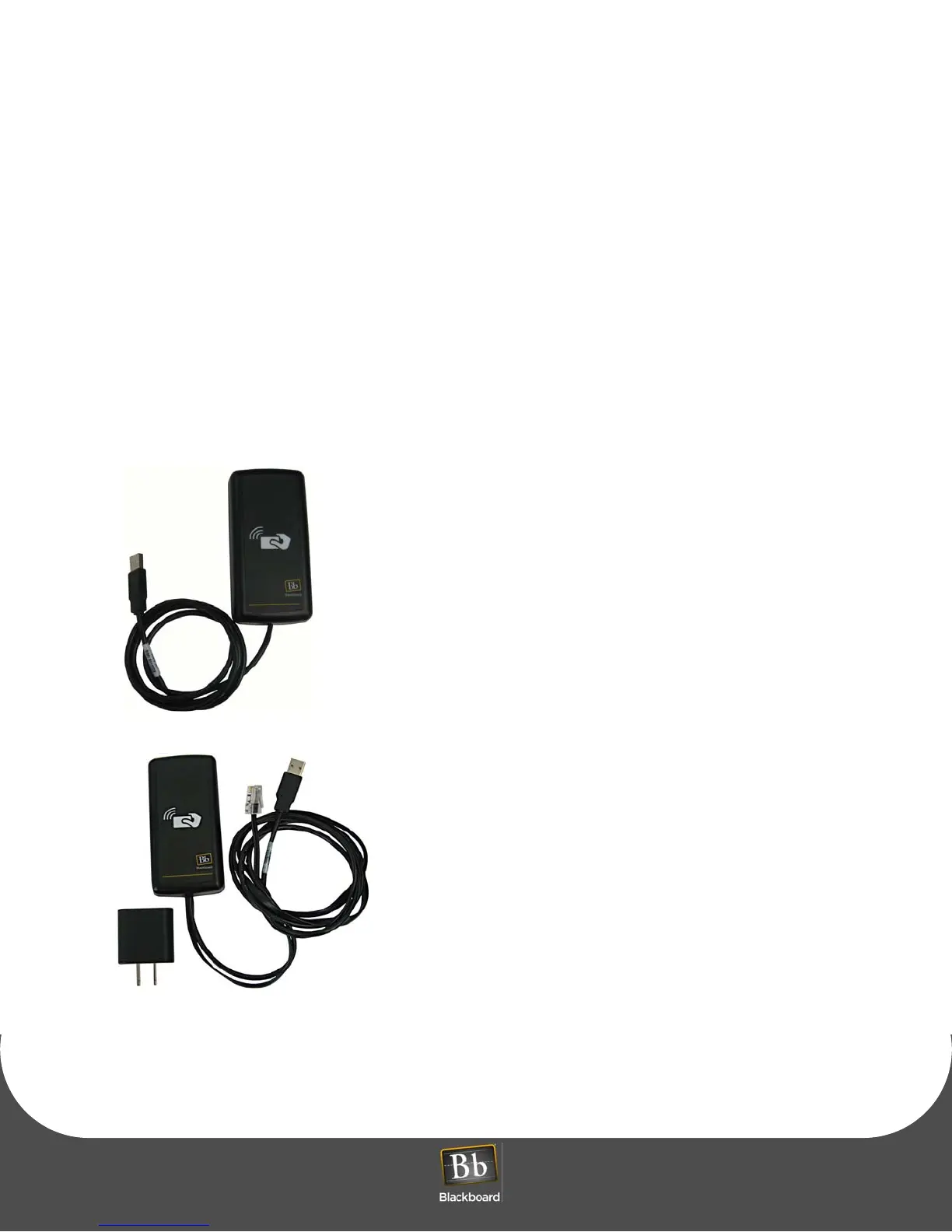
Blackboard offers two versions of the PS4101 Card Reader:
• PS4101-USB
• PS4101-SERIAL
The PS4101-USB Reader is out of the box ready-for-use with NCR
Registers. The USB reader can also be used with any 3rd party
system that accepts USB keyboard input. Default settings enable
the reader to output Track 2 Data from the Bb data area on the
smart card followed by an ENTER keyboard command. To
customize the Data Output to communicate with other applications
or devices, see: the PS4101 Config Utility Guide, Doc #1308.
What’s included: PS4101 reader with USB cable.
Use the PS4101-SERIAL reader with Verifone terminals Vx570 or
Vx610, or with any compatible 3rd party device that does not
include USB ports. The reader outputs Track 2 Data from the Bb
data area on the contactless card followed by a carriage return
line feed <CR><LF>. The default Baud Rate is 9600. To customize
the Data Output to communicate with other applications or
devices, see: the PS4101 Config Utility Guide, Doc #1308.
What’s included: PS4101 reader with serial and USB cables, and
a USB power pack.
Prerequisites:
• Blackboard Transaction System 3.10 or above
• Available USB or Serial port on the POS terminal
• Available A/C power outlet connection or power strip (PS4101-SERIAL)
PS4101-SERIAL Card Reader



 To Next Page