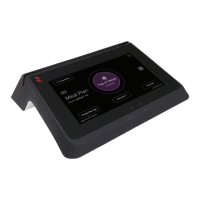
Need help?
Do you have a question about the Blackboard MF4100 and is the answer not in the manual?
Details the hardware kit components provided with the MF4100 for mounting.
Details various ways the VESA bracket can be installed, including wall and table top.
Explains screw placement for attended and unattended mounting positions.
Illustrates the components and assembly of the VESA mounting bracket.
Step-by-step instructions for installing the MF4100 on a wall with user interaction.
Instructions for mounting the MF4100 on a wall in an unattended environment.
Instructions for mounting the MF4100 on a table using the VESA bracket.
Instructions for mounting the MF4100 on a table without using the VESA bracket.
 Power
Power| DC input voltage | 12 VDC |
|---|---|
| DC input current | 750 mA max |
| POE input voltage | 36-57 VDC |
 Operating Environment
| operating temperature range | 0 to +60 degrees Celsius |
|---|---|
| operating relative humidity | 0 to 95 percent, non-condensing |
| operating altitude | 0 - 10, 000 feet |
Non-Operating Environment| non-operating temperature range | -20 to +70 degrees Celsius |
|---|---|
| non-operating relative humidity | 0 to 95 percent, non-condensing |
| non-operating altitude | 0 - 35, 000 feet |
 Weight and Dimensions
| width | 9.0 inches |
|---|---|
| height | 5.5 inches |
| depth | 2.21 inches |
| weight | 1.7 pounds |

 To Next Page