M ULTI-FUNCTION READER MF4100 INSTALLATION GUIDE
D OCUMENT 1295 REV 01
PRINTED N OVEMBER 3 , 2 0 0 9 1-11
For a fixed 15 degree angle, install the MF4100 so the security plate is located near the hinge
of the VESA mounting bracket. Place the locking screws in the unattended position.
See: VESA Bracket Screw Position - Unattended (Page: 4)
For an adjustable angle, install the MF4100 so the speaker opening is located near the hinge
of the VESA mounting bracket. Place the locking screws in the attended position.
See: VESA Bracket Screw Position - Attended (Page: 3)
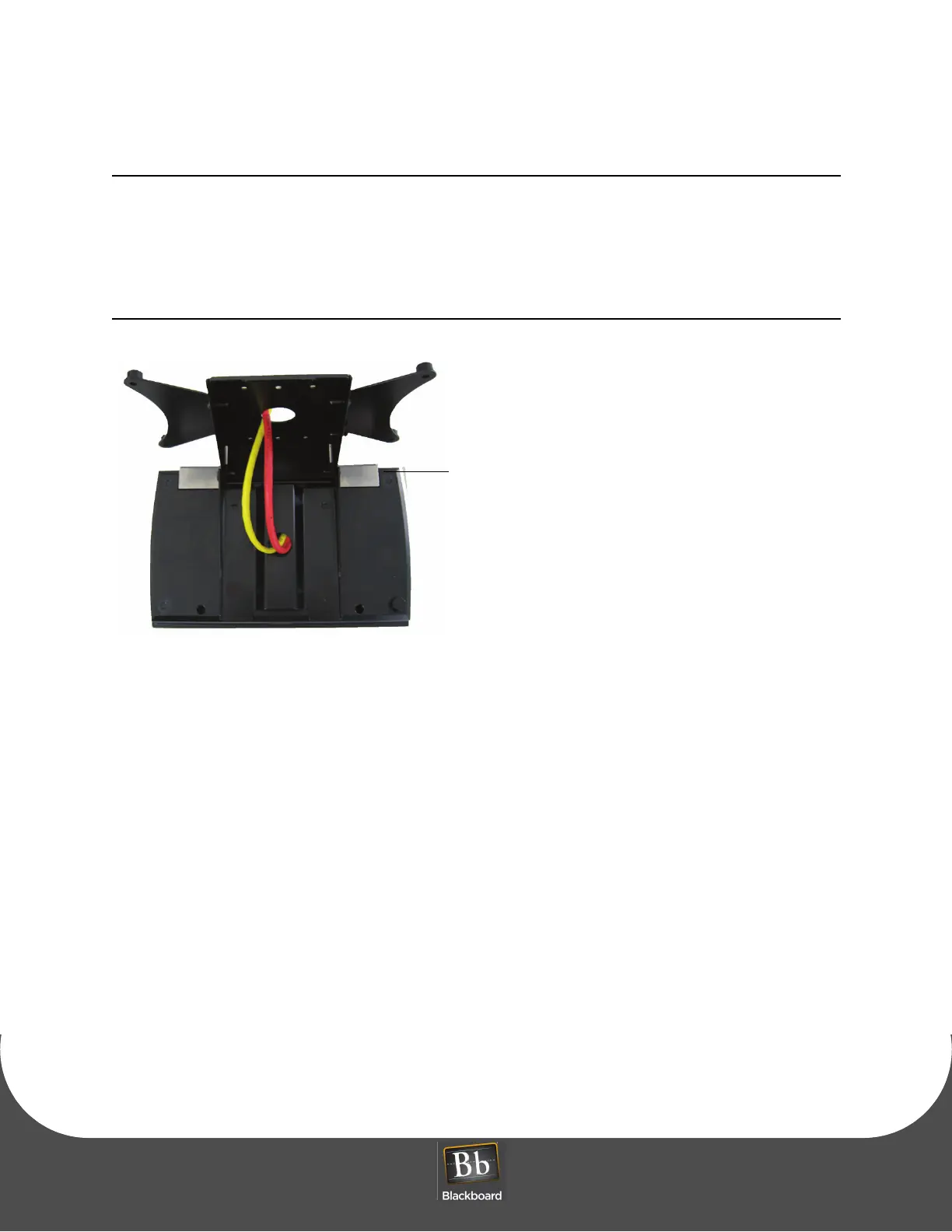
Figure 1-17 Table Top Mount - With VESA Bracket Cable Route
6 Secure the VESA bracket using four M4 x 6mm machine screws provided in the hardware kit.
7 Tighten the 2 locking screws (1/8” pin hex driver).


 To Next Page