Blackmagic Design - Leading the creative video revolution
™
Windows XP
™
Mac OS X
™
Connection Diagrams
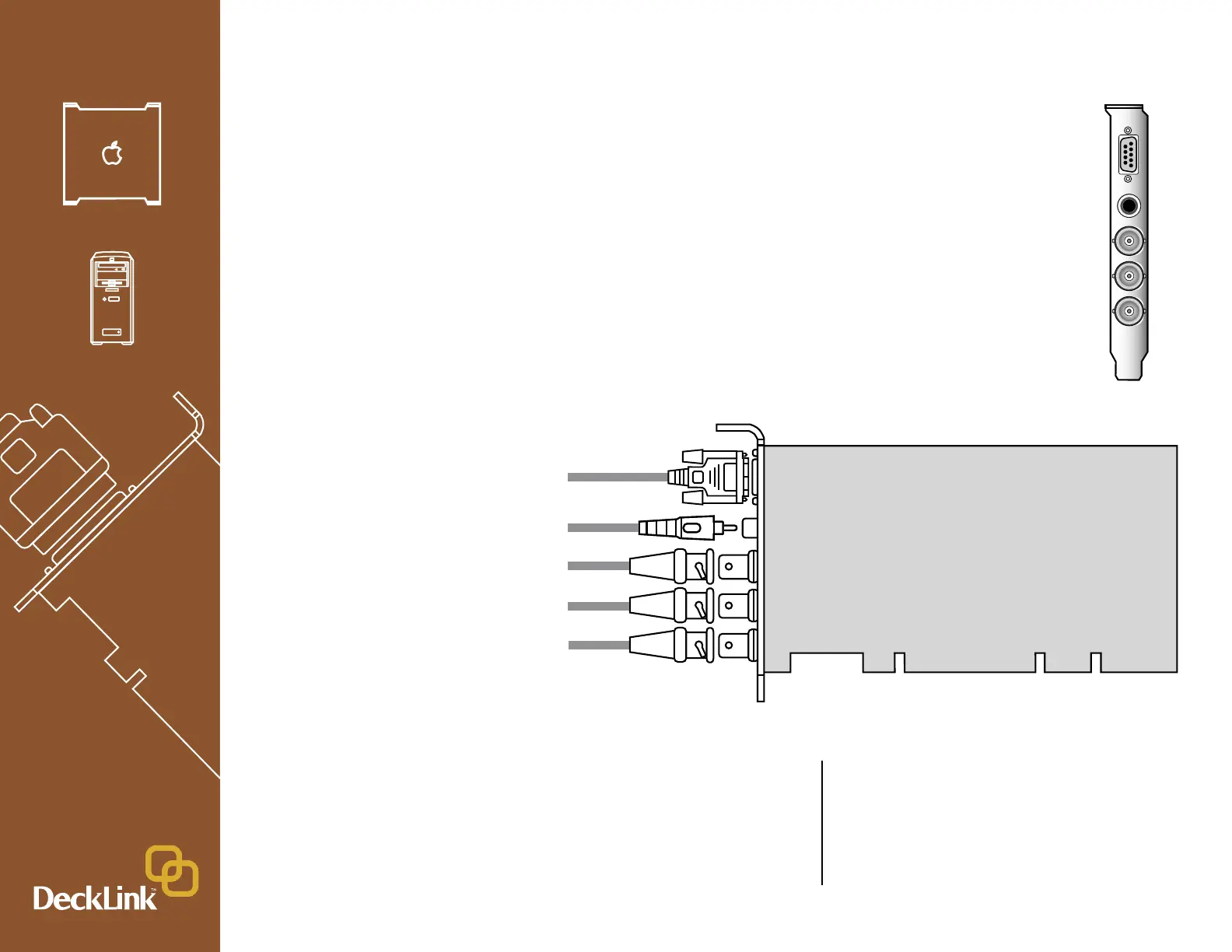
DeckLink HD
™
HD/SD-SDI 4:2:2 video, audio capture and playback card
AES-S/PDIF
Output
Deck Control
RS-422
HD/SD-SDI 4:2:2
Monitoring Output
HD/SD-SDI 4:2:2
Output (to deck)
HD/SD-SDI 4:2:2
Input (from deck)
This DeckLink HD model does not have genlock,
so you need to connect your deck to the Deck SDI
Output which has stable output to sync the deck.
Set the deck to input or auto reference. Be sure to
set the “Black Video Output to Deck in Capture”
option to “On Digital SDI Outputs” in the DeckLink
control panel, when using this feature.”



 To Next Page