Brand SD Card Name/Type Storage Supported Formats
RAW ProRes
SanDisk
Extreme Plus. 80 MB/sec SDXC UHS-I 64GB No Yes
Extreme Plus. 80 MB/sec SDXC UHS-I 64GB No Yes
Extreme Plus. 80 MB/sec SDHC UHS-I 32GB No Yes
Extreme Plus. 80 MB/sec SDHC UHS-I 16GB No Yes
Extreme Plus. 80 MB/sec SDHC UHS-I 8GB No Yes
Extreme. 45 MB/sec SDXC UHS-I 128GB No Yes
Extreme. 45 MB/sec SDXC UHS-I 64GB No Yes
Extreme. 45 MB/sec SDHC UHS-I 32GB No Yes
Extreme. 45 MB/sec SDHC UHS-I 16GB No Yes
Extreme. 45 MB/sec SDHC UHS-I 8GB No Yes
Preparing Media for Recording
SD cards must be formatted as either HFS+ or exFAT. These disk formats allow long clips to be
recorded as single files and can be formatted using the ‘format disk’ feature on the camera’s
dashboard, or using the ‘settings menu’ on Blackmagic Micro Cinema Camera. To see the
‘settings menu’ on Blackmagic Micro Cinema Camera, plug an HDMI monitor into the HDMI port
or plug in a composite video display unit using the composite video out connector from the
expansion cable.
You can also format SD cards via a Mac or PC computer.
HFS+ is also known as Mac OS Extended. It is the recommended format as it supports
“journaling”. Data on journaled media is more recoverable and less likely to be corrupted. HFS+
is natively supported by Mac OS X.
ExFAT is supported natively by Mac OS X and Windows without needing to purchase any
additional software. However, exFAT does not support journaling which means data is less
protected against the rare event your media card is corrupted.
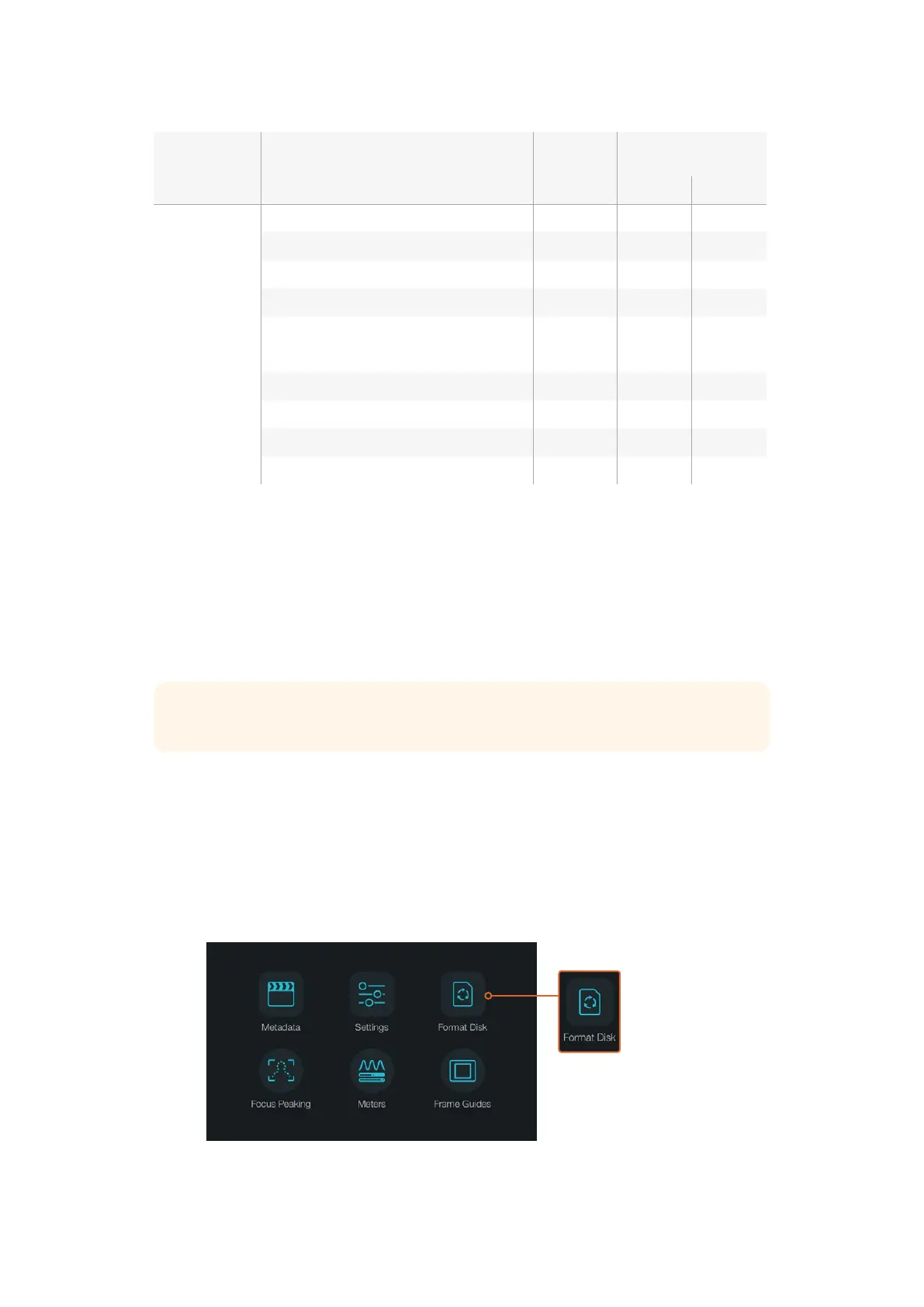
Select the ‘format disk’ or ‘format card’ icon on
the camera dashboard to format your SD card
TIP We recommend formatting SD cards in your Blackmagic camera for best results.
88About SD Cards












 To Next Page