Blackmagic Micro Cinema Camera
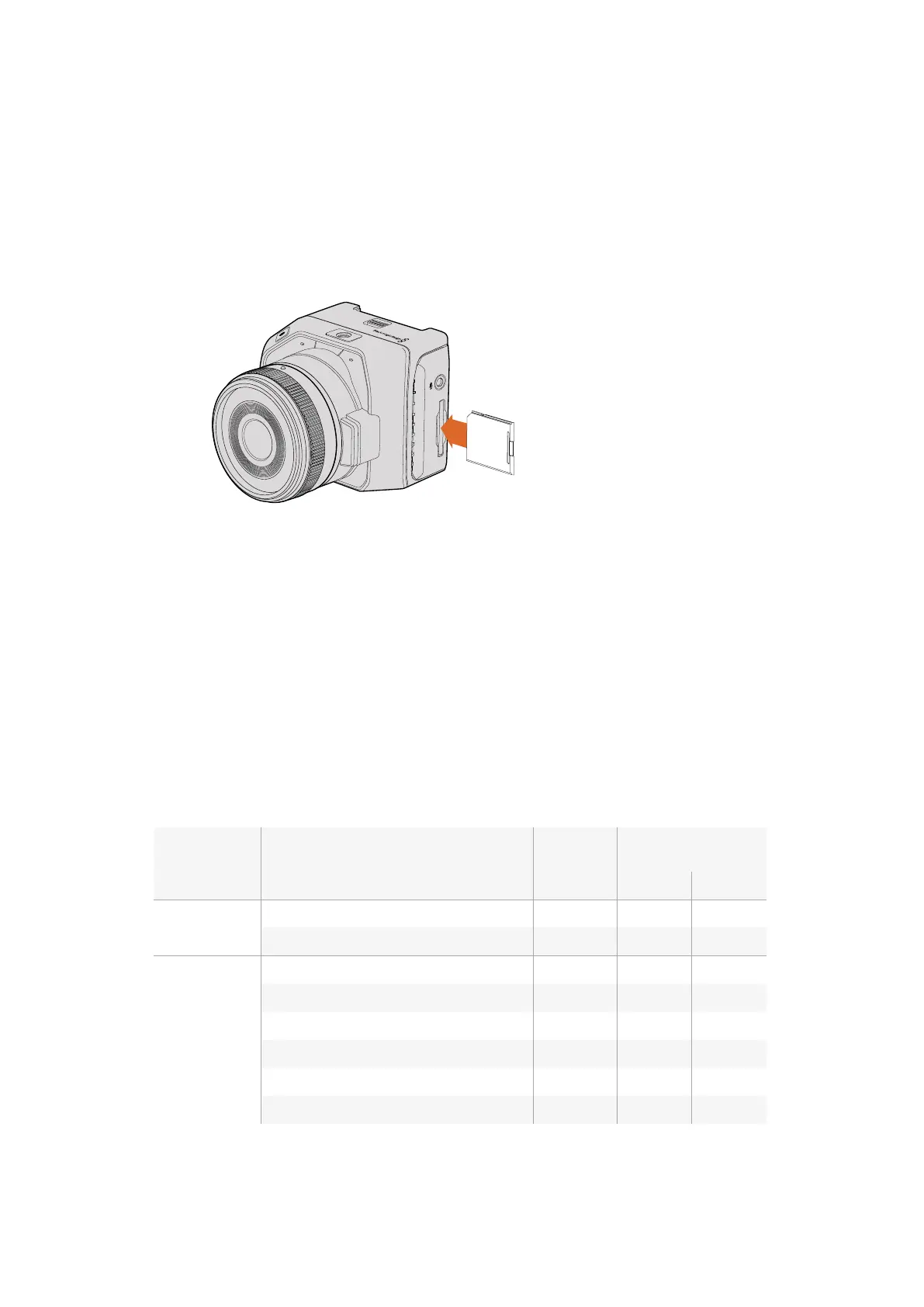
With the SD card’s metal contacts facing away from the lens, point the SD card towards the SD
card slot and gently insert the card until you feel it lock into place. Push on the SD card to
release it. The front tally light on the Micro Cinema Camera will flash green three times while the
camera checks the SD card and will stay green when the card is ready.
The supplied SD card is for software installation only and not suitable for video recording. You’ll
find a list of recommended SD cards in the ‘about SD cards’ section.
Inserting an SD card into the Blackmagic Micro Cinema Camera
About SD Cards
Choosing a Fast SD Card
It’s important to use SDHC and SDXC cards. These cards are rated for fast data speeds and
support larger storage sizes.
We have provided a table showing SD cards that have tested reliable for video recording and
playback. From a quick glance you can see which SD card is fast enough to handle a
chosen format.
Please check the tech notes at the Blackmagic Design support center for the latest information.
Brand SD Card Name/Type Storage Supported Formats
RAW ProRes
Delkin Devices
Elite SDHC UHS-I 32GB No Yes
Elite SDHC UHS-I 16GB No Yes
SanDisk
Extreme Pro. 95 MB/sec SDXC UHS-I 512GB Yes Yes
Extreme Pro. 95 MB/sec SDXC UHS-I 256GB Yes Yes
Extreme Pro. 95 MB/sec SDXC UHS-I 128GB Yes Yes
Extreme Pro. 95 MB/sec SDXC UHS-I 64GB Yes Yes
Extreme Pro. 95 MB/sec SDHC UHS-I 32GB Yes Yes
Extreme Plus. 80 MB/sec SDXC UHS-I 128GB Yes Yes
SD CARD
77About SD Cards











 To Next Page