Menu
Press the ‘menu’ button to open the dashboard. Refer to the ‘settings’ section for more
information about the dashboard feature and how to adjust settings.
Record
Press any of the record buttons marked REC to start and stop recording. Refer to the
‘recording’ section for more information.
Playback Control Buttons
The playback buttons let you start and stop playback, plus skip to the next or previous
clip. When using the EF mount, the forward and reverse skip buttons can also be used
to open or close the iris when using compatible lenses. Refer to the ‘playback’ section
for more information on how to use the playback buttons.
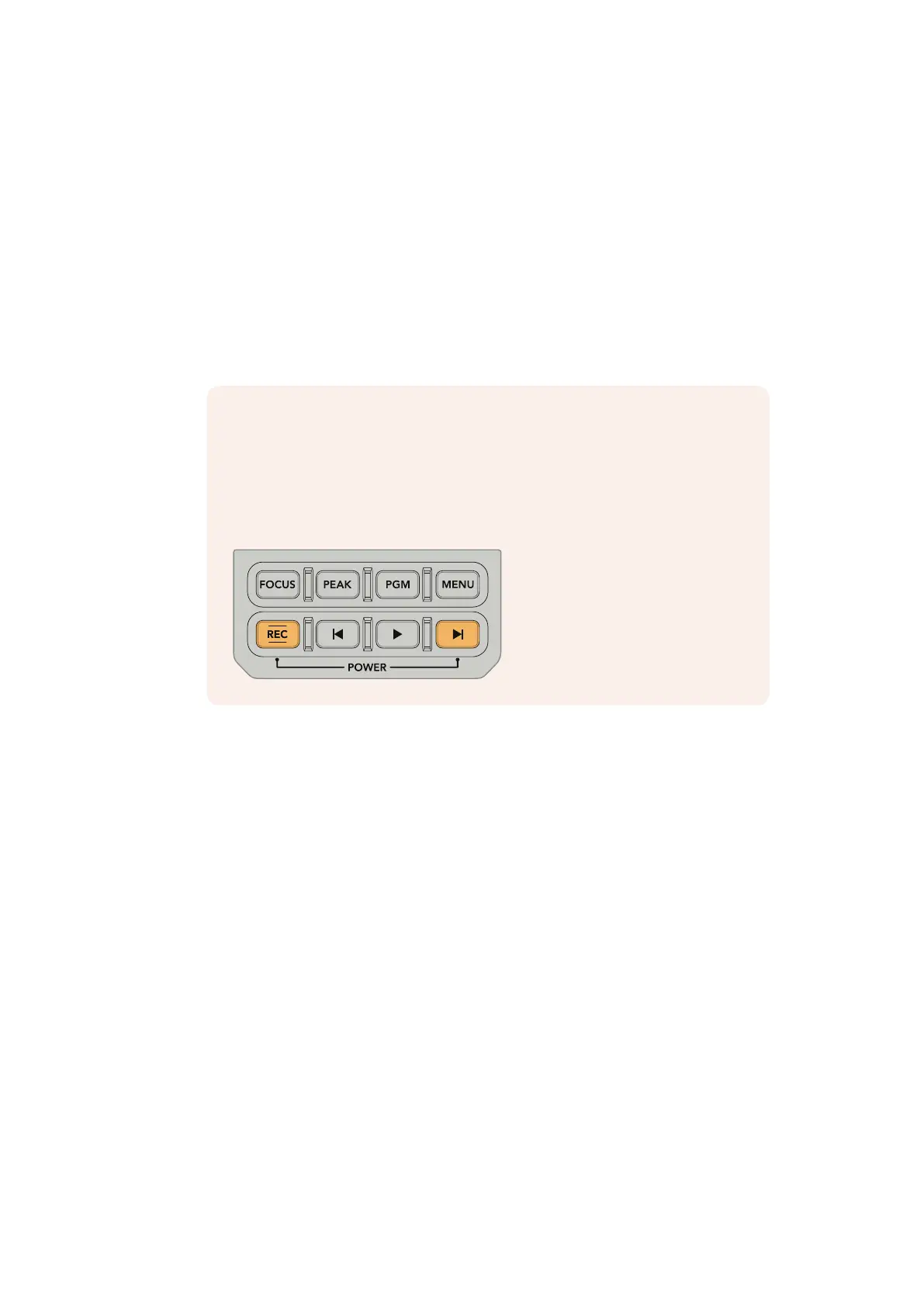
NOTE You can power your URSA Broadcast on or off via a combination of
internal control panel buttons. Holding the ‘rec’ and 'forward skip' buttons will
power up the camera if it is turned off, or power it off if it is turned on. If your
camera’s power switch is set to ‘on’ but your camera is powered down, it may
have been powered down via the control panel. Toggle the power switch to
return it to normal operation.
49URSA Broadcast Controls










 To Next Page