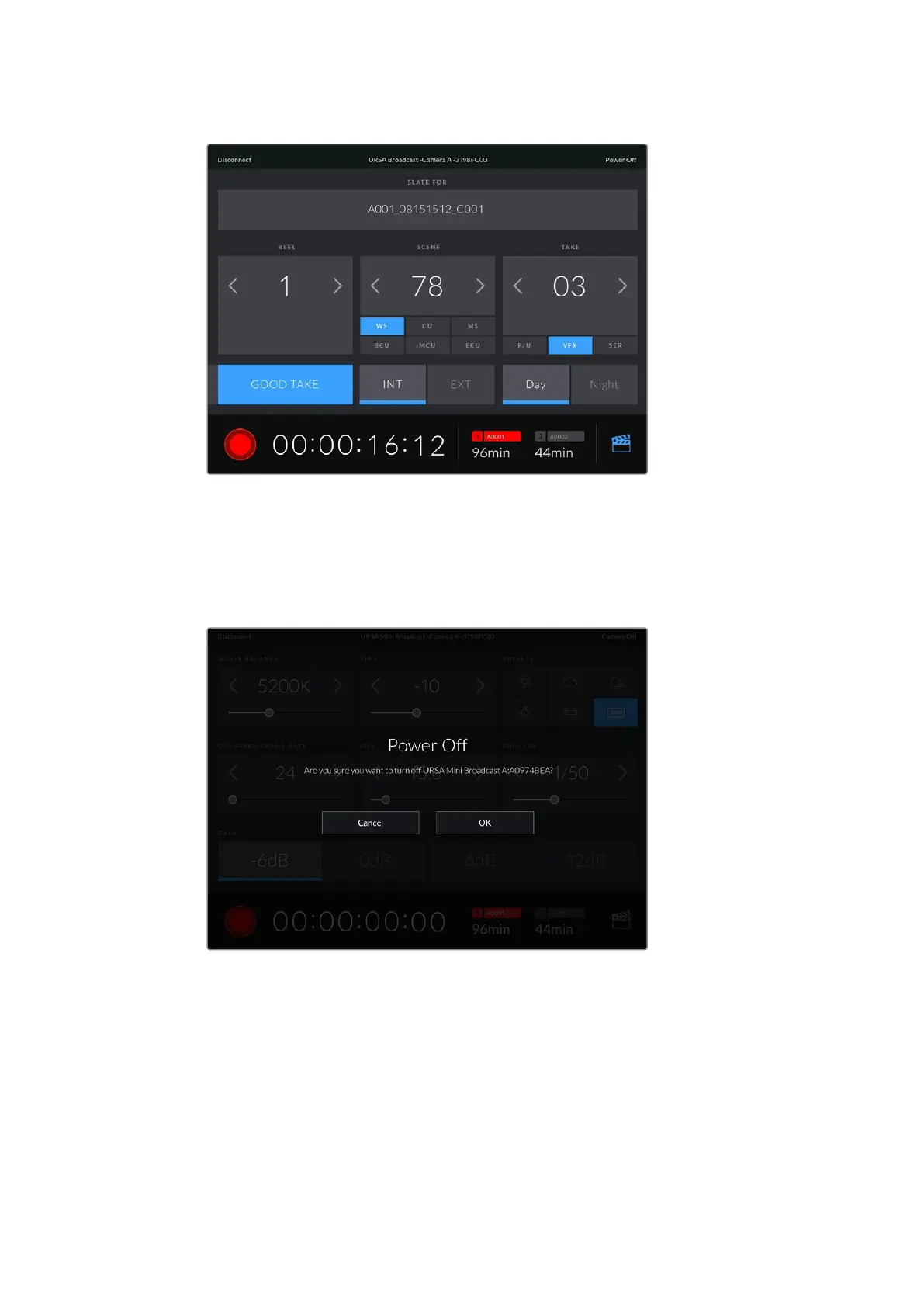
Tap the slate icon in the lower right corner to access and update the slate
URSA Broadcast uses Bluetooth LE to communicate with devices for wireless control. As this is
the same type of protocol used in portable devices, it only uses a minimal amount of
battery power.
You can power off your URSA Broadcast by tapping 'power off' in the top right corner.
You will be prompted to confirm your selection before your camera is powered off
When Bluetooth is enabled and URSA Broadcast is powered off, the name of your camera will
still show up on the list of available devices in the Blackmagic Camera Control App. Since you
have already paired with your camera, you can now switch it on remotely by selecting your
camera name and tapping ‘Connect’. Your camera will not show up in this list if Bluetooth
is disabled.
95Settings






 To Next Page