11Blackmagic Special Report • April 2017
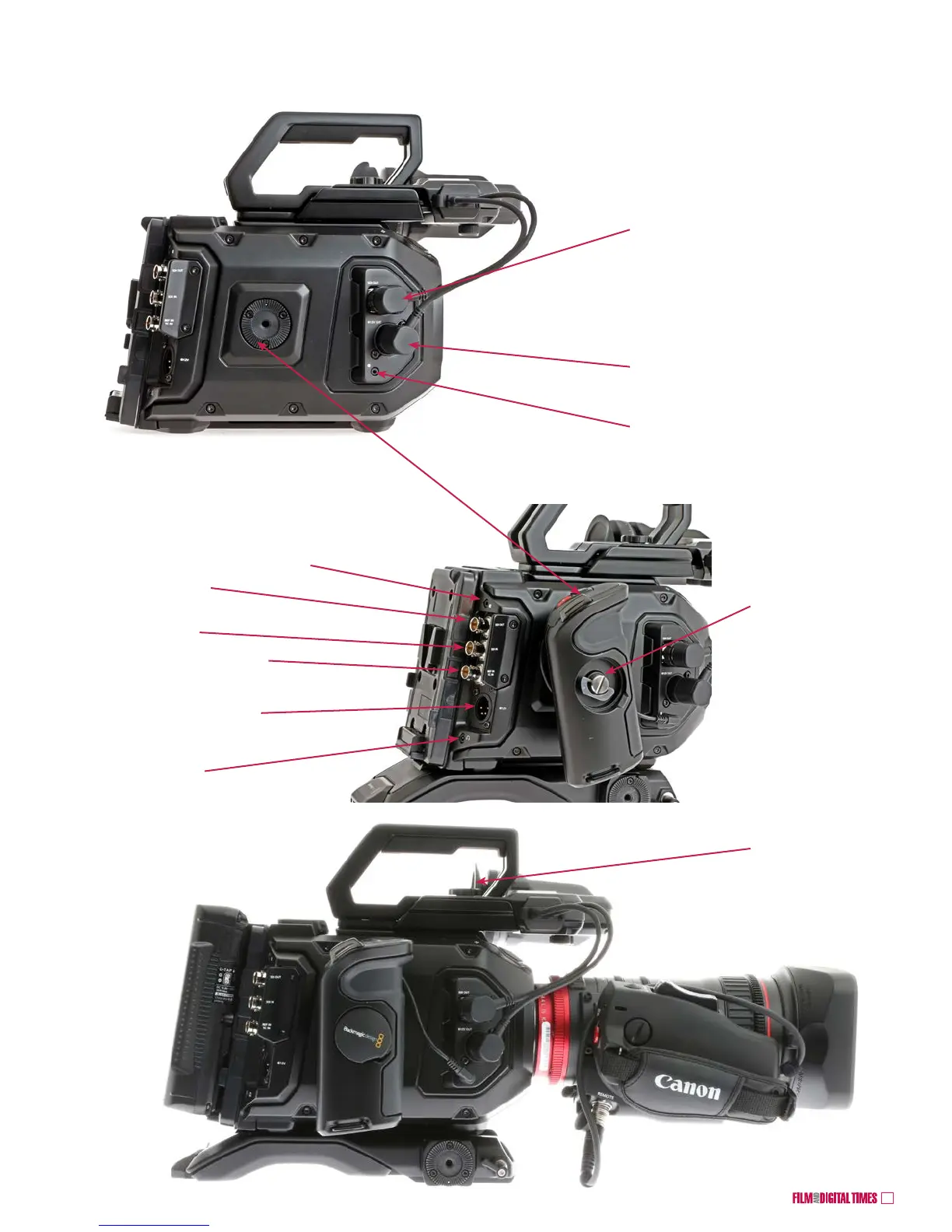
3. Connect the EVF’s
SDI and power cables
into the camera right
side.
4. Attach the
handgrip to the
camera body’s
rosette.
5. Tighten with the
winged thumbscrew
beneath the rubber
Blackmagic logo
cover.
6. Adjust the top
handle’s forward-aft
position with this
thumbscrew
3G-SDI OUT: connect URSA EVF video cable
or external monitors.
Provides down-converted 1920x1080 HD.
4-pin XLR +12VDC OUT: connect EVF power
LANC: connect URSA Mini handgrip cable for
REC start/stop, iris and focus of EF lenses
2nd LANC connector: Record
Start /Stop, Remote; Iris and
Focus Control for EF lenses
12G-SDI OUT
12G-SDI IN
Timecode IN and REF IN
+12VDC IN 4-pin XLR
Headphones
EVF and Top Handle, cont’d
Blackmagic URSA Mini 4.6K










 To Next Page