18 April 2017 • Blackmagic Special Report
Blackmagic URSA Mini 4.6K
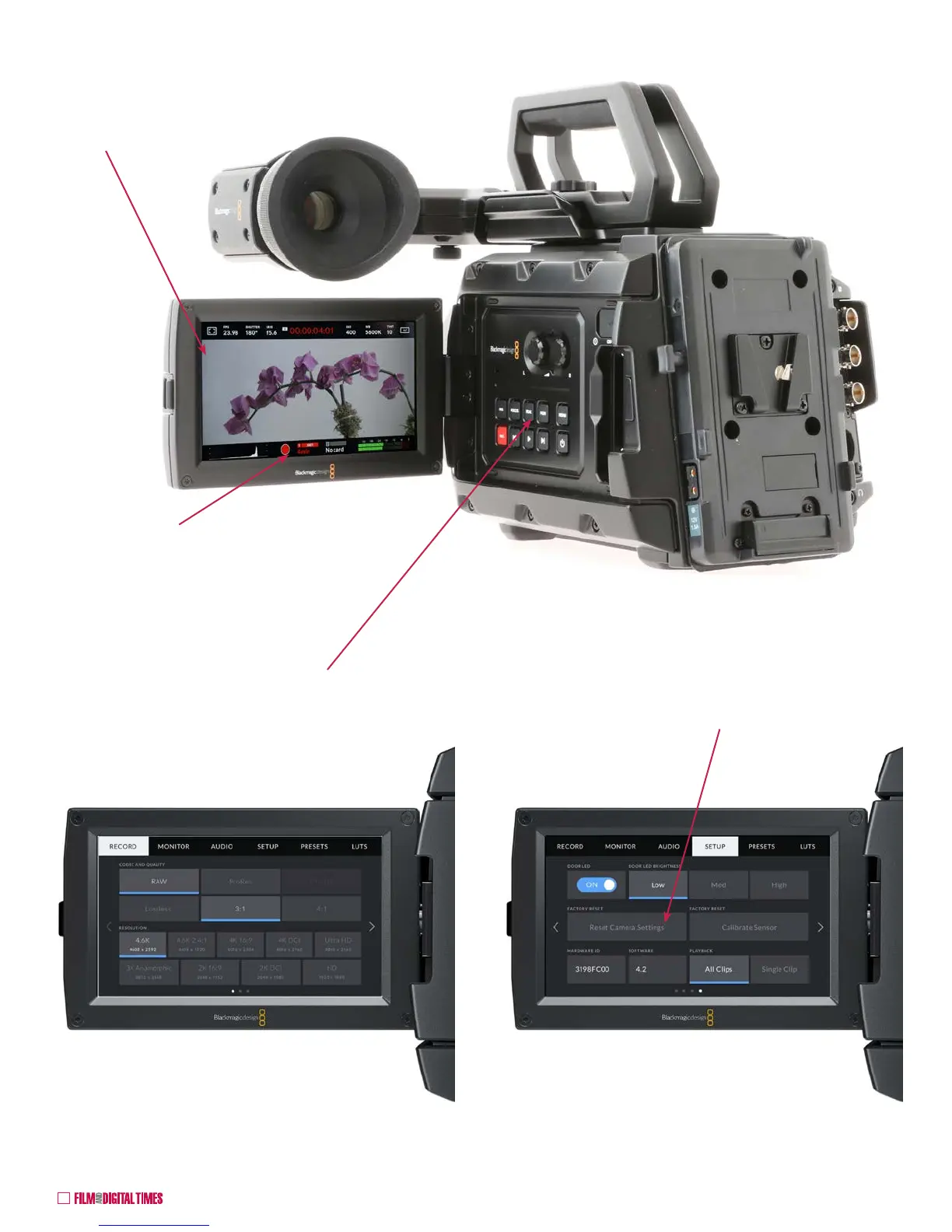
For access to the camera’s “Dashboard,” push MENU — pages of
touchscreen menu settings. The home page includes RECORDING
settings: codecs, resolutions from HD to 4.6K, RAW (including
compressed RAW), ProRes, DNx, etc.
Swipe up or down to display text and icons for
touchscreen adjustment of:
Overlays, FPS, Shutter Angle, Iris, Timecode,
ISO, White Blance, Tint, etc.
It’s usually a good idea to RESET all camera settings at the beginning
of a job to get back to factory defaults. It’s also a fail-safe when time is
short and something just isn’t working properly.
Red indicates camera is
recording










 To Next Page