EasyManua.ls Logo

Black+Decker BDCRO20 - User Manual

Black+Decker BDCRO20
36 pages
Print Icon
To Next Page IconTo Next Page
Loading...
final page size: 8.5 x 5.5 in
Please read before returning this product for any reason.
àLIRE avant de retourner ce produit pour quelque raison que ce soit.
LEA EL MANUAL antes de devolver este producto por cualquier motivo.
INSTRUCTION MANUAL
MODE D’EMPLOI
MANUAL DE INSTRUCCIONES
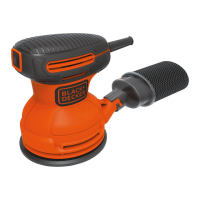
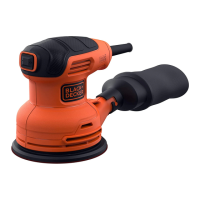
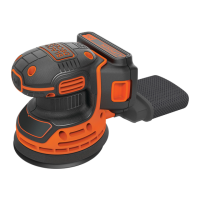
20V MAX* ROS SANDER
PONCEUSE ROTO-ORBITALE 20V MAX*
LIJADORA EXCÉNTRICA DE 20 V MÁX*
BDCRO20

Questions and Answers

  • B
    Barbara AguilarAug 11, 2025
    What to do if my Black+Decker Sander will not start?
    • K
      Kenneth ThomasAug 11, 2025
      If your Black+Decker Sander unit won't start, you can try the following: * Check the battery pack installation. * Check the battery pack charging requirements. * Allow the tool to cool down. * Have the brushes replaced by an authorized BLACK+DECKER service center.
  • B
    Brittany LeeAug 19, 2025
    What to do if my Black+Decker Sander battery pack will not charge?
    • E
      ewagnerAug 19, 2025
      If the battery pack of your Black+Decker Sander will not charge, ensure the battery pack is fully inserted into the charger until the LED illuminates. Check that the charger is plugged into a working outlet, and refer to "Important charging notes" for more details. Also, the surrounding air temperature should be above 40 degrees F (4,5°C) or below 105 degrees F (+40,5°C).
  • A
    andreamooreAug 27, 2025
    Why does my Black+Decker Sander shut off abruptly?
    • P
      Patricia ClaytonAug 27, 2025
      If your Black+Decker Sander shuts off abruptly, it could be due to two reasons. First, the battery pack may have reached its maximum thermal limit; in this case, allow the battery pack to cool down. Second, the battery pack may be out of charge. Place it on the charger and allow it to charge.
  • C
    Casey PetersonSep 2, 2025
    How to improve dust collection on my Black+Decker Sander?
    • V
      Vanessa ElliottSep 2, 2025
      If the dust is not being collected by your Black+Decker Sander, make sure you are using sandpaper with the appropriate hole configuration. Also, check if the dust bag is full. If it is, separate the dust bag and gently shake or tap to empty it.

Black+Decker BDCRO20 Specifications

General IconGeneral
BrandBlack+Decker
ModelBDCRO20
CategorySander
LanguageEnglish

Related product manuals