EasyManua.ls Logo

Black+Decker BEHTS401 - User Manual

Black+Decker BEHTS401
12 pages
Print Icon
To Next Page IconTo Next Page
Loading...
www.blackanddecker.co.uk
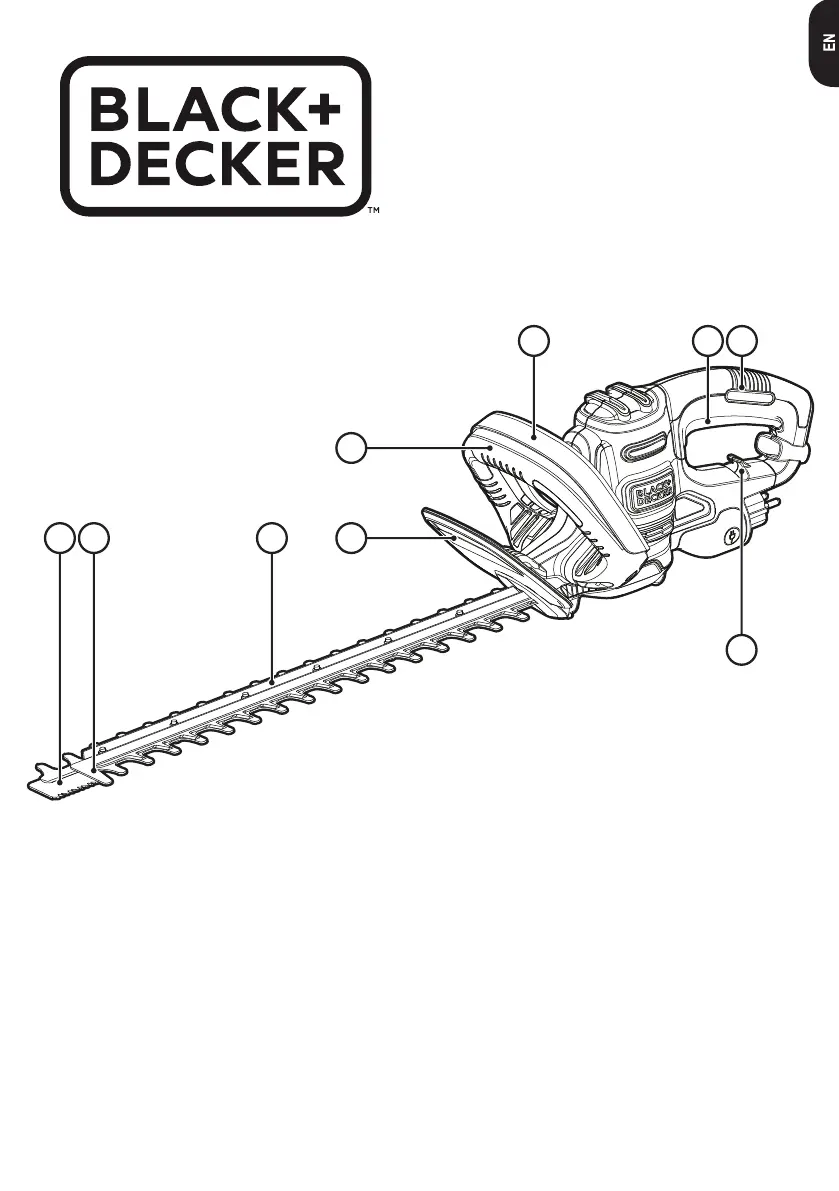
18 9
2
3
4
5 6
7
BEHTS301
BEHTS401
BEHTS451
BEHTS501

Questions and Answers

  • W
    William ByrdAug 12, 2025
    What to do if my Black+Decker BEHTS401 Trimmer will not start?
    • C
      Chad GonzalezAug 12, 2025
      If your Black+Decker Trimmer won't start, first, make sure the lock-off is fully engaged before pulling the main trigger. Next, verify the trimmer is properly plugged into a working outlet. Check your circuit fuse and replace it if it's blown. If the fuse repeatedly blows, stop using the trimmer and get it serviced by a BLACK+DECKER service center or authorized servicer. Also, check the circuit breaker and reset it if it has tripped. If the breaker repeatedly trips, discontinue use and have the trimmer serviced. Finally, if you suspect a damaged cord or switch, have it replaced at an authorized service center.
  • L
    Lori WrightAug 23, 2025
    Why are the blades of my Black+Decker BEHTS401 Trimmer running slow, noisy, or hot?
    • J
      judyramosAug 23, 2025
      If the blades of your Black+Decker Trimmer are running slowly, making noise, or getting hot, the blades may be dry or corroded; in this case, lubricate them. Also, the blades or blade support might be bent, so straighten them. Check for bent or damaged teeth and straighten them if necessary. Lastly, make sure the blade bolts are tightened.
  • K
    Kyle SellersAug 29, 2025
    Why are the blades on my Black+Decker Trimmer running slow, noisy or hot?
    • R
      Richard HarperAug 29, 2025
      If the blades of your Black+Decker Trimmer are running slowly, making noise, or getting hot, the blades might be dry or corroded, so you should lubricate them. Another cause might be bent blades or blade support, so try to straighten them. Bent or damaged teeth can also be the cause, so straighten them. Finally, check if the blade bolts are loose and tighten them if necessary.
  • M
    Megan SmithSep 4, 2025
    Why are the blades on my Black+Decker Trimmer running slow, noisy, or hot?
    • J
      Jessica WilliamsSep 4, 2025
      If the blades on your Black+Decker Trimmer are running slowly, are noisy, or hot, it could be due to several reasons. The blades may be dry or corroded, in which case you should lubricate them. Alternatively, the blades or blade support might be bent, in this case straighten the blade or blade support. Bent or damaged teeth could also be the cause, so straighten the teeth. Finally, check if the blade bolts are loose and tighten them if necessary.
  • T
    Tina CookNov 16, 2025
    What to do if my Black+Decker Trimmer won't start?
    • D
      David MartinezNov 16, 2025
      If your Black+Decker Trimmer doesn't start, there are several potential causes. First, make sure the lock-off is fully forward before moving the main trigger. Check that the cord is properly plugged into a working outlet. Also, the circuit fuse might be blown, in this case replace the circuit fuse. If the product repeatedly causes the circuit fuse to blow, discontinue use immediately and have it serviced at a BLACK+DECKER service center or authorized servicer. Another possible reason is that the circuit breaker is tripped, so reset the circuit breaker. If the product repeatedly causes the circuit breaker to trip, discontinue use immediately and have it serviced at a BLACK+DECKER service center or authorized servicer. Finally, the cord or switch could be damaged, if so, have it replaced at ...

Black+Decker BEHTS401 Specifications

General IconGeneral
TypeHedge Trimmer
Power SourceElectric
Weight6.2 lbs
Voltage120V
Warranty2 years
Cutting Capacity3/4 inch
Amperage4 amps
Blade Length22 inches

Related product manuals