EasyManua.ls Logo

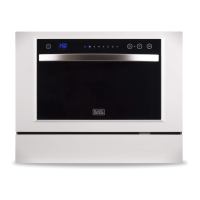
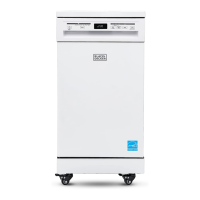
Black+Decker BPD8W - User Manual

Black+Decker BPD8W
100 pages
Print Icon
To Next Page IconTo Next Page
Loading...
INSTRUCTION MANUAL
PORTABLE DISHWASHER
Thank you for choosing BLACK+DECKER!
PLEASE READ BEFORE RETURNING THIS PRODUCT FOR
ANY REASON.
If you have a question or experience a problem with your BLACK+DECKER
purchase, go to www.blackanddecker.com/instantanswers
If you can’t find the answer or do not have access to the Internet, call
844-299-0879 from 10:30 a.m. to 6:30 p.m. EST Mon. - Fri. to speak with an
agent. Please have the catalog number available when you call.
SAVE THIS MANUAL FOR FUTURE REFERENCE.
CATALOG NUMBER
BPD8W
BPD8B

Questions and Answers

  • K
    kevin17Aug 17, 2025
    How to fix a Black+Decker Dishwasher that doesn’t start?
    • P
      Paul MartinezAug 18, 2025
      If your Black+Decker Dishwasher doesn't start, first check the fuse or circuit breaker and replace or reset it, removing any other appliances from the same circuit. Ensure the dishwasher is turned on, the door is securely closed without obstructions, and the power cord is properly plugged into the wall socket.
  • P
    pphelpsAug 20, 2025
    Why are the dishes not clean in my Black+Decker Dishwasher?
    • M
      Mr. Raymond SparksAug 20, 2025
      If your Black+Decker dishwasher isn't cleaning dishes properly, it might be due to several reasons. Ensure dishes are loaded correctly, select a more intensive wash program, use enough detergent or change your detergent if needed. Also, rearrange items blocking the spray arms and clean/fit the filter combination correctly, including cleaning the spray arm jets.
  • K
    Katherine HensleyAug 22, 2025
    Why are the dishes not drying in my Black+Decker Dishwasher?
    • Z
      zunigaanthonyAug 22, 2025
      If your Black+Decker dishwasher isn't drying dishes, ensure proper loading as suggested in the directions. Increase the amount of rinse-aid by refilling the dispenser. Avoid emptying the dishwasher immediately after washing; instead, open the door slightly and wait until the dishes are barely warm. Note that short wash programs may not have sufficient drying times, so choose a longer cycle. Also, plastic items might not dry well in a dishwasher.
  • R
    rwyattAug 26, 2025
    What to do if water is not pumped from Black+Decker Dishwasher?
    • E
      Emily RowlandAug 26, 2025
      To resolve water not being pumped from your Black+Decker dishwasher, inspect the drain hose for any kinks. Also, check the coarse filter for clogs. Ensure your kitchen sink is draining correctly; if the sink or plumbing is the issue, contact a plumber.
  • T
    tchavezAug 27, 2025
    Why are there suds in my Black+Decker Dishwasher?
    • J
      Jonathan BoydAug 27, 2025
      If there are suds in your Black+Decker dishwasher, it might be because you used the wrong type of detergent. Make sure you're using dishwasher detergent. If you used regular soap, open the door to let the suds evaporate, add a gallon of cold water, close the door, and run a soak cycle to drain. Repeat if needed. Also, wipe up any spilled rinse-aid immediately.
  • N
    Nicole HughesAug 30, 2025
    How to prevent cloudiness on glassware in Black+Decker Dishwasher?
    • S
      Sandra HamptonAug 30, 2025
      If you notice cloudiness on glassware in your Black+Decker dishwasher, it could be due to soft water combined with too much detergent. Try using less detergent if you have soft water and select a shorter wash cycle to clean the glassware effectively.
  • R
    Rebecca PatelSep 1, 2025
    How to remove white film from Black+Decker Dishwasher?
    • C
      Christopher DeleonSep 2, 2025
      To address a white film on the inside surface of your Black+Decker dishwasher, use a damp sponge to clean the interior. You can use a mild soap and water solution, but ensure all soap residue is wiped away after cleaning.
  • K
    Kevin RobertsSep 4, 2025
    How to remove black marks from dishes in Black+Decker Dishwasher?
    • J
      John RodriguezSep 4, 2025
      If you find black or gray marks on dishes from your Black+Decker dishwasher, it's likely due to aluminum utensils rubbing against them. Use a mild abrasive cleaner to remove these marks.
  • M
    msimsSep 6, 2025
    How to stop knocking noise in Black+Decker Dishwasher?
    • K
      Kyle MontgomerySep 6, 2025
      A knocking noise in the wash cabinet of your Black+Decker dishwasher indicates that the spray arm is hitting against an item. To resolve this, interrupt the program and rearrange the items obstructing the spray arm.
  • A
    Amber MartinSep 9, 2025
    How to fix rattling noise in Black+Decker Dishwasher?
    • J
      Jacqueline ReedSep 9, 2025
      A rattling noise in the wash cabinet of your Black+Decker dishwasher is caused by items not being dishwasher safe. To solve this, interrupt the program and rearrange the items of crockery.

Summary

Safety Information

Important Safety Instructions

Essential safety precautions for proper and safe operation of the appliance.

Grounding Instructions

Guidelines for ensuring the dishwasher is safely grounded to prevent electric shock.

Electrical Requirements

Details on power supply and connection requirements for the dishwasher.

Set Up & Use

Power Supply Cord

Advice on power cord usage, including extension cord recommendations and safety.

Installation Instructions

Step-by-step instructions for correctly installing the dishwasher.

Parts and Features

Identification and overview of the various components of the dishwasher.

Water Connection

Procedures for connecting the dishwasher to the household water supply.

Connecting the Drain Hose

Instructions on how to properly connect the drain hose for water discharge.

Disconnecting the Dishwasher

Safe methods for disconnecting the dishwasher from water and power.

Starting the Dishwasher

A checklist of essential checks before initiating the dishwasher operation.

Control Panel Overview

Explanation of the control panel buttons, indicators, and display functions.

Rinse Aid Dispenser

Guidance on refilling and adjusting the rinse aid dispenser for better drying.

Detergent Dispenser

Instructions for properly filling the detergent dispenser before each wash cycle.

Before Loading Your Dishwasher

Recommendations for preparing dishes and identifying items unsuitable for washing.

Adjusting the Racks

How to adjust the upper rack height to accommodate different dishware sizes.

Loading the Dishwasher

Best practices for arranging dishes and utensils in the racks for optimal cleaning.

Unloading the Dishwasher

Procedures for safely unloading clean dishes, considering heat and dripping.

Wash Cycle Table

A summary of available wash cycles, including their duration, energy, and water consumption.

Starting a Wash Cycle

A step-by-step guide to initiating a wash cycle on the dishwasher.

Changing the Wash Program

Instructions on how to modify a running wash program.

Adding a Forgotten Dish

Procedure for adding a dish mid-cycle after the detergent has been dispensed.

At the End of the Wash Cycle

Actions to take after the wash cycle completes, including drying and unloading.

Cleaning & Care

Filtering System

Description of the dishwasher's filter components and their function.

Filter Assembly Cleaning

Detailed steps for cleaning the filter assembly to maintain performance.

Caring for the Dishwasher

General maintenance tips for the dishwasher's exterior and control panel.

Cleaning the Door

Specific instructions for cleaning the dishwasher door without damaging components.

Protecting Against Freezing

Measures to take to prevent freezing damage during winter storage.

Cleaning the Spray Arms

How to remove and clean spray arms to ensure proper water distribution.

Maintaining the Dishwasher

Tips for long-term dishwasher upkeep and preventing odors.

Troubleshooting & Warranty

Before You Call for Service

Initial troubleshooting steps to resolve common operational issues before contacting support.

Troubleshooting Guide

A comprehensive guide to identifying and resolving various problems with the dishwasher.

Error Codes

Explanation of specific error codes displayed by the dishwasher and their meanings.

Limited Warranty

Details regarding the product's warranty terms, coverage, and claim procedures.

Black+Decker BPD8W Specifications

General IconGeneral
Capacity8 place settings
Control TypeElectronic
Number of Wash Cycles6
ColorWhite
TypePortable
Depth19.7 inches

Related product manuals