ENGLISH
4
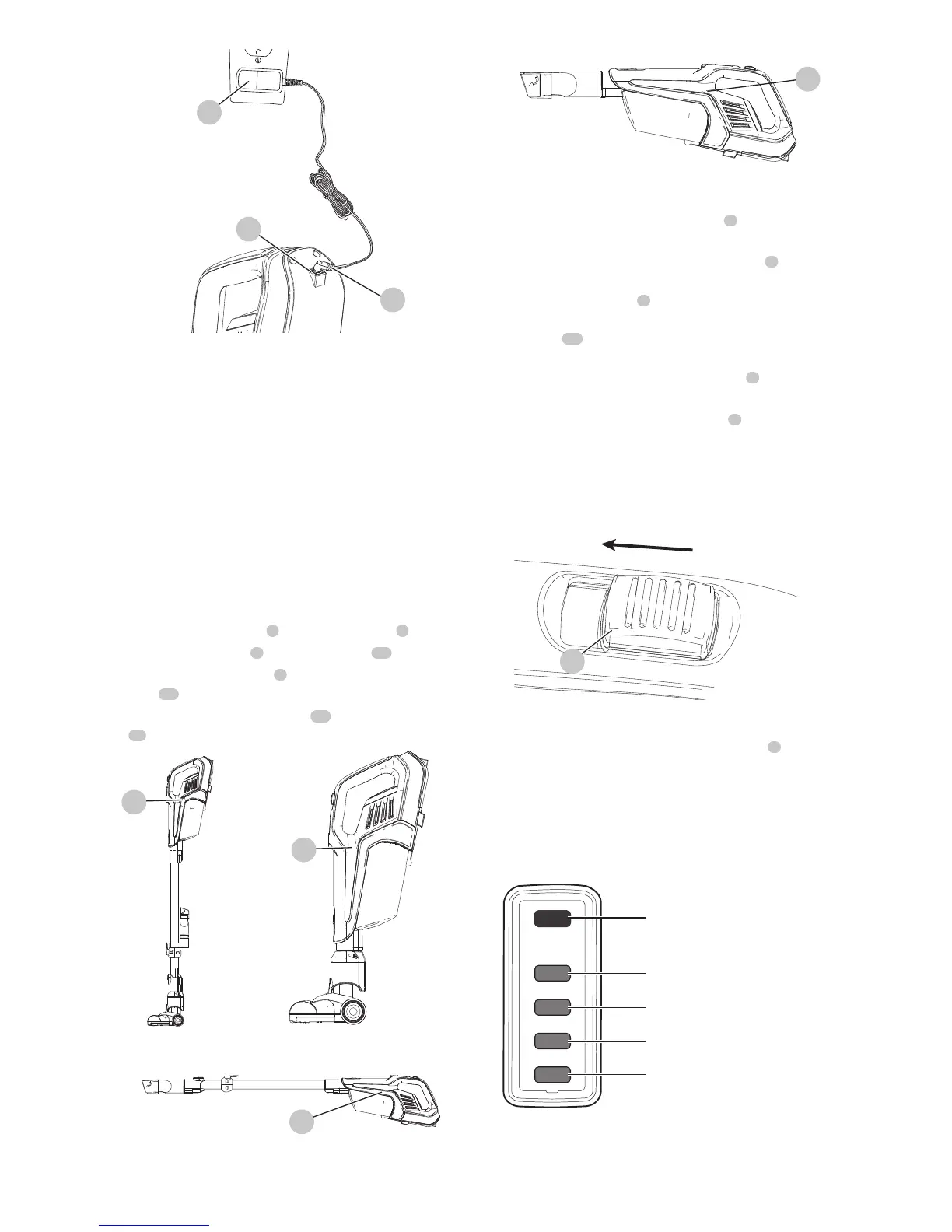
Fig. D
14
11
4
• While charging, the charger may get warm, this
is perfectly normal and safe. It is safe to leave the
appliance connected to the charger indefinitely. The
charger automatically reduces power consumption
when charging iscomplete.
WARNING:
Do not charge the battery
at ambient temperatures below 39°F (4°C) or above
104°F (40°C). Follow all charging instructions and do
not charge the appliance outside of the temperature
range specified in the instructions.
USE
This vacuum cleaner can be used in one of four ways.
• With the extension tube 6 and the floor brush 9 . (Fig. E)
• With the floor brush 9 and the vacuum 15 . (Fig. F)
• With the extension tube 6 and the 2 in 1 Accesssory
tool 10 . (Fig. G)
• With the 2 in 1 Accesssory tool 10 and the vacuum
14 . (Fig. H)
Fig. E Fig. F
15
15
15
Fig. G
15
Fig. H
Switching ON and OFF (Fig. I)
• To switch ON, slide the On/Off switch
1
forward to the
" I " position.
• For increased power, slide the On/Off switch
1
forward
to the " II " position.
NOTE: The floor brush
9
will power on when it is
attached to the vacuum or extension tube. The LED
worklight
12
will illuminate whenever the unit is
switched ON.
NOTE: The state of charge indicator LEDs
3
will
illuminate while the vacuum is ON.
• To switch OFF, slide the On/Off switch 1 to the " O "
position.
• Return the product to the charger immediately after use
so that it will be ready and fully charged for the next
use. Ensure that the product is fully engaged with the
chargerplug.
Fig. I
1
State of charge indicator
This appliance include a state of charge indicator
3
which
consists of four green and one red LED lights that indicate
the level of charge remaining in the battery. This feature is
only activated when the vacuum is poweredon.
The state of charge indicator is an indication of approximate
levels of charge remaining in the battery pack according to
the followingindicators:
< 10% charged
11–29% charged
30–49% charged
50–74% charged
75–100% charged
The LED battery indicator displays the remaining charge and
warns you when the battery is low. The red LED will flash
continuously when the unit is nearly out of charge. If the red
LED flashes continuously when the switch is turned to the











 To Next Page