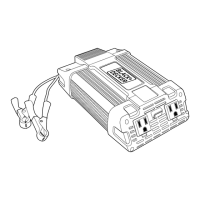
What to do if my Black+Decker Inverter is drawing too much power?
- EEdward BrownJul 28, 2025
If your Black+Decker Inverter is overloaded, reduce the power draw to a maximum of 120 watts for 30 minutes or 100 watts continuously.
What to do if my Black+Decker Inverter is drawing too much power?
If your Black+Decker Inverter is overloaded, reduce the power draw to a maximum of 120 watts for 30 minutes or 100 watts continuously.
How to stop my Black+Decker Inverter from causing TV interference?
If your Black+Decker Inverter is causing interference with your TV, here are some steps you can take: 1. Move the Inverter as far away as possible from the TV, antenna, and antenna cables. Use a short AC extension cord if needed. 2. Adjust the orientation of the antenna cables and the TV power cord to minimize interference. 3. Ensure the antenna provides an adequate signal and that high-quality, shielded antenna cable is used.
What to do if my Black+Decker PI120P goes into thermal shutdown?
If your Black+Decker Inverter is in thermal shutdown, allow it to cool down. Make sure there is enough ventilation around it.
Why does my Black+Decker Inverter cause a buzzing sound in my audio system?
If you hear a buzzing sound in your audio system when using a Black+Decker Inverter, it might be because the power supply in your electronic device isn't properly filtering the modified sine wave produced by the inverter. Try using a sound system with a higher quality power supply.
What to do if the AC output on my Black+Decker Inverter is shorted?
If the AC output of your Black+Decker Inverter is shorted: * Unplug the AC appliance. * Disconnect the unit from any 12 volt DC power source. * Check the appliance cord.
Explains hazard levels (Danger, Warning, Caution) and property damage indicators.
Highlights warnings about lead content and the necessity of reading all operating instructions.
Covers environmental, storage, and extension cord usage for safe operation.
Details precautions to reduce risks of electric shock, fire, injury, and property damage.
Explains the two-stage DC-to-DC conversion process and the modified sine wave output.
Advises on charging rechargeable devices and potential incompatibility with certain products.
Details automatic shutdown protections for low/high voltage, thermal, overload, and short circuits.
Guides on matching equipment power consumption to inverter capacity to prevent overheating.
Explains how to connect, operate, and turn off the inverter, including LED indicator behavior.
Step-by-step guide for connecting appliances and USB devices to the inverter's outlets.
Specifies ideal conditions for operating the inverter: dry, cool, and well-ventilated areas.
Provides guidelines for optimal storage temperature and general care of the unit.
Instructions on how to inspect and replace the internal 12 amp fuse if it blows.
Addresses issues like buzzing sounds in audio systems and television interference.
Diagnoses common power output issues such as low battery voltage or equipment drawing too much power.
Explains the meaning of the red fault LED and where to find more information.
Lists technical details including DC input, AC output, waveform type, and USB port specifications.
Details the warranty terms, coverage, exclusions, and how to make a claim.
Provides manufacturer contact details for technical advice, repair, and product registration.
Explains hazard levels (Danger, Warning, Caution) and property damage indicators.
Highlights warnings about lead content and the necessity of reading all operating instructions.
Covers environmental, storage, and extension cord usage for safe operation.
Details precautions to reduce risks of electric shock, fire, injury, and property damage.
Explains the two-stage DC-to-DC conversion process and the modified sine wave output.
Advises on charging rechargeable devices and potential incompatibility with certain products.
Details automatic shutdown protections for low/high voltage, thermal, overload, and short circuits.
Guides on matching equipment power consumption to inverter capacity to prevent overheating.
Explains how to connect, operate, and turn off the inverter, including LED indicator behavior.
Step-by-step guide for connecting appliances and USB devices to the inverter's outlets.
Specifies ideal conditions for operating the inverter: dry, cool, and well-ventilated areas.
Provides guidelines for optimal storage temperature and general care of the unit.
Instructions on how to inspect and replace the internal 12 amp fuse if it blows.
Addresses issues like buzzing sounds in audio systems and television interference.
Diagnoses common power output issues such as low battery voltage or equipment drawing too much power.
Explains the meaning of the red fault LED and where to find more information.
Lists technical details including DC input, AC output, waveform type, and USB port specifications.
Details the warranty terms, coverage, exclusions, and how to make a claim.
Provides manufacturer contact details for technical advice, repair, and product registration.
| Power Output | 120 W |
|---|---|
| Input Voltage | 12 V DC |
| Output Voltage | 120 V AC |
| Frequency | 60 Hz |
| USB Port | Yes |
Loading...