4
Instructions for use
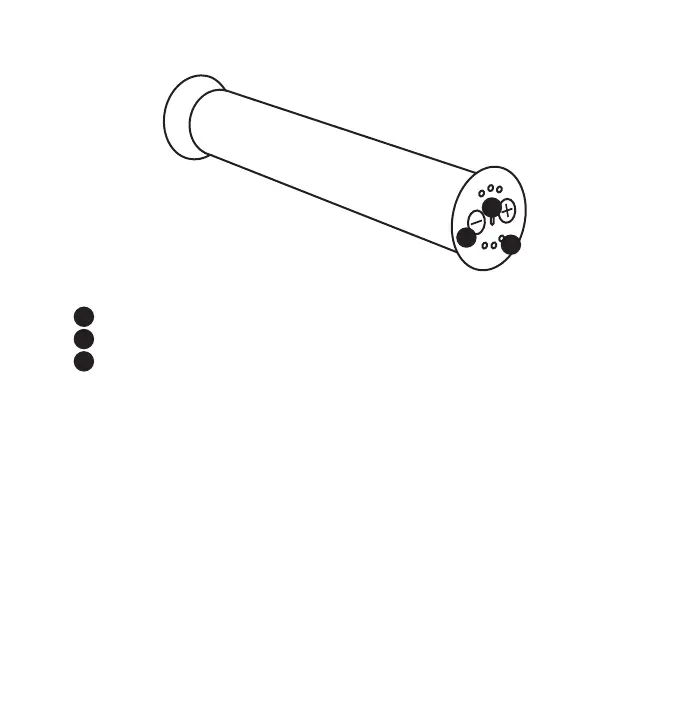
On/Off button & change of vibration frequency
Micro-USB connector
Vibration frequency & battery status indicator*
1. Check all parts for damage.
2. Fully charge the battery using the micro-USB connector and the supplied cable
before first use. For safety reasons, do not use the unit while charging. Charging
time: approx. 7-10h. Please use the 5V 2A charger when charging, please DO
NOT use any fast charger.
3. To switch the unit on or off, press and hold the + and - buttons simultaneously
for 3 seconds.
4. When switched on, you can change the vibration frequency by briefly pressing
the +- buttons.
The device switches off automatically after 10 minutes. If you still want the vibration, switch
the unit on again by pressing the +- button.
*Permanent light = min. 90% charged. At 100%, the charging process stops automatically; the LED remains
lit. Shortly after switching on or by pressing a button during the charging process, the charging status can
also be displayed via the 6 LED lights.
A
B
C
A
B
C



 To Next Page