5-4-4 Using the BlackSys App - Miscellaneous
1
2
3
4
5
6
7
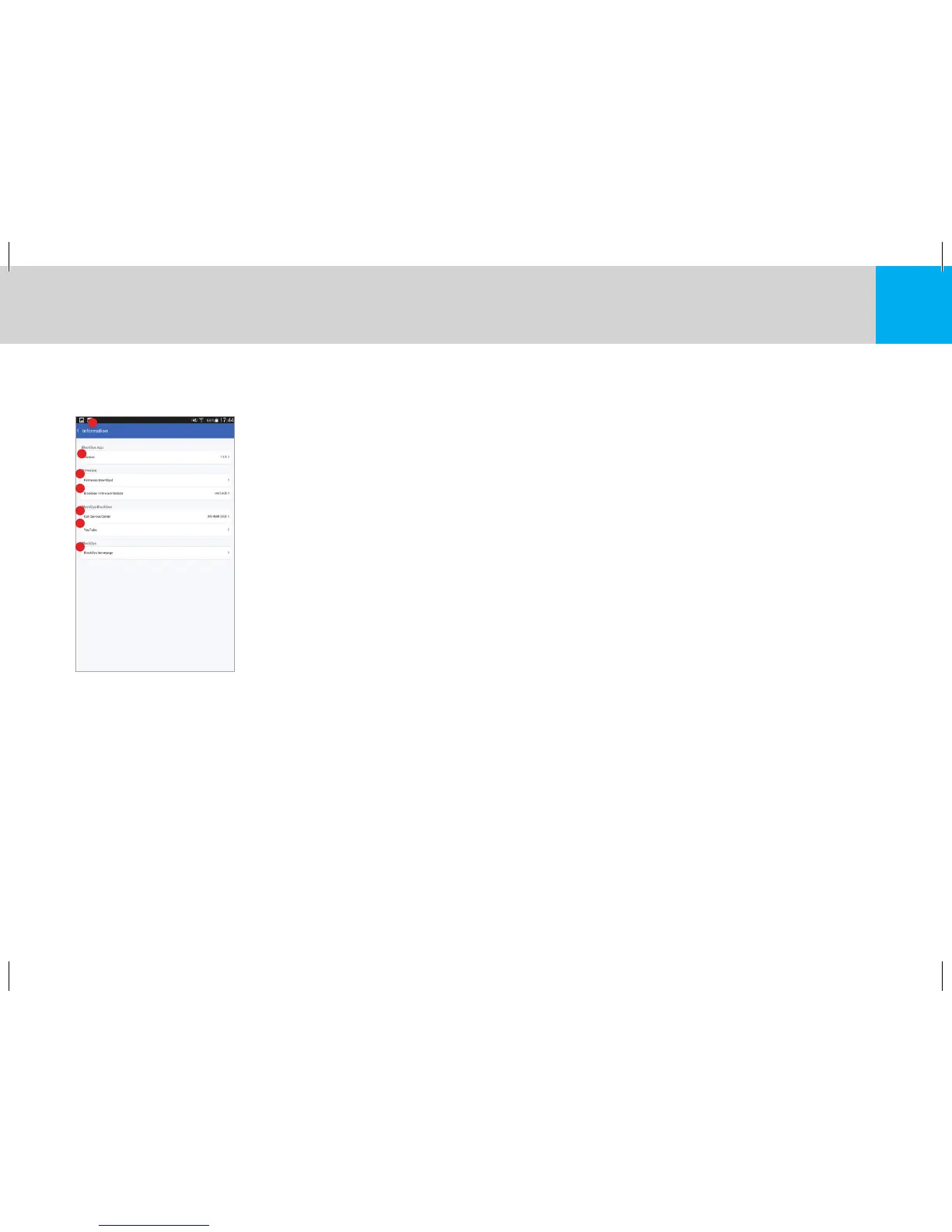
1. Navigation : Navigate to the Main Screen
2. Application Version : Displays current mobile app version
3. Firmware Download : Download the latest firmware
4. Firmware Version : Displays current firmware version of your product
5. Call Service Center : Contact BlackSys for more information
6. YouTube : View our YouTube channel
7. BlackSys Homepage : Visit our homepage for more information
5-5 Upgrading Firmware on the BlackSys App
1. Connect to your BlackSys product to view current firmware version.
2. Navigate to Firmware Download (Information → Firmware Download)
3. Download the latest firmware available (Charges may apply depending on carrier).
4. Ensure product and smartphone maintain a stable connection.
5. Upload firmware to your product (BlackSys Configuration → Firmware).
6. Please wait until the product has rebooted.
※ Please do not restart your Smartphone or Product while firmware is being installed.


 To Next Page