4
Quick Start Guide
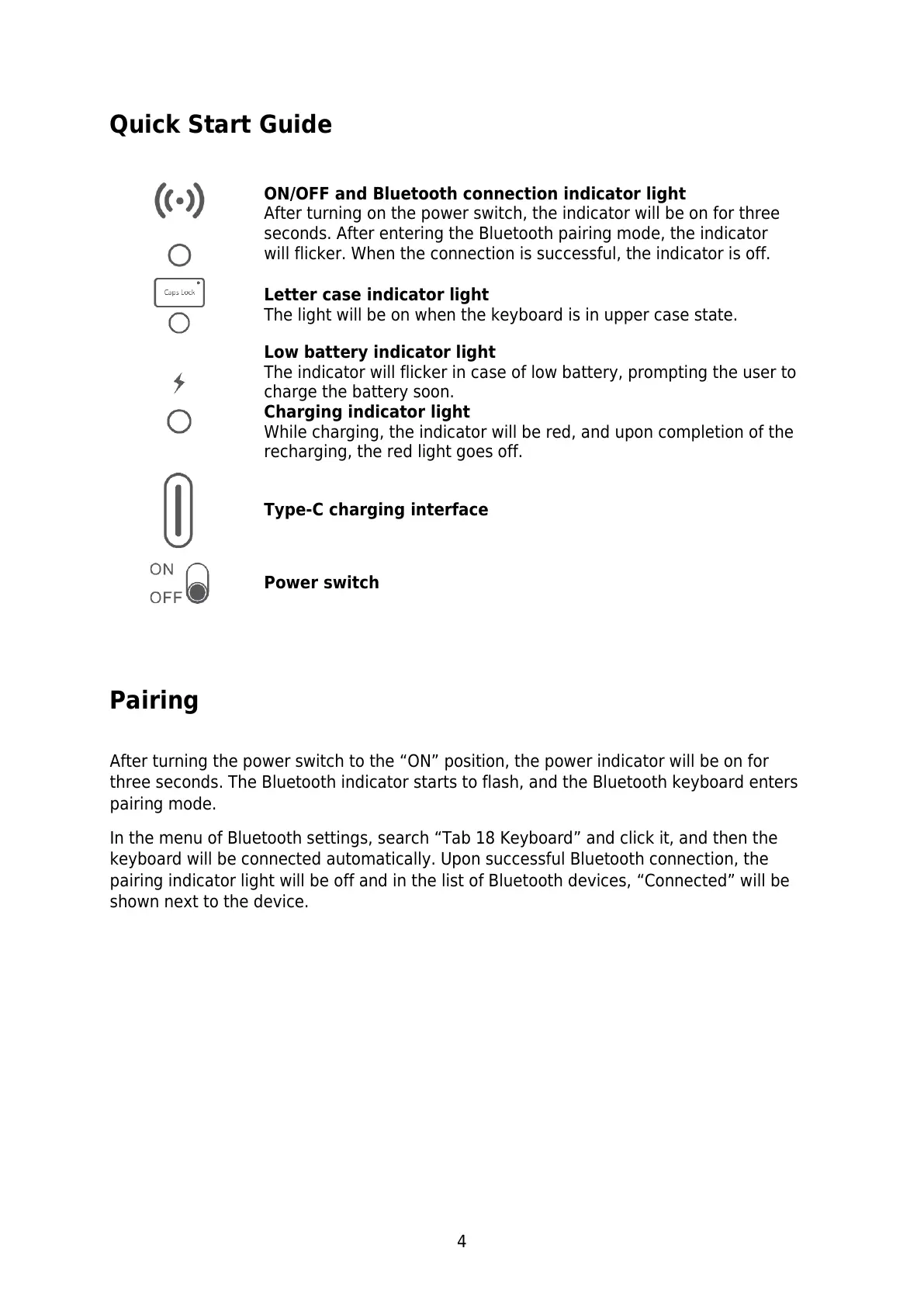
ON/OFF and Bluetooth connection indicator light
After turning on the power switch, the indicator will be on for three
seconds. After entering the Bluetooth pairing mode, the indicator
will flicker. When the connection is successful, the indicator is off.
Letter case indicator light
The light will be on when the keyboard is in upper case state.
Low battery indicator light
The indicator will flicker in case of low battery, prompting the user to
charge the battery soon.
Charging indicator light
While charging, the indicator will be red, and upon completion of the
recharging, the red light goes off.
Type-C charging interface
Pairing
After turning the power switch to the “ON” position, the power indicator will be on for
three seconds. The Bluetooth indicator starts to flash, and the Bluetooth keyboard enters
pairing mode.
In the menu of Bluetooth settings, search “Tab 18 Keyboard” and click it, and then the
keyboard will be connected automatically. Upon successful Bluetooth connection, the
pairing indicator light will be off and in the list of Bluetooth devices, “Connected” will be
shown next to the device.


 To Next Page