EasyManua.ls Logo

Blackweb BWA17WI015 - User Manual

Blackweb BWA17WI015
2 pages
Print Icon
To Next Page IconTo Next Page
Loading...
Wireless
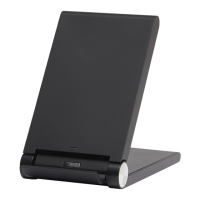
Charging Stand
PRODUCT GUIDE
Model: BWA17WI015
TM
Thanks for choosing us
This is a smart phone wireless charger that allows you enjoy the
fun of digital products easily.
Please kindly read the user manual before using and keep it for
future reference.
Built-in 2 coils to make sure larger
high-eciency charging position.
LED light clearly show the standby
and charging condition.
Connect to Power Adapter
Connect to Laptop for Charging
Connect to Desktop for Charging
Charging Mode
Power
Adapter
USB Cable
Micro USB Port
Note: Charging pad controled by smart chips,
long-term tandby can be assured.
1.Connect the USB 2.0 interface into lap top USB port, the other
Micro USB to pad.
2.Standby LED light turn on blue.
1. Connect the USB 2.0 interface into desktop motherboard
USB port, the other Micro USB to pad.
2.Standby LED light turn on blue.
1. Make sure the charging pad indicator light turn on green,
under standby status
2. Put wireless charging mobile phone on the pad, the LED light
will turn to green from blue and start charging. lt shows that
the charging position is improper when the LED light ashing.
Please move the phone a little and LED light keeps green.
LED Indicator Light
LED Indicator Light
V1.0
1.Connect the power adapter
to socket.
2.Connect adapter to the
USB2.0 interface, the other
Micro USB to pad.
Question and Answer IconNeed help?

Do you have a question about the Blackweb BWA17WI015 and is the answer not in the manual?

Overview

This document describes the Blackweb Wireless Charging Stand, model BWA17WI015, a smart phone wireless charger designed for ease of use and digital product enjoyment. Users are advised to read the manual thoroughly before use and retain it for future reference.

Function Description:

The Blackweb Wireless Charging Stand is a device that enables wireless charging of compatible smartphones. It features built-in dual coils to ensure a larger and more efficient charging position, accommodating various phone placements. An LED light clearly indicates the standby and charging status of the device.

Important Technical Specifications:

  • Input: DC5.0V, 2.0A / DC9.0V, 1.8A
  • Output: DC5.0V, 1.0A / DC9.0V, 1.1A
  • Frequency: 110-205KHz
  • Conversion Efficiency: ≥72%
  • Size: 118x70x87.5mm
  • Net Weight (NW): 150g

Usage Features:

Connecting to Power Adapter:

  1. Connect the power adapter to a wall socket.
  2. Connect the adapter to the USB2.0 interface of the charging pad.
  3. Connect the Micro USB cable from the adapter to the Micro USB Port on the charging pad. Note: The charging pad is controlled by smart chips, ensuring long-term standby capability.

Connecting to Desktop for Charging:

  1. Insert the USB 2.0 interface of the charging pad's cable into a desktop motherboard USB port.
  2. Connect the other Micro USB end of the cable to the charging pad.
  3. The standby LED light will illuminate blue.

Connecting to Laptop for Charging:

  1. Insert the USB 2.0 interface of the charging pad's cable into a laptop USB port.
  2. Connect the other Micro USB end of the cable to the charging pad.
  3. The standby LED light will illuminate blue.

Charging Mode:

  1. Ensure the charging pad indicator light is green under standby status.
  2. Place a wireless charging compatible mobile phone on the pad.
  3. The LED light will change from blue to green, indicating that charging has commenced.
  4. If the LED light flashes, it indicates an improper charging position. Users should slightly reposition the phone until the LED light remains solid green.

Troubleshooting:

The manual lists common issues and their potential causes:

  1. Wireless charging terminal malfunction.
  2. Power cable current less than 1.5A.
  3. Adapter current less than 1A.
  4. Poor contact between adapter, power cable, or product.
  5. Mobile phone location shift on the pad.

Compatible Devices:

The charger supports a wide range of devices, including but not limited to:

  • SAMSUNG®: Note5, S6, S6 Edge, S6 Edge+, S7, S7 Edge, S7 Edge+, S6 NOTE, S6 DUOS
  • LG®: D1, LTE2, Optimus F5, G2 (USA), G3 (four contacts after the shell), G PRO, Optimus Vu3, LTE2
  • NOKIA®: Lumia 820, Lumia 1020, Lumia 1520, Lumia 920, Lumia 822, Lumia 930, Lumia 929, Lumia 928
  • HTC®: 8x, Butterfly (USA), Incredible4G LTE, Droid DNA, Rzound, One mini2, One M8 Eye (M8Et/TD-LTE 4G), One E9 (E9t/TD-LTE 4G), HTC Butterfly3 (TD-LTE 4G)
  • ASUS®: Z97-DELUXE, PADPHONES-X
  • Google®: Nexus2, Nexus3, Nexus4, Nexus5, Nexus6, Nexus7
  • MOTO®: Motorola 260, Droid Turbo 2 (XT1585), XPRO, MAXX (XT1254), Nexus 6 (XT1100/XT1103), Droid Turbo (XT1254), Droid MAXX2 (XT1080)
  • SONY®: Z3V, Z4V
  • BLACKBERRY®: PRIV (STV100-1), PRIV (STV100-2), Z30
  • SHARP®: SH-07D, SH-04D, SH-02D, SH-13C

Maintenance Features:

  • Cleaning: Before cleaning, cut off the power supply. Use only a dry rag to clean the product.
  • Safety Precautions:
    • Avoid squeezing or collisions.
    • Do not disassemble, throw into fire or water to prevent short circuits or leakage.
    • Do not use in severely hot, humid, or corrosive environments to prevent circuit damage and leakage.
    • Keep magnetic stripe or chip cards (ID cards, bank cards, etc.) away from the charger to avoid magnetic failure.
    • Maintain a distance of at least 20cm between the wireless charger and implantable medical devices (pacemakers, cochlear implants, etc.) to avoid potential interference.
    • Keep children from playing with the charger as a toy to prevent accidents.
    • If radios or other products are in close proximity and cause interference, increase the distance between the product and the radio.
    • When not in use, turn off the power supply and unplug the power plug.
    • If the device shows signs of damage, odd smell, smoke, or other abnormal phenomena, discontinue use immediately.

FCC Compliance Statement:

This device complies with Part 15 of the FCC Rules. Operation is subject to two conditions: (1) this device may not cause harmful interference, and (2) this device must accept any interference received, including interference that may cause undesired operation. Users are warned that changes or modifications not expressly approved by the party responsible for compliance could void the user's authority to operate the equipment. The device has been tested and found to comply with the limits for a Class B digital device, designed to provide reasonable protection against harmful interference in a residential installation. If interference occurs, users can try to correct it by reorienting or relocating the receiving antenna, increasing the separation between the equipment and receiver, connecting the equipment into an outlet on a different circuit, or consulting a dealer or an experienced radio/TV technician.

Caution: To reduce the likelihood of excessive heat and possible damage, use only the USB cable packaged with this product.

Contact Information:

Wal-Mart Stores, Inc., Bentonville, AR 72716 Hotline: 1-800-925-6278

Blackweb BWA17WI015 Specifications

General IconGeneral
BrandBlackweb
ModelBWA17WI015
CategoryBattery Charger
LanguageEnglish

Related product manuals