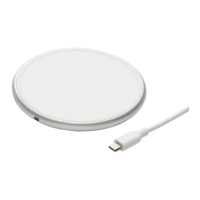
This document is a product guide for the Blackweb Wireless Charging Stand, model BWB18WI704.
Function Description
The Blackweb Wireless Charging Stand is designed to wirelessly charge mobile devices. It supports various charging modes for both Android phones and iPhones, including 5W, 7.5W, and 10W. The stand allows for flexible device placement, supporting both vertical and horizontal orientations, and offers an adjustable angle from 0 to 65 degrees for optimal viewing while charging.
Important Technical Specifications
- Model: BWB18WI704
- Input: Micro-USB, 5V/2A, 9V/1.67A
- Output: 5W/7.5W/10W
- Included Accessories:
- Wireless Charging Stand
- A 3ft/914mm Micro-USB cable
- A 18W AC QC Adaptor
- Wireless Charging Standards: Qi wireless standard
- Supported Charging Modes:
- 5W and 10W for Android phones
- Up to 7.5W for iPhones
- Up to 10W for newer Samsung flagship phones
Usage Features
- Setup:
- Insert the USB end of the included cable into the 18W AC QC Adaptor.
- Connect the Micro-USB end of the cable to the wireless charger. The green LED indicator will light up, signifying a successful connection and standby mode.
- Charging a Device:
- Place your mobile phone vertically or horizontally on the wireless charging stand.
- Ensure the center of your phone aligns with the center of the wireless charger.
- The stand's angle can be adjusted from 0 to 65 degrees to suit your preference.
- LED Indicator Status:
- Green: Connected to power, standby for charging.
- Blue: Charging mobile device.
- Flashing Blue: Foreign object detected (remove the object before charging).
- Compatibility Note:
- Using an ultra-thick protective phone case (≥5mm) or a case with magnetic/iron components is not recommended, as it may interfere with the wireless charging function.
Maintenance Features
- Cleaning: Only use a dry cloth or brush to clean the product.
- Safety Precautions:
- Avoid dropping the device.
- Do not disassemble the device.
- Ensure no metal objects are placed between the device and the wireless charging stand during operation.
- Keep the wireless charging stand away from any liquids or moisture.
- The maximum ambient temperature during use should not exceed 45°C. Do not place the device in fire or other excessively hot environments.
- Do not use the device if visible defects are observed.
FCC Statements
This device complies with Part 15 of the FCC Rules. Operation is subject to the following two conditions:
- This device may not cause harmful interference.
- This device must accept any interference received, including interference that may cause undesired operation.
The equipment has been tested and found to comply with the limits for a Class B digital device. If the equipment causes harmful interference to radio or television reception, users are encouraged to try to correct the interference by:
- Reorienting or relocating the receiving antenna.
- Increasing the separation between the equipment and receiver.
- Connecting the equipment into an outlet on a circuit different from that to which the receiver is connected.
- Consulting the dealer or an experienced radio/TV technician for help.
Modifications not expressly approved by the party responsible for compliance could void the user's authority to operate this equipment. The distance between the user and the product should be no less than 20cm.

 Need help?
 General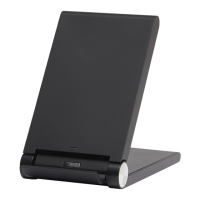

 To Next Page