Need help?
Do you have a question about the Blackweb BWB18WI705 and is the answer not in the manual?
This document outlines the features and usage instructions for the Blackweb Wireless Charging Pad, Model BWB18WI705. This device is designed to provide convenient wireless charging for compatible mobile devices, offering a streamlined and cable-free power solution.
The Blackweb Wireless Charging Pad serves as a power source for mobile devices that support wireless charging technology. It eliminates the need for physical cable connections to the device itself, allowing users to simply place their compatible smartphone on the pad to initiate charging. The pad supports various charging modes, including 5W and 10W for Android phones, and up to 7.5W for iPhones, leveraging the Qi wireless standard. For newer Samsung flagship phones, it can deliver quick-charging speeds of up to 10W. This versatility ensures broad compatibility and efficient charging across a range of modern smartphones.
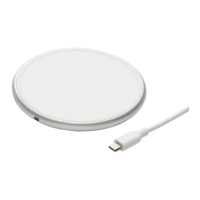
To begin using the wireless charging pad, first ensure it is properly connected to a power source. The package includes a 3ft/914mm Micro-USB cable and an 18W AC QC Adaptor for this purpose. Insert the USB end of the cable into the power adaptor, and then connect the Micro-USB end of the cable to the wireless charger. Once connected, a green LED indicator on the charging pad will illuminate, signifying that the pad is powered on and in standby mode, ready for charging.
Once the pad is powered, simply place your compatible mobile phone on the surface of the wireless charging pad. It is crucial to ensure that the center of your mobile phone aligns with the center of the wireless charger for optimal charging performance. When a mobile device is successfully placed and charging begins, the LED indicator will turn blue. If a foreign object is detected on the charging pad, the LED indicator will flash blue, signaling that the object should be removed before charging can proceed safely. The green LED indicator will also light up when the device is fully charged, providing a clear visual cue that your device is ready to be removed.
It is important to note certain considerations for effective usage. Using an ultra-thick protective phone case (exceeding 5mm in thickness) or a case that contains magnetic or iron components is not recommended. Such cases can interfere with the wireless charging function, potentially reducing efficiency or preventing charging altogether. For the best experience, it is advisable to remove such cases before placing your phone on the charging pad.
Proper care and maintenance of the Blackweb Wireless Charging Pad are essential to ensure its longevity and continued optimal performance. Users should adhere to the following guidelines:
By following these usage and maintenance guidelines, users can ensure a safe, efficient, and long-lasting experience with their Blackweb Wireless Charging Pad.
 General
| Charging Slots | 4 |
|---|---|
| Color | Black |
| Battery Type | AA, AAA |
| Input | AC 100-240V |
| Output | DC 2.8V |
| Compatibility | Ni-MH, Ni-Cd rechargeable batteries |

 To Next Page