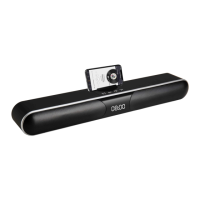
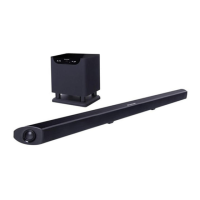
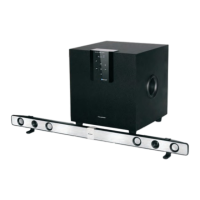
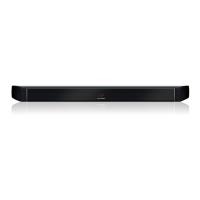
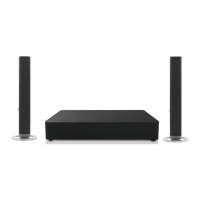
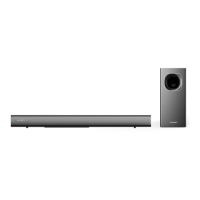
This document describes the Blaupunkt BSB210DWS 2.1ch Soundbar with Wireless Subwoofer, providing an instruction manual for its use, setup, and maintenance.
Function Description:
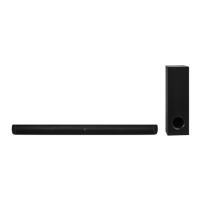
The Blaupunkt BSB210DWS is a 2.1 channel soundbar system designed to enhance audio output for various entertainment setups, such as TVs, game consoles, and DVD players. It features a soundbar and a wireless subwoofer for a more immersive sound experience. The soundbar supports multiple input sources including HDMI (ARC), USB playback, optical input, AUX (3.5mm), and Bluetooth connectivity. It also includes various EQ modes (Music, Movie, Bass, News, Game) and a 3D (Surround Sound) function to tailor the audio output to different content types and user preferences. The wireless subwoofer connects automatically to the soundbar, providing deep bass without the clutter of additional cables.
Important Technical Specifications:
- Power Supply: 18VDC, 1.3A
- Output Power: Total: 20W*2 + 40W (likely 20W per soundbar channel and 40W for the subwoofer)
- Frequency Response: 50Hz to 15kHz
- Bluetooth Version: 5.0
- Bluetooth Profiles: A2DP, AVRCP
- Bluetooth Range: Up to 10m (may be reduced by obstacles)
- Dimensions:
- Soundbar: 810 (w) x 70 (d) x 58 (h) mm
- Subwoofer: 120 (w) x 220 (d) x 397 (h) mm
- Weights:
- Net: 3.85 kg
- Gross: 5.4 kg
Usage Features:
- Multiple Input Sources:
- HDMI (ARC): Connects to a TV's HDMI/ARC port for audio return, allowing TV sound to play through the soundbar and potentially enabling TV remote control for soundbar volume. Users must ensure their TV's HDMI (CEC) and ARC modes are enabled.
- USB Playback: Allows playing audio files directly from a USB device.
- Optical Input: Connects to a TV's optical port for digital audio. Users should ensure the TV's audio settings are set to PCM or Dolby if no sound is heard.
- AUX In (3.5mm): For connecting devices via a 3.5mm audio cable.
- Bluetooth: Enables wireless audio streaming from Bluetooth-enabled devices.
- Wireless Subwoofer: The subwoofer connects wirelessly to the soundbar, simplifying setup and placement. The connection process involves powering on both units, ensuring the soundbar is in Bluetooth mode, and then pressing the PLAY/PAUSE button on the soundbar twice to initiate pairing. A solid red LED on the subwoofer indicates a successful connection.
- Remote Control: A dedicated remote control provides comprehensive control over the soundbar, including:
- Power On/Off
- Mute/Unmute
- Mode Selection (BT, Optical, HDMI, Line In, USB)
- Volume Up/Down
- Play/Pause, Previous Song, Next Song (for USB/Bluetooth)
- EQ Modes: Music, Movie, Bass, News, Game for optimized sound profiles.
- Bass Adjustment: Increase/Decrease Bass.
- 3D (Surround Sound): Short press to toggle on/off.
- LED Display Control: Long press to turn the LED display on/off.
- On-Unit Controls: The soundbar also features physical buttons for basic operations:
- Power On/Off (short press for power on, long press for power off)
- Mode Change (short press)
- Play/Pause
- Volume Up/Down
- Pairing with Bluetooth Devices: The soundbar automatically enters pairing mode when first switched to BT mode. Users select "BSB210DWS" from their smart device's Bluetooth list. To disconnect, switch to another mode or disable Bluetooth on the device. Holding the PLAY/PAUSE button on the soundbar can also initiate pairing mode, disconnecting any current connection.
- Mute Function: Available via the remote control to temporarily silence the audio.
- EQ Function: Allows users to cycle through different sound effects (EQ modes) to match their audio content.
Maintenance Features:
- General Safety Instructions: The manual emphasizes crucial safety precautions, including:
- Using appropriate furniture for support.
- Ensuring the product is not overhanging edges or placed on unstable surfaces.
- Avoiding placement on high furniture without securing it.
- Not placing the product on cloth or conductive materials.
- Warning children about climbing on furniture.
- Protecting the product from rain, moisture, splashing, or water contact.
- Not tampering with or modifying the product.
- Using only manufacturer-recommended accessories.
- Avoiding placing objects on top of the product.
- Ensuring proper ventilation and not covering openings.
- Avoiding placing naked flame sources (candles, cigarettes) on or near the product.
- Not plugging multiple devices into the same outlet.
- Unplugging during lightning storms or long periods of disuse.
- Disconnecting from the wall socket when moving the unit or not using it for extended periods.
- Contacting the service center for unusual odors or smoke.
- Using a dry cloth for cleaning and only after unplugging.
- Contacting the call center for repairs or service.
- Ensuring wall-mounted installation is done by qualified personnel.
- Placing the product in a well-ventilated, dry, and damp-free area, away from direct sunlight, heaters, splashes, food, excessive dust, grease, and confined spaces.
- Avoiding placing containers with liquids or small metallic objects on the unit.
- Not storing flammable or combustible materials near the unit.
- Battery Precautions (Remote Control):
- Using only specified batteries (2 x AAA).
- Avoiding mixing batteries with other metallic objects to prevent short-circuiting, leakage, or explosion.
- Protecting batteries from excessive heat, direct sunlight, or fire.
- Not attempting to short-circuit, disassemble, or throw batteries into fire.
- Disposing of batteries promptly and correctly according to local hazardous waste regulations.
- Ensuring correct polarity (+/-) when inserting batteries.
- Removing batteries if the remote control will not be used for a month or more to prevent leakage or corrosion.
- Keeping batteries out of reach of infants and children, and seeking medical attention if a child swallows a battery.
- Troubleshooting Guide: The manual includes a troubleshooting section to address common issues such as no power, remote control not working, no response from the unit, inability to find the Bluetooth name, and connection problems between the main unit and subwoofer. Solutions typically involve checking power connections, battery replacement, ensuring correct source selection, verifying Bluetooth activation, and re-pairing devices. Users are advised not to attempt repairs themselves.


 To Next Page
 General