Need help?
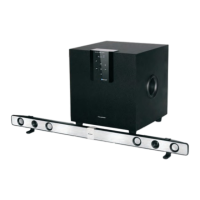
Do you have a question about the Blaupunkt LS 215e and is the answer not in the manual?
Explanation of warning symbols used in the manual.
Key safety and operating notes, including environmental and installation precautions.
Comprehensive safety and operating instructions for product use.
Detailed safety precautions covering heat, water, cleaning, attachments, and servicing.
Information on product compliance with EU Ecodesign Directive for energy efficiency.
Pictorial warnings regarding power connection, water, heat, and cable handling.
List of included accessories and guidance on selecting TV adapters.
Instructions for correctly inserting batteries into the remote control.
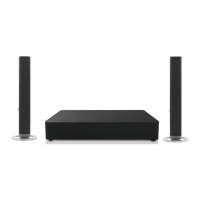
Steps for assembling and placing the soundbar on a table.
Instructions for assembling and placing the soundbar on the floor.
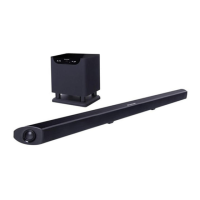
Guide to mounting the soundbar as a single unit on the wall.
Instructions for mounting the soundbar components separately on the wall.
Identification of buttons and features on the remote control.
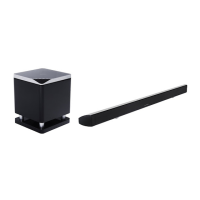
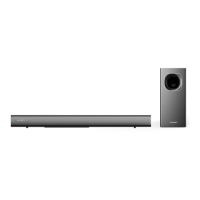
Diagram and labels for the subwoofer's front and rear panels.
Detailed graphic and labels for all remote control buttons.
Steps for initial setup, connecting cables, and switching between standby and active modes.
How to adjust equalizer, volume, and mute the audio output.
Controlling playback, selecting sound effects, and choosing audio sources.
Guide to connecting external devices via HDMI, Coaxial, Optical, and AUX inputs.
How to use the HDMI ARC function for audio playback.
Using HDMI CEC to control connected devices like TVs and DVD players.
Instructions for connecting and operating via Optical and Stereo inputs.
Explanation of digital inputs and the PCM decoder's sound effect capabilities.
How to wirelessly connect and play music from Bluetooth devices.
Steps for pairing new devices, reconnecting, and handling incoming calls.
Solutions for common problems like power, remote, sound, and unit malfunctions.
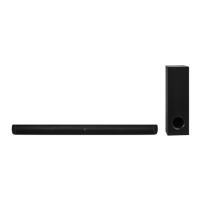
Detailed technical data including voltage, power, inputs, outputs, and batteries.
Explanation of the symbol for proper disposal of electrical and electronic equipment.
Contact details for Blaupunkt Competence Center Audio and service hotlines.
 General
| Product color | Black |
|---|---|
| RMS rated power | 100 W |
| Recommended usage | Universal |
| Audio output channels | 2.1 channels |
| Peak Music Power Output (PMPO) | 300 W |
| Bluetooth | Yes |
| Connectivity technology | Wired & Wireless |
| Power source | AC |
| Subwoofer frequency range | 20 - 160 Hz |
| Subwoofer dimensions (WxDxH) | 320 x 327 x 320 mm |
| Amplification device form factor | Built-in |
| Satellite speaker type | - |
| Number of satellite speakers | 2 |
| Satellite speaker frequency range | 160 - 20000 Hz |

 To Next Page