EasyManua.ls Logo

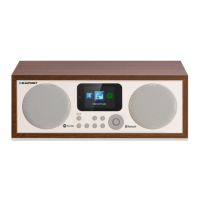
Blaupunkt IR 18E - User Manual

Blaupunkt IR 18E
63 pages
Print Icon
To Next Page IconTo Next Page
Loading...
IR 18e
WiFi Internetradio
Wi-Fi Internet Radio

Table of Contents

Questions and Answers

  • L
    Laura WardAug 9, 2025
    What to do if my Blaupunkt Radio does not respond or have no power?
    • M
      Michael PotterAug 9, 2025
      If your Blaupunkt Radio is not responding, ensure the DC adapter is properly plugged into a working wall outlet and connected to the unit's power supply jack. To verify the outlet is functional, plug another device into the same outlet.
  • B
    browngregoryAug 25, 2025
    Why does my Blaupunkt Radio get warm after playing at high volume?
    • N
      Natasha McintyreAug 25, 2025
      It is normal for your Blaupunkt Radio to get warm after playing at high volume for an extended period. To resolve this, turn the unit off for a while or lower the volume.

Summary

Sicherheitshinweise

Bedienungsanleitung und Warnhinweise

General guidelines and warnings for safe operation and handling of the device.

Installation

Netzanschluss und Bedienung

Stromversorgung und Anschluss

Steps for connecting the device to the power source and initial power-up.

Anschlüsse und Bedienelemente

Betrieb

WiFi-Internetradio einschalten und mit dem Internet verbinden

Step-by-step guide to power on and establish an internet connection for the WiFi radio.

TUNEIN: Internetradio

Guide to accessing and using the TuneIn internet radio service.

CONFIGURATION: Einstellungsmenü

Fehlerbehebung

Häufige Probleme und Lösungen

Common issues, possible causes, and troubleshooting steps for resolving device problems.

Blaupunkt IR 18E Specifications

General IconGeneral
TypeInternet Radio
DAB+Yes
FM RadioYes
StreamingYes
Connectors3.5mm headphone jack, AUX-In
Frequency Range (FM)87.5 - 108 MHz
Display2.4-inch TFT Display
Frequency Range (MW)Not applicable

Related product manuals