EasyManua.ls Logo

Blaupunkt Rio de Janeiro 120 - User Manual

Blaupunkt Rio de Janeiro 120
18 pages
Print Icon
To Next Page IconTo Next Page
Loading...
1
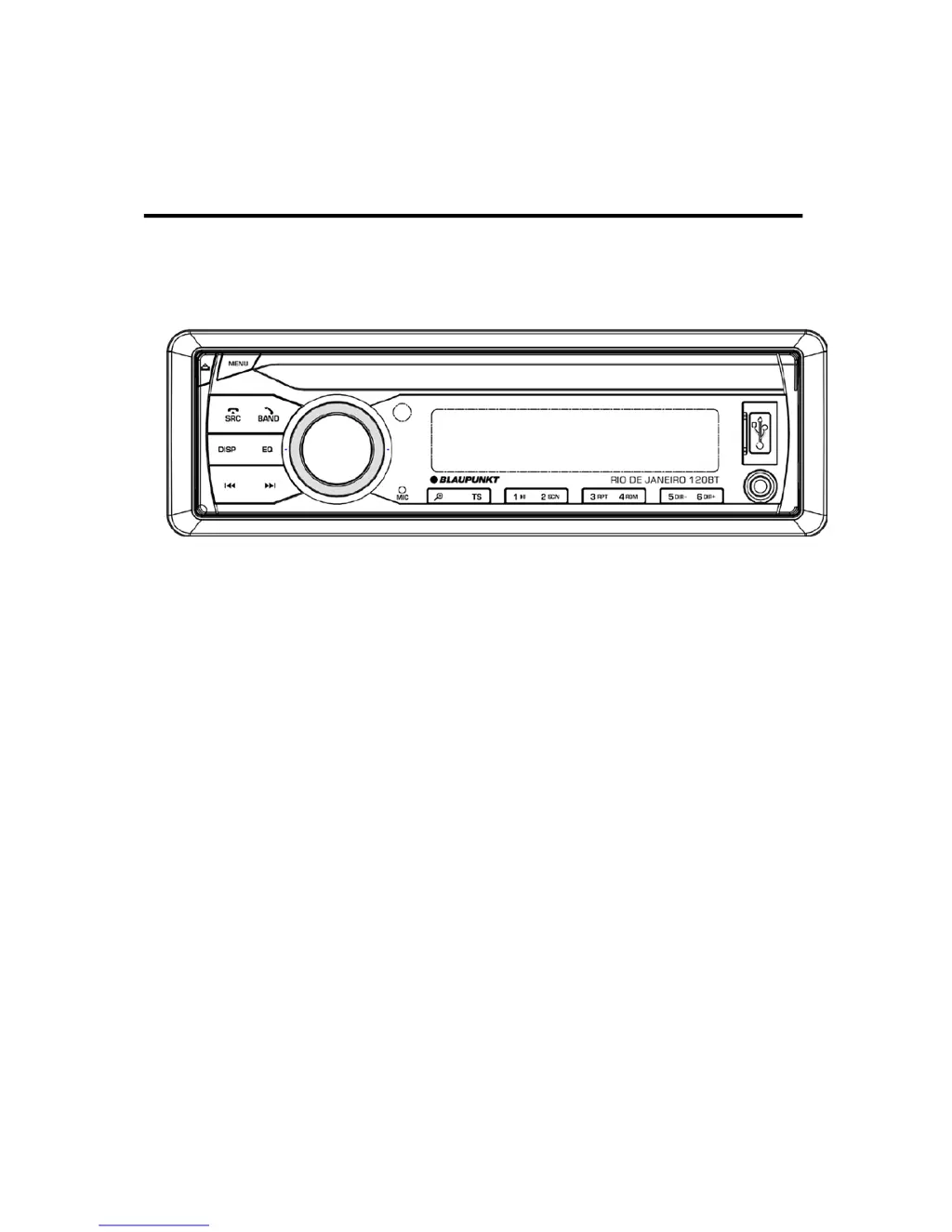
OWNER’S MANUAL
Mobile Audio System
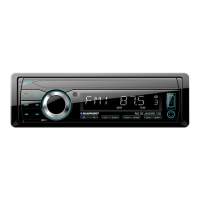
RIO DE JANEIRO 120BT
PLL Synthesizer Stereo Radio
MP3/WMA Player
Full Detachable Panel
USB/ SD Interface
3.5mm Jack Input
Bluetooth function
Remote control function

Questions and Answers

  • J
    Joseph MoranAug 2, 2025
    Why isn't the radio working on my Blaupunkt Car Receiver?
    • A
      Amanda JohnsonAug 2, 2025
      If the radio in your Blaupunkt Car Receiver isn't working or the automatic station selection fails, ensure the antenna cable is firmly connected. If the signals are weak, try selecting a station manually.
  • L
    lauren00Aug 7, 2025
    Why is my Blaupunkt Rio de Janeiro 120 not turning on?
    • J
      Jacob MoonAug 7, 2025
      First, check if the car ignition switch is turned on. If the power supply of your Blaupunkt Car Receiver is connected to the car accessory circuits, switch the ignition key to “ACC”. Also, inspect the fuse; if it's blown, replace it.
  • M
    Mary Morgan MDAug 11, 2025
    What to do if there is no sound from my Blaupunkt Car Receiver?
    • C
      Christine CantuAug 11, 2025
      If your Blaupunkt Car Receiver isn't producing sound, start by adjusting the volume to a suitable level. If the issue persists, check the wiring connections to ensure they are properly connected.
  • A
    Amanda PottsAug 17, 2025
    What to do if the operation keys on my Blaupunkt Rio de Janeiro 120 Car Receiver do not work?
    • M
      matthew62Aug 17, 2025
      If your Blaupunkt Car Receiver operation keys aren't working, press the RESET button. This is because the built-in microcomputer may not be operating properly due to noise. Also check if the front panel is properly fixed into its place.
  • C
    Christine ClarkAug 22, 2025
    Why does the sound skip on my Blaupunkt Rio de Janeiro 120?
    • B
      Brandon GregoryAug 22, 2025
      If your Blaupunkt Car Receiver skips sound, adjust the installation angle to less than 30 degrees. Also, the disc could be extremely dirty or defective, so clean the compact disc or try playing a new one.
  • T
    Tamara SosaAug 27, 2025
    What to do if my Blaupunkt Car Receiver won't load or eject a disc?
    • G
      gabrielwilliamsAug 27, 2025
      If your Blaupunkt Car Receiver won't load or eject a disc, remove any disc currently inside the player before inserting a new one. Ensure you're inserting the compact disc with the label facing upward. If the disc is dirty or defective, clean it or try a new one. If the temperature inside the car is too high, cool off until the ambient temperature returns to normal. If condensation has formed, leave the player off for about an hour, then try again.

Summary

INSTALLATION

DIN FRONT-MOUNT (Method A)

Detailed instructions for front-mounting the unit in a dashboard opening.

Installing the unit

Step-by-step guide for physically installing the unit into the dashboard sleeve.

Removing the unit

Procedure for safely detaching the main unit from the dashboard sleeve.

DIN REAR-MOUNT (Method B)

Instructions for rear-mounting the unit using vehicle-specific brackets.

USING THE DETACHABLE FRONT PANEL

REMOVING THE FRONT PANEL

How to detach the front panel from the main unit using the release button.

INSTALLING THE FRONT PANEL

Guide on correctly reattaching the front panel to the main unit.

WIRING CONNECTION

ISO CONNECTION

Diagram and explanation of the standard ISO wiring harness connections for the unit.

OPERATION

LOCATION OF KEYS

Identification and description of all buttons and ports on the unit's front panel.

SOUND AND CLOCK SETTINGS

Adjusting audio settings (Bass, Treble, EQ) and setting the unit's clock.

RADIO TUNER AND SYSTEM SETTINGS

Operating the radio, setting time, system reset, and display information.

RADIO RECEPTION AND RDS

Tuning stations, automatic storing, RDS features, and traffic announcements.

USB PLAY OPERATION

How to connect and play MP3/WMA files from a USB drive, including file selection.

TF CARD OPERATION

How to connect and play MP3/WMA files from a TF card, including file selection.

BLUETOOTH OPERATION

Instructions for pairing, making calls, and streaming audio via Bluetooth connectivity.

REMOTE CONTROL HANDSET

FUNCTION & CONTROL

Mapping of remote control keys to specific unit functions and operations.

SPECIFICATION

Technical details of the unit including power, dimensions, and radio performance.

TROUBLE SHOOTING

FCC Statement

Blaupunkt Rio de Janeiro 120 Specifications

General IconGeneral
CategoryCar Receiver
ModelRio de Janeiro 120
Display TypeLCD
Radio TunerFM/AM
BluetoothYes
USB PortYes
AUX InputYes
SD Card SlotYes
Supported FormatsMP3, WMA
Power Output4 x 50W
Panel TypeFixed

Related product manuals