
 Need help?
Do you have a question about the Blaupunkt TS120 and is the answer not in the manual?
2.2 Channel speaker system with HDMI, ARC, BT, FM, Optical, AUX, USB connectivity.
Class D amplifier with a wide AC working voltage range for efficient power delivery.
Supports HDMI ARC, Optical, AUX 3.5 Jack, RCA, and USB inputs for versatile connectivity.
Digital FM radio functionality with a wired antenna for reception.
Details speaker size, frequency response, S/N ratio, separation, sensitivity, FM range, and power supply.
Controls unit power and cycles through different modes via short or long press.
Navigates to previous track or decreases volume with short/long presses.
Manages playback (play/pause) and scans FM channels.
Advances to next track or increases volume with short/long presses.
Adjusts tone control or equalizer effects with short/long presses.
Turns the unit on/off and mutes/unmutes audio playback.
Adjusts high (TRE) and low (BASS) frequency sound effect levels.
Switches modes, activates MIC priority, or adjusts equalizer/MIC settings.
Controls track navigation, playback, and volume adjustments.
Adjusts volume, selects USB mode, and applies loudness boost.
Direct song selection, FM tuning, and repeat modes (One, All, Folder, Random).
Connects to TVs or media players via HDMI ARC or Optical for audio.
Provides AUX1 (3.5mm), AUX2 (RCA), and FM Antenna connections.
Features a Wired MIC input and a USB port for drive access.
Connects to slave units for Mid, TW, and Woofer audio.
Includes an On/Off switch and AC input socket for power.
Steps to pair your Bluetooth device with the Tower Speakers for music streaming.
Tips to improve Bluetooth connection quality and range, and avoid interference.
Detailed instructions for connecting the TV to speakers using HDMI ARC for audio.
Configuring TV's CEC, ARC, and audio settings for optimal performance.
Diagram showing connections for Game Console (Optical) and Blu-ray/Tablet (Analog RCA/3.5mm).
Illustrates input ports and power connections on the speaker system.
Troubleshooting steps for when the unit does not turn on.
Solutions for when no audio is being produced by the speakers.
Guidance on resolving audio interference like buzzing or humming.
Steps to take if the remote control is not working correctly.
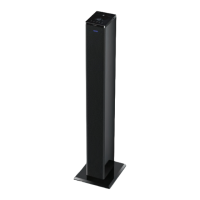
This document describes the Blaupunkt Tower Speakers, a 2.2 channel audio system designed for an immersive sound experience. The system supports a variety of input sources, including Bluetooth, USB, AUX-IN, and HDMI-ARC, making it versatile for connecting to different media devices like TVs, media players, PCs, DVDs, smartphones, tablets, and laptops.
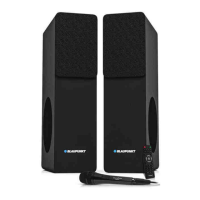
The Blaupunkt Tower Speakers are a twin tower speaker system featuring a 2.2 channel configuration. This setup is designed to deliver rich and powerful audio, suitable for enhancing the sound from various entertainment sources. The system incorporates a Class D amplifier, which is known for its efficiency and ability to operate across a wide AC working voltage range, ensuring stable performance.
Key functions include:
The Tower Speakers offer multiple ways to control and interact with the device:
Main Unit Top Touch Control: The top panel of the main unit features intuitive touch controls for quick access to essential functions:
Remote Control: A fully functional remote control provides comprehensive command over the system from a distance:
Connectivity: The system offers a wide range of input options on the back control panel:
To pair with a Bluetooth device, press the INPUT button to select Bluetooth mode. The speakers will announce "Bluetooth pairing" and become discoverable for 15 minutes. Users can then search for "Tower Speakers" on their Bluetooth device and connect. Volume can be controlled via both the source device and the Tower Speakers' remote. The system is not equipped with a microphone for hands-free calls.
To connect via HDMI ARC, plug one end of an ARC-compatible HDMI cable into the HDMI (ARC) port on the TV and the other end into the HDMI TV (ARC) port on the Tower Speakers. Users must then adjust their TV's audio settings to Dolby Digital, enable CEC and ARC (SAC) functions in the SYSTEM menu, and select Device Discovery in the CEC menu to register the speakers. Enabling System Audio Control in the CEC menu allows the TV remote to control the speaker volume.
Speaker Placement: For optimal audio experience, the Tower Speakers' subwoofers should always face inwards.
The manual provides important safety instructions that double as maintenance guidelines to ensure the longevity and safe operation of the device:
 General
| Frequency Response | 45 Hz - 22 kHz |
|---|---|
| Sensitivity | 92 dB |
| Speaker Type | 2-way |
| Impedance | 4 Ohm |
| Configuration | 2-way |


 To Next Page